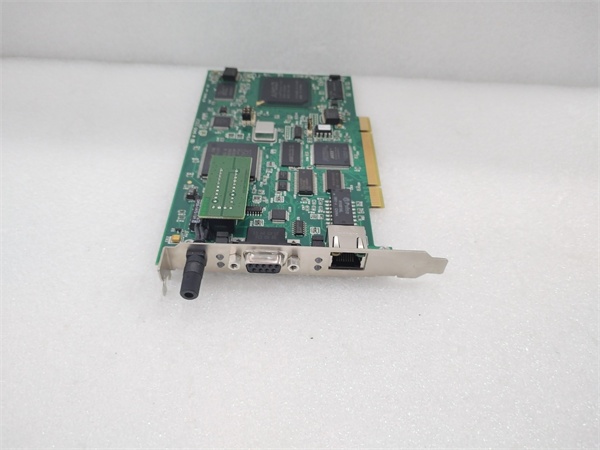
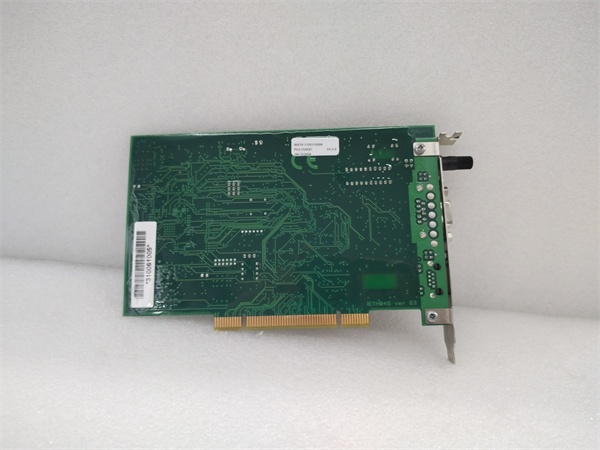
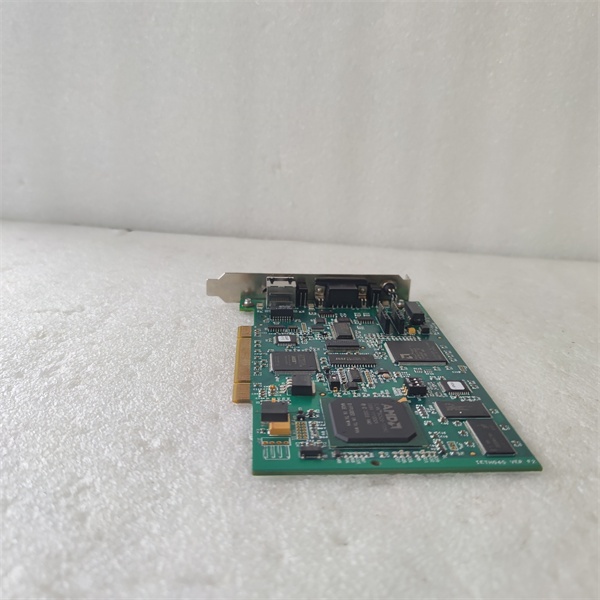
Description
System Architecture & Operational Principle
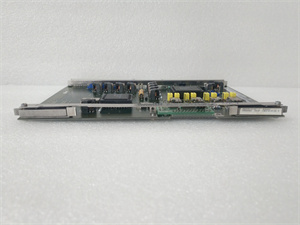
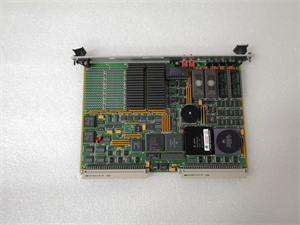
The APPLICOM PCU1500S7 is a PCI-based Profibus communication card designed for Level 1 (Device) or Level 2 (Control) of the Purdue Model. It installs directly into a PC’s PCI slot and connects to a PROFIBUS network via a 9-pin or 25-pin D-sub connector.
Upstream Communication
Receives command signals (e.g., setpoints, start/stop commands) from the PC’s software (e.g., SCADA, HMI) via the PCI bus. These signals are converted to PROFIBUS protocol messages by the card’s onboard processor.
Downstream Communication
Transmits PROFIBUS messages to field devices (e.g., Siemens S7 PLCs, ET200 I/O modules) or other nodes on the network. It also receives data (e.g., process variables, fault codes) from field devices and sends it back to the PC via the PCI bus.
Operational Advantages
-
Plug-and-Play: Automatically detects and configures the PCI interface, reducing setup time.
-
Protocol Flexibility: Supports multiple Profibus variants (DP, MPI, PPI), making it compatible with a wide range of industrial devices.
-
Onboard Processing: The 133 MHz processor handles communication tasks independently, reducing the load on the host PC.
Core Technical Specifications
|
Attribute
|
Specification
|
|---|---|
|
Physical Interface
|
PCI (3.3/5V) slot; 9-pin/25-pin D-sub connector for Profibus
|
|
Signal Type
|
PROFIBUS DP, S7/MPI, PPI/PPI+, FDL (electrical signaling)
|
|
Processor
|
133 MHz onboard microprocessor
|
|
Operating System Support
|
Windows XP/2K/NT4 (32-bit)
|
|
Power Consumption
|
Max 5V DC (from PCI bus); typical 2.5W
|
|
Operating Temperature
|
-20°C to +60°C (industrial grade)
|
|
Storage Temperature
|
-40°C to +85°C
|
|
Dimensions
|
9.7 cm (W) x 8.1 cm (H) x 65.6 cm (D) (approximate)
|
|
Weight
|
1.56 kg (3.44 lbs)
|
|
Certifications
|
CE, RoHS
|
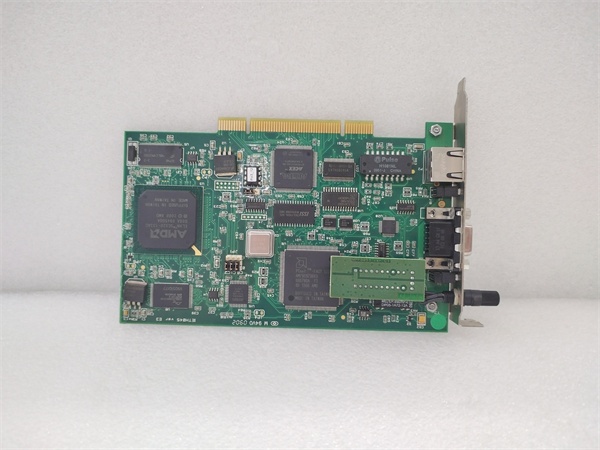
PCU1500S7
Customer Value & Operational Benefits
Reduced Integration Time
The PCU1500S7’s plug-and-play design and protocol flexibility eliminate the need for custom communication drivers. Engineers can quickly connect PCs to PROFIBUS networks, reducing integration time by up to 50%.
Improved System Reliability
The onboard processor handles communication tasks independently, reducing the risk of PC crashes or slowdowns due to heavy communication loads. This ensures consistent data transmission, critical for 24/7 industrial operations.
Cost-Effective Scalability
As a PCI card, the PCU1500S7 leverages existing PC hardware, eliminating the need for expensive standalone communication gateways. This makes it a cost-effective solution for expanding industrial automation systems.
Field Engineer’s Notes (From the Trenches)
When installing the PCU1500S7, always ground the Profibus connector—static electricity can damage the card’s electronics. Use a grounded wrist strap and ensure the PC’s chassis is connected to earth ground.Another gotcha: match the Profibus baud rate—the card’s baud rate (e.g., 9.6 kbps, 1.5 Mbps) must match the network’s setting. Use APPLICOM’s Console software to configure the baud rate if it’s not auto-detected.If the card fails to communicate, check the D-sub connector pins—bent or corroded pins are a common issue. Use a multimeter to test for continuity between the pins and the Profibus cable.
Real-World Applications
-
Manufacturing: Assembly Line ControlThe PCU1500S7 connects a PC-based HMI to a Siemens S7-300 PLC via Profibus DP. It transmits setpoints (e.g., conveyor speed) to the PLC and receives real-time data (e.g., part counts) from sensors, enabling operators to monitor and adjust the line.
-
Utilities: Substation AutomationIn a substation, the card connects a SCADA system to a Profibus network of protective relays and meters. It sends trip commands to relays during faults and receives status updates (e.g., voltage levels) for monitoring.

PCU1500S7
High-Frequency Troubleshooting FAQ
Q: What does the “LINK” LED indicate on the PCU1500S7?
A: The green “LINK” LED indicates an active Profibus connection. If it’s off, check the Profibus cable connection, baud rate configuration, or field device power.
Q: Can the PCU1500S7 be used with Windows 10?
A: No, the card is only compatible with Windows XP/2K/NT4. For Windows 10, consider upgrading to a newer Profibus card (e.g., APPLICOM PCIe1500S7).
Q: How do I configure the Profibus address?
A: Use APPLICOM’s Console software to set the Profibus address (1–127). Ensure the address doesn’t conflict with other devices on the network.
Q: Why is the PCU1500S7 not recognized by the PC?
A: Check if the PCI slot is enabled in the PC’s BIOS. If the slot is enabled, try reseating the card or using a different PCI slot.
Commercial Availability & Pricing
Please note: The listed price is not the actual final price. It is for reference only and is subject to appropriate negotiation based on current market conditions, quantity, and availability.