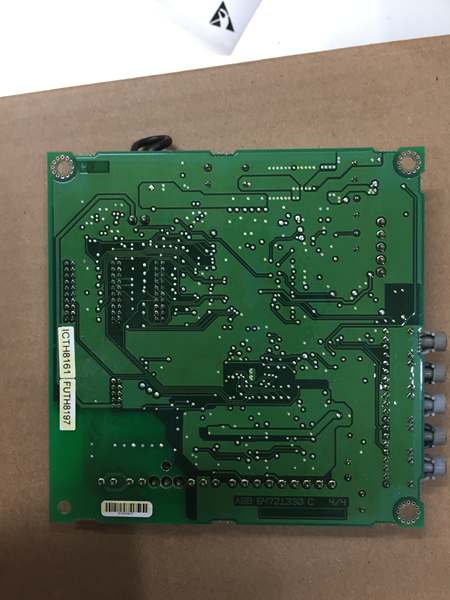
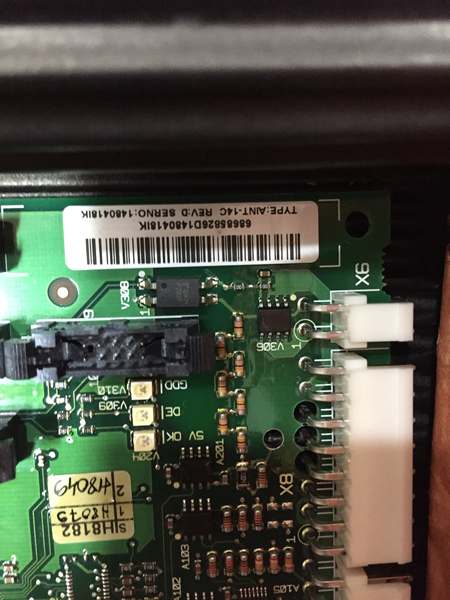
Description
System Architecture & Operational Principle
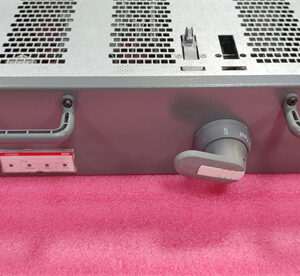
The ABB AINT-14C is a critical component in the Level 1 (Device) or Level 2 (Control) of the Purdue Model, depending on the application. It resides within the ACS800 VFD’s control cabinet and connects directly to the drive’s main control board.
Upstream Communication: Receives command signals (e.g., speed setpoints, start/stop commands) from higher-level control systems (PLCs, DCS, or SCADA) via fiber optic cables. The module converts these optical signals to electrical signals for the VFD’s internal processing.
Downstream Communication: Transmits real-time data from the VFD (e.g., motor speed, current, fault codes) back to the control system using the same fiber optic link. This bidirectional communication enables precise monitoring and adjustment of the drive’s operation.
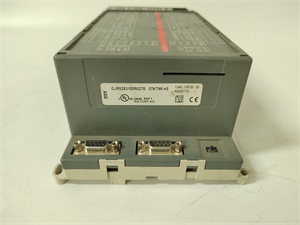
The AINT-14C leverages fiber optic technology to achieve high-speed (up to 100 Mbps) and reliable data transmission, even in environments with high electromagnetic interference (EMI). Its dual-port design supports ring redundancy, ensuring continuous communication if one fiber link fails—critical for mission-critical applications like motor control in manufacturing or process industries.
Core Technical Specifications
-
Physical Interface: 2x Fiber Optic Ports (ST/SC connectors, depending on configuration)
-
Communication Protocols: Modbus RTU, CANopen, Profibus DP (via optional adapters)
-
Data Rate: Up to 100 Mbps (fiber optic)
-
Input Voltage: 24V DC (from VFD’s internal power supply)
-
Power Consumption: < 5W (typical)
-
Operating Temperature: -20°C to +60°C (industrial grade)
-
Dimensions: 120mm x 80mm x 25mm (compact, panel-mountable)
-
Weight: 0.3 kg (0.66 lbs)
-
Redundancy: Supports dual-fiber ring topology for automatic failover

ABB AINT-14C
Customer Value & Operational Benefits
High Reliability in Harsh Environments
Fiber optic communication eliminates EMI issues common in industrial settings (e.g., near motors, transformers), ensuring consistent data transmission. This reduces the risk of communication failures that could lead to unplanned downtime.
Reduced Downtime with Redundancy
The dual-port design allows for ring redundancy—if one fiber link is cut or damaged, the module automatically switches to the backup link within milliseconds. This minimizes the impact of cable faults on production processes.
Simplified Integration
The AINT-14C supports multiple industrial protocols, making it compatible with a wide range of control systems (ABB, Siemens, Rockwell, etc.). This eliminates the need for protocol converters, reducing installation time and costs.
Space-Saving Design
Its compact form factor fits easily into crowded VFD cabinets, making it ideal for retrofits or new installations where space is limited.
Field Engineer’s Notes (From the Trenches)
When installing the AINT-14C, always use fiber optic cleaning kits (alcohol wipes, lint-free cloths) to clean the ST/SC connectors before mating. Dust or oil on the connectors can cause signal attenuation or complete communication failure—something I’ve seen cost hours of troubleshooting time.Another gotcha: verify the fiber type (single-mode vs. multi-mode) matches the rest of your network. The AINT-14C supports both, but using the wrong type will result in poor signal quality. Check the module’s label or the ACS800’s technical manual for the recommended fiber type.If you’re replacing an older AINT-02C (single-port) with the AINT-14C, update the VFD’s configuration to enable dual-port mode. The default setting is single-port, so you’ll need to use the ACS800’s programming software (e.g., DriveWindow) to activate the second port.
Real-World Applications
-
Motor Control in Automotive ManufacturingThe AINT-14C connects an ACS800 VFD to a PLC, enabling precise speed control of a robotic welding line. The fiber optic link ensures real-time communication, allowing the PLC to adjust the weld speed based on sensor feedback—critical for maintaining weld quality.
-
Pump Station Monitoring in Water TreatmentUsed to transmit data from an ACS800 VFD (controlling a water pump) to a SCADA system. The dual-port redundancy ensures continuous monitoring of pump status (e.g., flow rate, pressure) even if one fiber cable is damaged by weather or vandalism.
ABB AINT-14C
High-Frequency Troubleshooting FAQ
Q: What are the common LED indicators on the ABB AINT-14C, and what do they mean?
A: The module has three LEDs:
-
PWR: Green (on) indicates the module is receiving power from the VFD.
-
LINK: Yellow (blinking) indicates active communication on one or both fiber ports.
-
FAULT: Red (on) indicates a communication error (e.g., fiber link failure, protocol mismatch). Check the VFD’s diagnostic buffer for detailed fault codes.
Q: Can the ABB AINT-14C be used with non-ACS800 VFDs?
A: No, the AINT-14C is specifically designed for ABB ACS800 series VFDs. It relies on the VFD’s internal power supply and communication protocol (e.g., Modbus RTU over fiber) to function. For non-ACS800 VFDs, use an ABB-compatible communication module (e.g., AINT-24C for ACS880).
Q: How do I troubleshoot a “LINK” LED that won’t turn on?
A: Follow these steps:
-
Check the fiber cables: Ensure they are securely connected to the AINT-14C and the control system.
-
Verify the fiber type: Confirm you’re using single-mode fiber (for long distances) or multi-mode fiber (for short distances) as recommended.
-
Test the fiber link: Use a fiber optic tester (e.g., OTDR) to check for breaks or attenuation in the cables.
-
Update the VFD’s configuration: Ensure the communication protocol (e.g., Modbus RTU) is enabled in the ACS800’s programming software.
Commercial Availability & Pricing
Please note: The listed price is not the actual final price. It is for reference only and is subject to appropriate negotiation based on current market conditions, quantity, and availability.