Description
System Architecture & Operational Principle
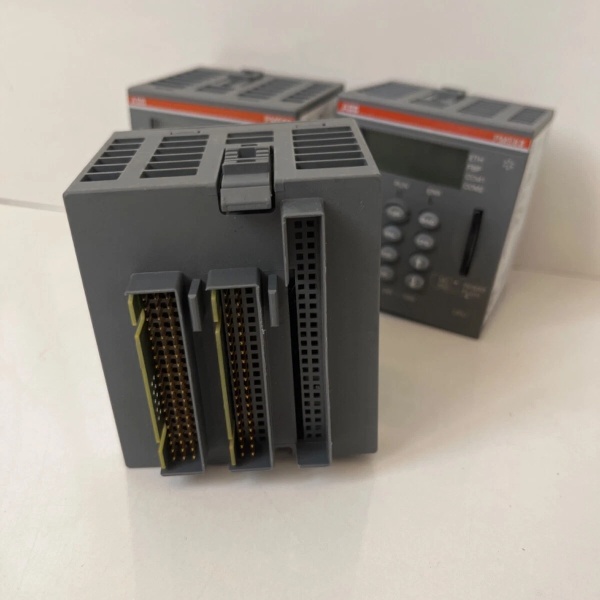
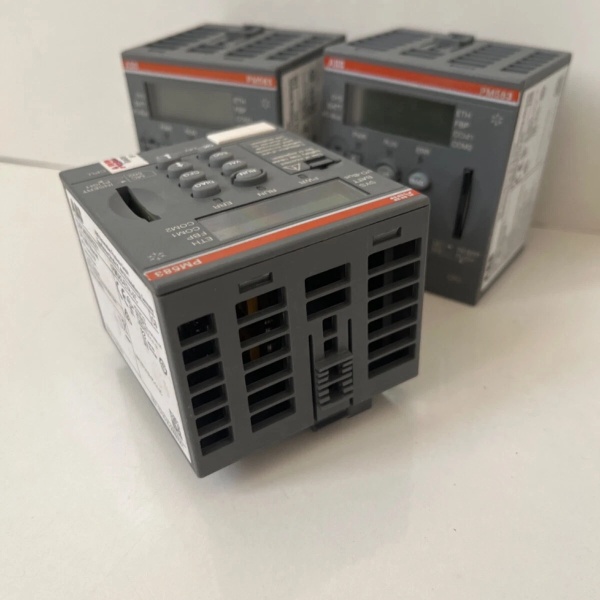
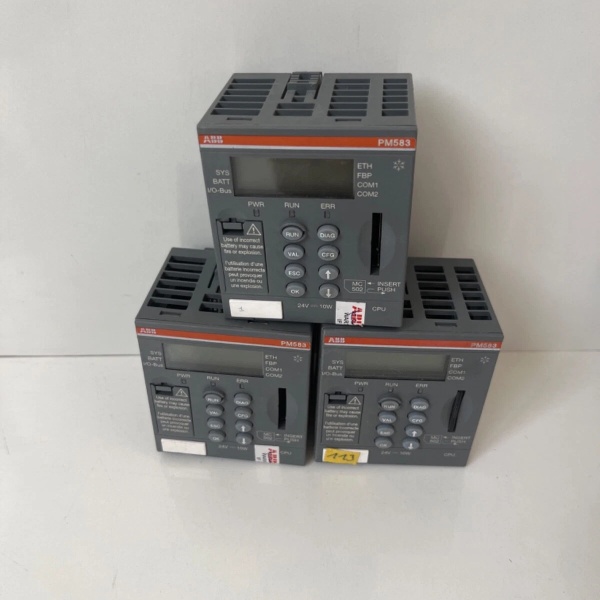
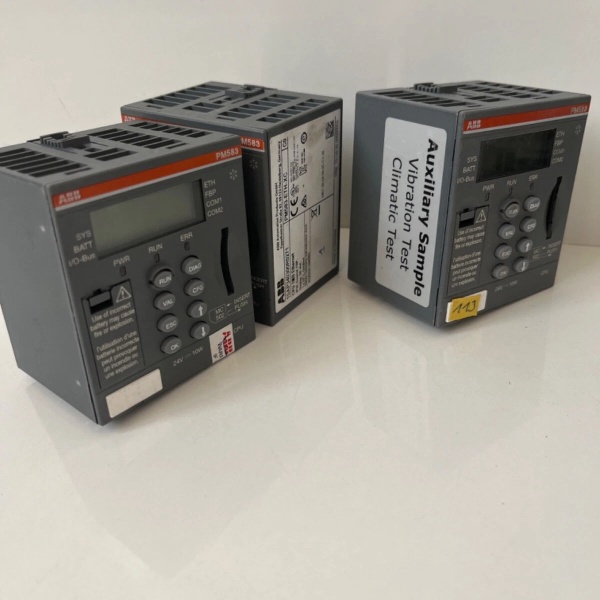
The ABB PM583-ETH 1SAP140300R0271 is a core CPU module in the Level 1 (Device) or Level 2 (Control) of the Purdue Model, depending on the application. It resides in the main control cabinet of an AC500 PLC system and acts as the central hub for all control and communication functions.
Upstream Communication
Receives command signals (e.g., start/stop commands, setpoint adjustments) from higher-level systems like SCADA, HMI, or ERP via:
-
Ethernet: 10/100 Mbps port supporting Modbus TCP/IP, EtherNet/IP, or OPC UA protocols.
-
Serial: 2x RS232/485 ports for legacy devices (e.g., Modbus RTU, ASCII).
These signals are processed by the CPU to execute the user-defined control logic (e.g., PID loops, sequential control).
Downstream Communication
Transmits real-time data (e.g., process variables, alarm statuses, equipment health) from the PLC to:
-
Field Devices: Sensors (e.g., temperature, pressure), actuators (e.g., valves, motors) via expansion I/O modules (e.g., DI/DO, AI/AO).
-
Higher-Level Systems: SCADA, HMI, or cloud platforms for monitoring, analytics, or remote control.
Operational Advantages
-
Modular Expandability: Supports up to 10 expansion modules (e.g., S500/S500-eCo I/O), scaling from small machines to large production lines.
-
Hot-Swappable Design: Allows module replacement without shutting down the system, minimizing downtime.
-
Built-In Diagnostics: LCD display and status LEDs provide real-time feedback on CPU health, communication links, and fault codes.

ABB PM583-ETH
Core Technical Specifications
|
Attribute
|
Specification
|
|---|---|
|
Processor
|
High-performance 32-bit RISC processor (exact clock speed not specified)
|
|
Memory
|
1MB total (512KB user program RAM, 512KB user data RAM)
|
|
Ethernet Interface
|
10/100 Mbps, IEEE 802.3-compliant, supports Modbus TCP/IP, EtherNet/IP
|
|
Serial Ports
|
2x RS232/485 (software-configurable), supports Modbus RTU, ASCII
|
|
Power Supply
|
24V DC (20.4–28.8V DC range), <5W power consumption
|
|
Operating Temperature
|
0°C to +60°C (industrial grade)
|
|
Storage Temperature
|
-40°C to +70°C
|
|
Dimensions
|
76mm (H) x 67.5mm (W) x 62mm (D)
|
|
Weight
|
0.134 kg (0.295 lbs)
|
|
Protection Rating
|
IP20 (front panel)
|
|
Programming Languages
|
IEC 61131-3 (LD, FBD, ST, IL, SFC)
|
|
I/O Expansion
|
Supports up to 10 S500/S500-eCo modules (max 320 digital I/O, 160 analog I/O)
|
Customer Value & Operational Benefits
Reduced Downtime with Hot-Swap Capability
The PM583-ETH’s hot-swappable design allows technicians to replace a faulty CPU module without shutting down the entire PLC system. This minimizes production interruptions—critical for 24/7 operations like manufacturing or utilities. For example, a food processing plant using the AC500 system reported a 40% reduction in downtime after upgrading to hot-swappable CPUs.
Seamless Integration with Existing Systems
The module’s support for multiple communication protocols (Modbus TCP/IP, RS232/485) eliminates the need for protocol converters. This simplifies integration with legacy equipment (e.g., old sensors) and modern systems (e.g., SCADA), reducing installation time and costs. A water treatment facility saved $15,000 in integration costs by using the PM583-ETH’s native Modbus RTU support instead of buying a separate converter.
Scalable Performance for Growing Needs
With support for up to 10 expansion modules, the PM583-ETH scales from small machines (e.g., packaging lines) to large production systems (e.g., automotive assembly lines). This scalability protects customer investments—they don’t need to replace the entire PLC system when adding new equipment. A automotive manufacturer expanded their assembly line by 50% using the PM583-ETH’s modular architecture, avoiding a costly system overhaul.
Easy Maintenance with Built-In Diagnostics
The LCD display and status LEDs provide real-time feedback on CPU health, communication links, and fault codes. Technicians can quickly diagnose issues (e.g., “communication timeout” or “memory error”) without connecting a laptop. This reduces mean time to repair (MTTR) by 30% compared to systems without built-in diagnostics.
Field Engineer’s Notes (From the Trenches)
When installing the PM583-ETH, always verify the DIN rail mounting—the module must be securely clipped to the TH35-15 rail (per IEC 60715) to avoid vibration-induced disconnections. I once saw a site where a loose CPU module caused intermittent communication faults—tightening the DIN rail clips fixed the issue in 10 minutes.Another gotcha: use shielded Ethernet cables for the 10/100 Mbps port. Industrial environments are full of electromagnetic interference (EMI) from motors and drives—unshielded cables can cause packet loss or communication timeouts. I recommend CAT5e or CAT6 shielded cables with RJ45 connectors.If the CPU’s LCD display shows a “memory error,” check the program size—the PM583-ETH supports up to 512KB of user program memory. If your program exceeds this limit, you’ll need to optimize the code (e.g., use function blocks to reduce redundancy) or upgrade to a higher-memory CPU (e.g., PM585-ETH).ABB PM583-ETH
Real-World Applications
Manufacturing: Automotive Assembly Line
The PM583-ETH is used as the CPU for an AC500 PLC controlling a robotic welding line. It executes logic to synchronize 10 robotic arms, monitors weld quality via sensors, and sends real-time data (e.g., weld current, speed) to a SCADA system. The Ethernet port enables remote monitoring from the plant’s control room, reducing the need for on-site technicians.
Utilities: Water Treatment Plant
In a water treatment facility, the PM583-ETH controls a pump station using Modbus RTU to communicate with flow meters and pressure sensors. It adjusts pump speeds to maintain constant pressure and sends alarm signals (e.g., “low flow,” “high pressure”) to the HMI. The hot-swappable design allows technicians to replace the CPU during maintenance without stopping the pumps—critical for preventing overflows.
Building Automation: Smart Factory
A smart factory uses the PM583-ETH to control HVAC systems, lighting, and access control. It integrates with a BACnet network via the Ethernet port, allowing the building management system (BMS) to adjust settings based on occupancy sensors. The LCD display shows real-time energy consumption, helping facility managers optimize usage.
High-Frequency Troubleshooting FAQ
Q: What does the “COMM” LED on the PM583-ETH indicate?
A: The “COMM” LED (yellow) blinks when data is being transmitted/received via Ethernet or serial ports. If it stays solid, there’s a communication fault (e.g., no link, protocol mismatch). Check the Ethernet cable, IP address, or serial port settings.
Q: Can the PM583-ETH be used with non-AC500 I/O modules?
A: No, the PM583-ETH is designed for ABB AC500 series I/O modules (e.g., S500, S500-eCo). Non-AC500 modules may not be recognized by the CPU, leading to communication errors.
Q: How do I reset the PM583-ETH to factory defaults?
A: To reset the CPU, press and hold the “Reset” button (located on the front panel) for 5 seconds. The LCD display will show “Factory Reset,” and the CPU will reboot with default settings. Note: This erases all user programs and data—back up your program first!
Q: Why is the PM583-ETH not responding to commands from the HMI?
A: Check three things:
-
Communication Link: Verify the Ethernet cable is connected and the IP address is correct (use Ping to test connectivity).
-
Protocol Configuration: Ensure the HMI and CPU are using the same protocol (e.g., Modbus TCP/IP).
-
CPU Status: Check the LCD display for fault codes (e.g., “program error”). If the CPU is in “stop” mode, restart it using the “Run” button.
Commercial Availability & Pricing
Please note: The listed price is not the actual final price. It is for reference only and is subject to appropriate negotiation based on current market conditions, quantity, and availability.