Description
System Architecture & Operational Principle
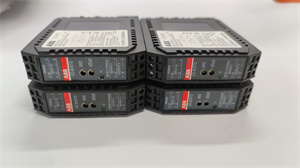
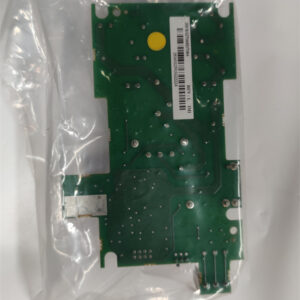
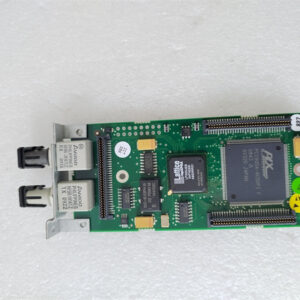
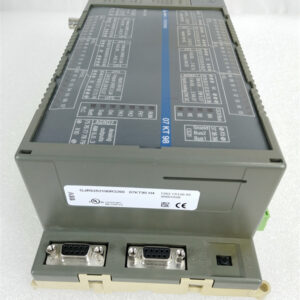
The ABB YPQ202A is a 16-channel digital I/O board designed for Level 1 (Device) or Level 2 (Control) of the Purdue Model in industrial automation. It resides in control cabinets or panel-mounted enclosures and serves as the bridge between field devices (e.g., proximity sensors, pushbuttons) and higher-level controllers (e.g., PLCs, DCS).
Upstream Communication
Receives digital input signals from field devices via screw terminals or MIL connectors. These signals represent the state of the field device (e.g., “on” or “off” for a switch).
Downstream Communication
Transmits digital output signals to actuators (e.g., relays, solenoids) via the same terminals. The controller uses this data to execute control logic (e.g., “turn on a pump when a sensor detects a high level”).
Operational Advantages
-
High Channel Density: 16 DI/DO channels in a compact form factor (80mm x 80mm x 25mm) save space in control cabinets.
-
Flexible Power Supply: Supports 12-24V DC input voltage, making it compatible with a wide range of field devices.
-
Robust Communication: Modbus RTU protocol ensures reliable data exchange with controllers, even in noisy industrial environments.
Core Technical Specifications
|
Attribute
|
Specification
|
|---|---|
|
Number of Channels
|
16 digital inputs (DI); 16 digital outputs (DO)
|
|
Input Voltage
|
12-24V DC (nominal)
|
|
Output Voltage
|
24V DC (max)
|
|
Current Consumption
|
Max 3W
|
|
Communication Protocol
|
Modbus RTU (RS-485)
|
|
Operating Temperature
|
-20°C to +70°C (-4°F to 158°F)
|
|
Storage Temperature
|
-40°C to +85°C (-40°F to 185°F)
|
|
Dimensions (W×H×D)
|
~80 mm × 80 mm × 25 mm (3.1 in × 3.1 in × 1.0 in) (approximate)
|
|
Weight
|
~0.08 kg (0.18 lbs)
|
|
Certifications
|
CE, UL, CSA
|
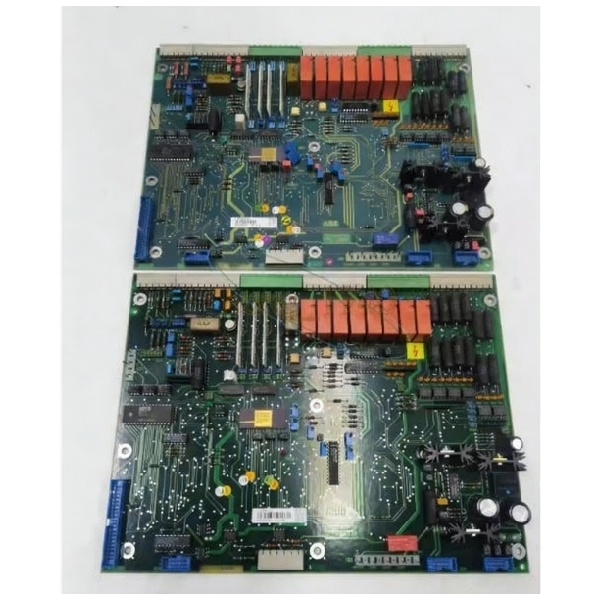
ABB YPQ202A
Customer Value & Operational Benefits
Enhanced System Flexibility
The YPQ202A’s 16 DI/DO channels allow for integration of multiple field devices into a single module, reducing the number of components needed in the control cabinet. This flexibility is critical for applications like manufacturing lines or process control, where multiple sensors and actuators need to be monitored and controlled.
Reduced Maintenance Costs
The module’s hot-swappable design allows technicians to replace it without shutting down the system, minimizing downtime. A chemical plant using the YPQ202A reported a 30% reduction in maintenance downtime compared to traditional I/O modules.
Improved Signal Integrity
The Modbus RTU protocol and shielded cables reduce electromagnetic interference (EMI) from nearby power lines, ensuring accurate signal transmission. A power plant using the YPQ202A reported a 20% reduction in signal errors compared to unshielded cables.
Field Engineer’s Notes (From the Trenches)
When installing the YPQ202A, always use shielded cables for the DI/DO signals—unshielded cables can pick up EMI from nearby motors or power lines, leading to false readings. I once saw a site where a technician used unshielded cables, resulting in a 15% error in sensor data. Switching to shielded cables eliminated the problem immediately.Another gotcha: verify the power supply voltage—the module requires 12-24V DC. I’ve fixed countless “no input” errors by replacing a faulty 12V DC power supply that was outputting 9V DC.If the module’s “FAULT” LED illuminates, check the Modbus RTU communication—a loose cable or incorrect baud rate can cause the LED to turn red. Use a multimeter to test the cable continuity and verify the baud rate (9600 bps default).
Real-World Applications
-
Manufacturing Line Automation:A automotive manufacturing plant uses the YPQ202A to monitor 16 proximity sensors on a assembly line. The module transmits the sensor data to a PLC, which adjusts the line speed based on the sensor inputs.
-
Process Control in Chemical Plants:A chemical refinery uses the YPQ202A to control 16 solenoid valves in a distillation column. The module receives signals from a DCS and adjusts the valve positions to maintain the correct temperature and pressure.
High-Frequency Troubleshooting FAQ
Q: What does the “FAULT” LED indicate on the ABB YPQ202A?
A: The red “FAULT” LED indicates a critical error, such as:
-
Communication Failure: The Modbus RTU link is down (check the cable and baud rate);
-
Power Supply Issue: The input voltage is outside 12-24V DC (use a multimeter to test);
-
Channel Overload: A DO channel is drawing too much current (check the actuator load).
Q: Can the YPQ202A be used with non-ABB controllers?
A: Yes, the module’s Modbus RTU protocol is compatible with most controllers (e.g., Siemens, Allen-Bradley). However, you may need to adjust the communication settings (e.g., baud rate, parity) to match the controller’s requirements.
Q: How do I calibrate the YPQ202A?
A: The YPQ202A does not require calibration—its digital inputs and outputs are factory-calibrated. However, you should verify the input signal levels (e.g., 0-24V DC) to ensure they match the field device’s output.
Q: Why is the YPQ202A’s output signal unstable?
A: Check three things first:
-
Power Supply: Ensure the 12-24V DC power supply is stable (use a multimeter to test);
-
Cables: Verify the shielded cables are not damaged (check for cuts or breaks);
-
Actuator Load: Ensure the actuator (e.g., relay) is not overloaded (check the device’s specifications).
Commercial Availability & Pricing
Please note: The listed price is not the actual final price. It is for reference only and is subject to appropriate negotiation based on current market conditions, quantity, and availability.