Description
System Architecture & Operational Principle
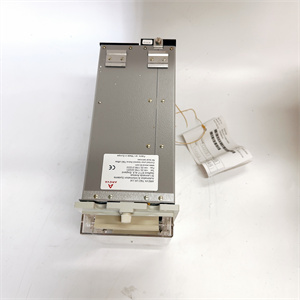
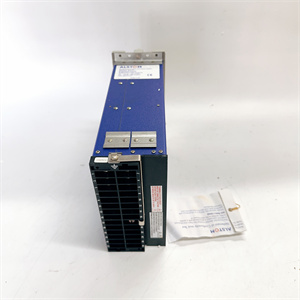
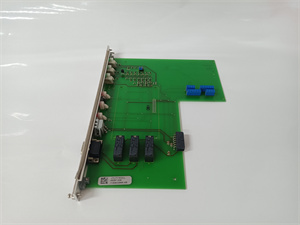
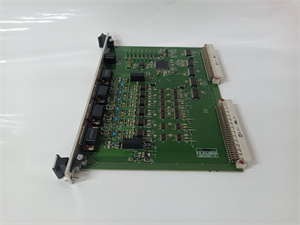
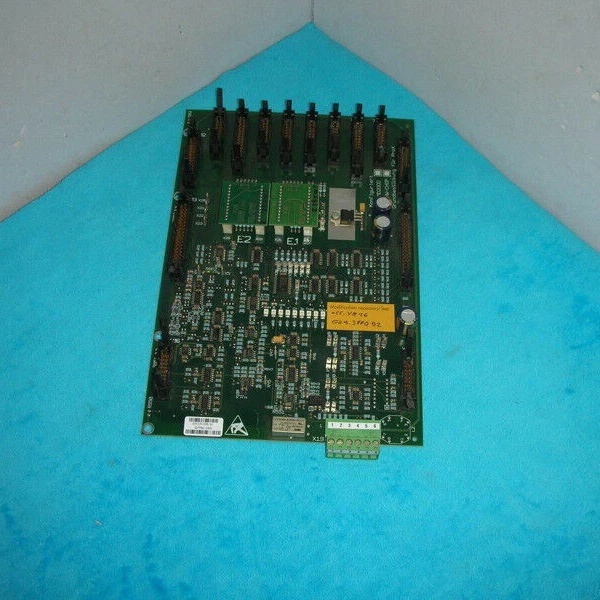
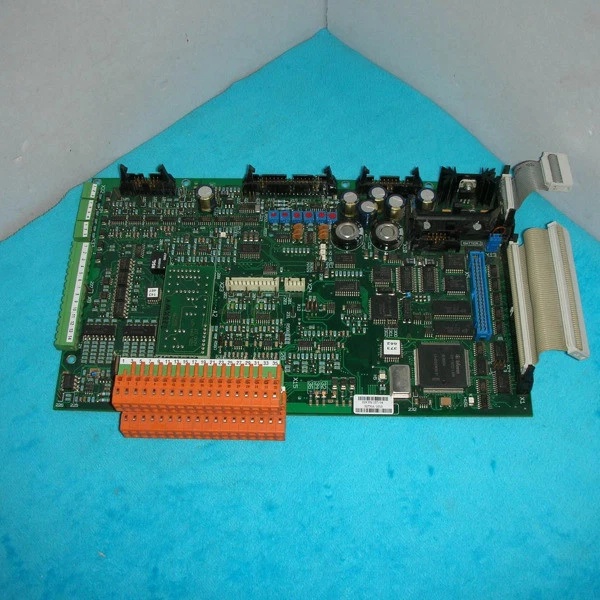
The Alstom ICP232 029.359325 is an embedded industrial control board designed for Level 1 (Device) or Level 2 (Control) of the Purdue Model, depending on the application. It resides in industrial equipment (e.g., packaging machines, conveyors) or legacy control systems (e.g., Alstom T20) and acts as the interface between field devices (sensors, actuators) and higher-level systems (PLCs, SCADA).
Upstream Communication
Receives command signals (e.g., start/stop, setpoints) from上位机/PLCs via RS-232 serial links (using Alstom’s proprietary or Modbus RTU protocol). These signals are processed by the board’s internal logic (e.g., PID loops, sequential control) to adjust output states.
Downstream Communication
Transmits real-time data (e.g., device status, sensor values) from field devices to上位机/PLCs via the same RS-232 interface. It also sends control outputs (24V DC signals) to actuators (e.g., solenoid valves, motor starters) to adjust industrial processes.
Operational Advantages
-
Legacy System Compatibility: Designed to integrate with Alstom’s T20 control systems, making it ideal for upgrading or repairing existing industrial equipment.
-
Rugged Design: Operates in temperatures from -20°C to +60°C with IP20 protection, suitable for harsh industrial environments (e.g., factories, power plants).
-
Modular Flexibility: Plug-and-play architecture allows for quick replacement or expansion, minimizing downtime during maintenance.
Core Technical Specifications
|
Attribute
|
Specification
|
|---|---|
|
Power Supply
|
24V DC ±10% (input via terminal block)
|
|
Digital Inputs
|
8x channels (24V DC, galvanically isolated)
|
|
Digital Outputs
|
4x channels (24V DC, 2A max per channel)
|
|
Communication Interface
|
RS-232 (25-pin or 9-pin, supports Alstom proprietary/Modbus RTU protocol)
|
|
Operating Temperature
|
-20°C to +60°C (industrial grade)
|
|
Storage Temperature
|
-40°C to +85°C
|
|
Dimensions
|
120mm (W) x 80mm (H) x 40mm (D) (approximate, based on similar Alstom boards)
|
|
Weight
|
0.3 kg (0.66 lbs)
|
|
Certifications
|
CE, UL (compliant with industrial safety standards)
|
Alstom 029.374 089
Customer Value & Operational Benefits
Reduced Downtime with Legacy Compatibility
The ICP232 029.359325 is designed to replace or upgrade legacy Alstom T20 system components, minimizing the need for full system overhauls. This reduces downtime and costs for facilities with aging industrial equipment.
Reliable Communication in Harsh Environments
The RS-232 interface with galvanic isolation ensures reliable data transmission in environments with high electromagnetic interference (EMI) from motors, drives, or power lines. This reduces the risk of communication failures that could lead to unplanned downtime.
Easy Integration with Existing Systems
Supports Alstom’s proprietary protocol and Modbus RTU, making it compatible with most PLCs (e.g., Siemens, Allen-Bradley) and SCADA systems. This eliminates the need for protocol converters, reducing installation time and costs.
Cost-Effective Maintenance
The board’s modular design allows for quick replacement of faulty components, reducing maintenance labor costs. Its long lifespan (MTBF >500,000 hours) minimizes the need for frequent replacements.
Field Engineer’s Notes (From the Trenches)
When installing the ICP232 029.359325, always verify the RS-232 cable wiring—legacy Alstom systems often use 25-pin connectors, while modern devices use 9-pin. Use a 25-to-9 pin adapter and ensure the TX/RX lines are correctly crossed (null modem configuration) to avoid communication errors.Another gotcha: check the power supply voltage—a low input (below 21.6V DC) can cause the board to malfunction. I once saw a site where a loose power terminal caused intermittent faults—using a multimeter to measure the voltage at the terminal block fixed the issue in 5 minutes.If the board’s “FAULT” LED is red, check the digital input/output wiring—loose connections or incorrect polarity can trigger faults. Use a continuity tester to verify wiring integrity before powering up the board.
Real-World Applications
Legacy System Upgrade: Alstom T20 Control System
The ICP232 029.359325 is used to replace outdated control boards in Alstom T20 systems, enabling continued operation of packaging machines and conveyors. It integrates with existing sensors and actuators, reducing the need for costly equipment replacements.
Industrial Automation: Packaging Machine Control
In a packaging facility, the board controls a conveyor system by receiving speed setpoints from a PLC via RS-232. It sends digital outputs to motor starters, adjusting conveyor speed to maintain smooth material flow. The board’s rugged design withstands dust and moisture from the packaging process.
Power Generation: Pump Station Monitoring
A power plant uses the ICP232 029.359325 to monitor pump status (e.g., on/off, flow rate) via digital inputs. It transmits real-time data to a SCADA system via RS-232, allowing operators to respond quickly to issues like low pressure or pump failure.

Alstom 029.374 089
High-Frequency Troubleshooting FAQ
Q: What does the “FAULT” LED indicate on the Alstom ICP232 029.359325?
A: The red “FAULT” LED indicates a critical error (e.g., input overload, communication timeout, or hardware failure). Check the board’s diagnostic buffer using Alstom’s T20 software—each fault has a unique code (e.g., “F001” for input overload) with a descriptive message.
Q: Can the ICP232 029.359325 be used with non-Alstom systems?
A: Yes, the board supports Modbus RTU protocol, making it compatible with most PLCs and SCADA systems. However, legacy Alstom systems may require proprietary protocol configuration—contact Alstom support for details.
Q: How do I replace the ICP232 029.359325?
A: Follow these steps:
-
Power Down: Turn off the control cabinet’s main power supply.
-
Disconnect Wires: Label and disconnect the power, communication, and I/O wires from the board.
-
Remove Board: Unscrew the board from the DIN rail (use a Phillips screwdriver).
-
Install New Board: Secure the new board to the DIN rail and reconnect the wires (ensure correct polarity).
-
Power Up: Turn on the power supply and verify the board’s operation (check the “POWER” LED).
Q: Why is the ICP232 029.359325 not communicating with the PLC?
A: Check three things first:
-
Cable Connection: Ensure the RS-232 cable is securely connected to the board and the PLC.
-
Protocol Configuration: Verify the PLC is configured for Modbus RTU (the board’s default protocol).
-
Baud Rate: Ensure the board’s baud rate (e.g., 9600 bps) matches the PLC’s setting.
Commercial Availability & Pricing
Please note: The listed price is not the actual final price. It is for reference only and is subject to appropriate negotiation based on current market conditions, quantity, and availability.