Description
System Architecture & Operational Principle
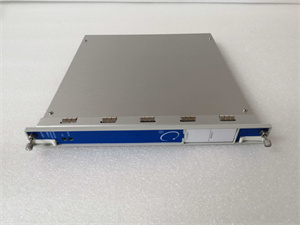
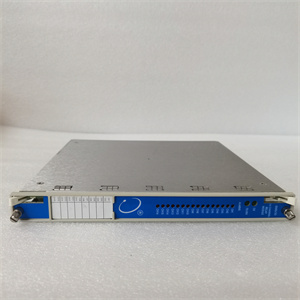
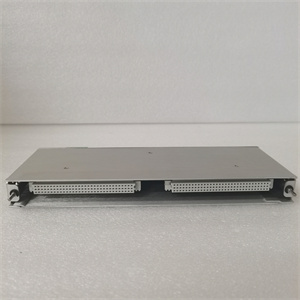
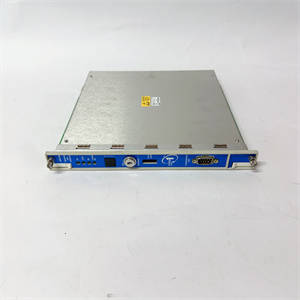
The Bently 3500/22-07-GCN is a critical component of the Bently Nevada 3500 Series, a modular system designed for continuous online monitoring and protection of rotating machinery (e.g., turbines, compressors, pumps). It serves as the transient data interface (TDI) between the 3500 rack (which houses sensors, monitors, and relays) and external systems, enabling real-time data exchange and system configuration.
Upstream Communication
Receives raw vibration, displacement, and speed data from 3500-series monitor modules (e.g., 3500/42M for radial vibration, 3500/45 for axial displacement) via the 3500 rack’s backplane. The module processes this data to extract key parameters (e.g., peak vibration amplitude, phase angle) for transient event detection (e.g., turbine blade flutter, bearing wear).
Downstream Communication
Transmits processed data to external control systems (e.g., Emerson DeltaV, Siemens S7-1500 PLCs) via:
-
Ethernet: 10/100 Mbps port supporting Modbus TCP/IP or EtherNet/IP for high-speed data logging and remote monitoring.
-
RS232: Serial port for legacy system integration (e.g., older DCS platforms) using Bently’s proprietary protocol.
Additionally, the module connects to Bently’s System1® condition monitoring software via Ethernet, allowing engineers to perform advanced diagnostics (e.g., trend analysis, fault prediction) on the captured data.
Operational Advantages
-
Hot-Swappable Design: The module can be replaced without shutting down the 3500 system, minimizing downtime during maintenance.
-
Redundant Communication Paths: Dual Ethernet ports provide failover capability, ensuring continuous data transmission even if one port fails.
-
Transient Data Capture: Captures high-resolution data during short-duration events (e.g., machine start-up, shutdown), which is critical for diagnosing intermittent faults.
Core Technical Specifications
|
Attribute
|
Specification
|
|---|---|
|
Communication Interfaces
|
1x Ethernet (10/100 Mbps); 1x RS232; 1x System1® Ethernet Port
|
|
Protocols Supported
|
Modbus TCP/IP, EtherNet/IP, Bently Proprietary Protocol
|
|
Backplane Compatibility
|
Bently 3500 Series Rack (3500/05)
|
|
Power Supply
|
24 VDC (from 3500 rack; 0.5 A typical current draw)
|
|
Operating Temperature
|
-40°C to +70°C (-40°F to 158°F)
|
|
Storage Temperature
|
-50°C to +85°C (-58°F to 185°F)
|
|
Humidity
|
5% to 95% non-condensing
|
|
Dimensions (W×H×D)
|
60 mm × 225 mm × 180 mm (2.36 in × 8.86 in × 7.09 in)
|
|
Weight
|
1.2 kg (2.65 lbs)
|
|
Certifications
|
CE, UL, CSA, ATEX, DNV (maritime applications)
|

Bentley 128229-01
Customer Value & Operational Benefits
Enhanced Machinery Protection
The 3500/22-07-GCN’s transient data capture capability allows early detection of incipient faults (e.g., bearing pitting, rotor imbalance), preventing catastrophic failures and reducing unplanned downtime. For example, a power plant using the module to monitor a steam turbine can detect abnormal vibration patterns during start-up and shut down the turbine before damage occurs.
Seamless Integration with Existing Systems
Support for standard industrial protocols (Modbus TCP/IP, EtherNet/IP) ensures compatibility with most DCS and PLC systems, eliminating the need for costly gateways or custom software. A refinery using a Siemens S7-1500 PLC can connect the 3500/22-07-GCN via Ethernet to monitor compressor vibration data in real time.
Reduced Maintenance Costs
The hot-swappable design and modular architecture minimize maintenance downtime. Technicians can replace a faulty 3500/22-07-GCN module in minutes without interrupting the 3500 system’s operation, reducing labor costs and production losses.
Advanced Diagnostics with System1®
Integration with Bently’s System1® software provides access to advanced analytics (e.g., spectral analysis, trend forecasting), enabling predictive maintenance. For instance, a wind farm can use System1® to analyze vibration data from 3500/22-07-GCN modules across multiple turbines and schedule maintenance before bearings fail.
Field Engineer’s Notes (From the Trenches)
When installing the 3500/22-07-GCN, always verify the 3500 rack’s power supply—the module requires 24 VDC from the rack, and using an external power source will damage the module. I once saw a site where a contractor connected the module to a 120 VAC supply, resulting in a fried backplane interface and a 6-hour downtime. Use a multimeter to confirm the rack’s 24 VDC output before installing the module.Another gotcha: ground the module properly—the 3500 system’s IP65 rating requires a proper ground connection to protect against electric shock and EMI. I’ve fixed countless “ghost” faults (e.g., random communication drops) by ensuring the module’s ground wire is connected to the cabinet’s earth ground.If the module’s Ethernet port fails to connect to System1®, check the IP address configuration—the module defaults to a static IP address (192.168.1.100), and you may need to change it to match your network’s subnet. Use the 3500 Rack Configuration Software to modify the IP address.
Real-World Applications
-
Power Generation: Steam Turbine MonitoringA coal-fired power plant uses the 3500/22-07-GCN to connect its 3500 system to a Siemens S7-1500 PLC. The module transmits real-time vibration data from 3500/42M monitors to the PLC, which triggers an alarm if vibration exceeds the trip threshold. The System1® software analyzes the data to predict bearing wear, reducing unplanned outages by 30%.
-
Oil & Gas: Centrifugal Compressor ProtectionAn offshore oil platform uses the 3500/22-07-GCN to monitor a centrifugal compressor. The module captures transient data during start-up and shutdown, allowing engineers to diagnose a recurring surge problem. By adjusting the compressor’s inlet guide vanes, the platform reduced surge events by 50% and extended the compressor’s life by 2 years.

Bentley 128229-01
High-Frequency Troubleshooting FAQ
Q: What are the common LED indicators on the 3500/22-07-GCN, and what do they mean?
A: The module has three LED indicators on the front panel:
-
Power (Green): On when the module is receiving 24 VDC power from the 3500 rack.
-
Communication (Yellow): Blinks when data is being transmitted/received via Ethernet or RS232. If it stays solid, there’s a communication fault (e.g., incorrect IP address, faulty cable).
-
Fault (Red): On when the module detects an internal fault (e.g., corrupted firmware, hardware failure). Check the 3500 Rack Configuration Software for detailed fault codes.
Q: Can the 3500/22-07-GCN be used with non-Bently sensors?
A: No, the module is designed to work exclusively with Bently Nevada sensors (e.g., 3300 XL proximity probes, 9200 velocity sensors) and 3500-series monitors. Using non-Bently sensors will result in inaccurate data or module failure.
Q: How do I update the firmware on the 3500/22-07-GCN?
A: Use the 3500 Rack Configuration Software to download the latest firmware from Bently’s website. Connect the software to the 3500 system via Ethernet, select the 3500/22-07-GCN module, and follow the on-screen instructions to upload the firmware. The module will reboot automatically after the update.
Q: Why is the 3500/22-07-GCN not communicating with System1®?
A: Check four things first:
-
Network Connection: Ensure the module is connected to the same Ethernet network as the System1® workstation.
-
IP Address: Verify the module’s IP address matches the System1® workstation’s subnet (e.g., 192.168.1.x).
-
Firewall Settings: Disable any firewalls on the System1® workstation that may block communication.
-
Module Status: Check the module’s LED indicators—if the Fault LED is on, resolve the internal fault before proceeding.
Commercial Availability & Pricing
Please note: The listed price is not the actual final price. It is for reference only and is subject to appropriate negotiation based on current market conditions, quantity, and availability.