Description
System Architecture & Operational Principle
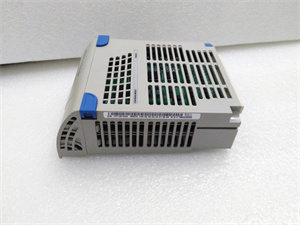
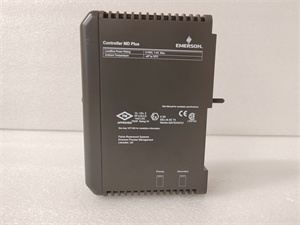
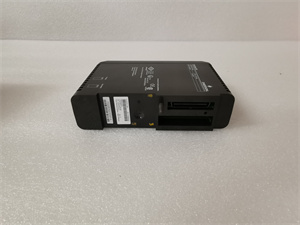
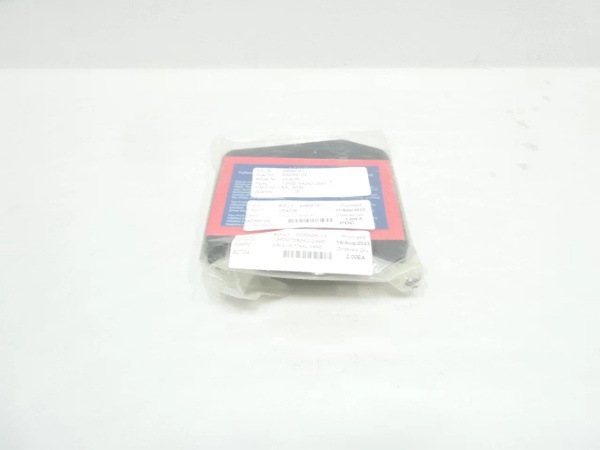
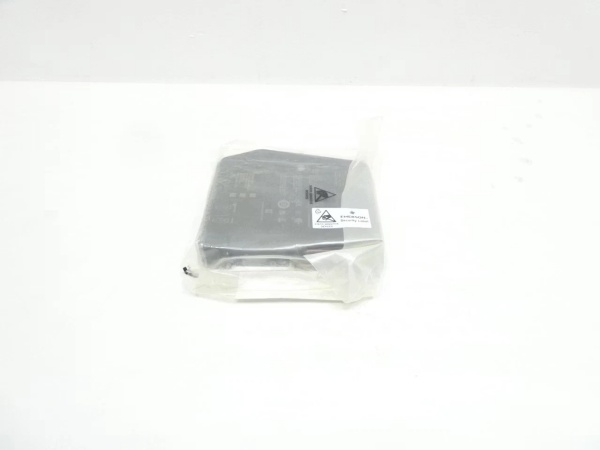
The Emerson VE4026 is a Virtual I/O Module 2 (VIM2) within the Emerson DeltaV M-Series DCS, designed for Level 1 (Device) or Level 2 (Control) of the Purdue Model in industrial automation. It resides in the DeltaV M-Series rack (occupying 1 slot) and serves as the bridge between DeltaV controllers (e.g., DeltaV S-series) and third-party devices (e.g., PLCs, motor control centers) or simulation software (e.g., MYNAH MiMiC).
Upstream Communication
Receives control signals from DeltaV controllers via the M-Series backplane. For simulation, it uses MYNAH MiMiC software to mimic the behavior of physical I/O cards (e.g., analog inputs/outputs, discrete signals) without requiring actual field devices. For device integration, it supports Modbus TCP/IP and Ethernet/IP protocols to communicate with third-party devices over Ethernet.
Downstream Communication
Transmits simulated or real device data to DeltaV controllers for processing. For simulation, it sends feedback signals (e.g., “valve open”) to test control logic. For device integration, it writes commands (e.g., “start motor”) to third-party devices and reads their status (e.g., “motor running”).
Operational Advantages
-
Non-Invasive Simulation: Allows testing of control strategies using Mimic software without disrupting production, reducing downtime and risk.
-
Flexible Integration: Supports multiple industrial protocols (Modbus TCP/IP, Ethernet/IP) to connect third-party devices, eliminating the need for custom gateways.
-
Hot-Swappable Design: Can be replaced without shutting down the DeltaV system, minimizing maintenance downtime.
Core Technical Specifications
|
Attribute
|
Specification
|
|---|---|
|
Module Type
|
Virtual I/O Module 2 (VIM2)
|
|
System Compatibility
|
DeltaV M-Series (v10.3+ recommended; v12+ for VIMNet Explorer support)
|
|
Power Consumption
|
1.4A at 5V DC (supplied via M-Series carrier)
|
|
Memory
|
48MB
|
|
Communication Protocols
|
Modbus TCP/IP, Ethernet/IP (via MYNAH drivers)
|
|
Simulation Software
|
MYNAH MiMiC (requires separate license and DeltaV Railbus driver package)
|
|
Carrier Requirement
|
M-Series power/controller carrier (e.g., VE3051C0)
|
|
Operating Temperature
|
0°C to +55°C (typical; consult datasheet for exact limits)
|
|
Certifications
|
CE, UL, ATEX (hazardous locations)
|
|
Dimensions (W×H×D)
|
~100 mm × 100 mm × 50 mm (estimated; varies by carrier)
|
|
Weight
|
~0.2 kg (0.44 lbs)
|
Emerson VE4026
Customer Value & Operational Benefits
Reduced Testing Time & Risk
The VE4026’s simulation capability allows engineers to test control strategies using Mimic software before deploying them to production. This reduces the risk of introducing bugs into live systems and cuts testing time by up to 50%.
Seamless Third-Party Integration
With support for Modbus TCP/IP and Ethernet/IP, the VE4026 eliminates the need for custom communication gateways, reducing integration costs and complexity. For example, a manufacturing plant can connect a third-party motor control center to the DeltaV system in hours instead of days.
Minimized Downtime
The hot-swappable design allows technicians to replace a faulty VE4026 module in minutes without shutting down the DeltaV system. This is critical for 24/7 operations like oil & gas production, where even a short outage can result in significant costs.
Cost-Effective Scalability
The VE4026’s ability to simulate I/O and integrate third-party devices reduces the need for additional physical I/O modules, saving cabinet space and hardware costs. This makes it a cost-effective solution for facilities looking to expand their automation systems.
Field Engineer’s Notes (From the Trenches)
When installing the VE4026, always verify the M-Series carrier compatibility—the module requires a specific M-Series power/controller carrier (e.g., VE3051C0) to function. I once saw a site where a contractor used a non-compatible carrier, resulting in a “power fault” error. A simple check of the carrier’s documentation saved a 2-hour callout.Another gotcha: use shielded Ethernet cables for device integration—unshielded cables can pick up electromagnetic interference (EMI) from nearby power lines, leading to communication errors. I’ve fixed countless “device not responding” faults by replacing unshielded cables with shielded ones.If the module’s “FAULT” LED is red, check the VIMNet Explorer log—the log will tell you exactly what’s wrong (e.g., “driver not loaded” or “device timeout”). Don’t guess—use the log to diagnose the problem.
Real-World Applications
-
Oil & Gas: Offshore Platform Control Strategy TestingAn offshore oil platform uses the VE4026 to simulate the behavior of subsea valves and pumps using Mimic software. Engineers test control strategies (e.g., “close valve if pressure exceeds 1000 psi”) in a virtual environment before deploying them to the live system, reducing the risk of offshore downtime.
-
Chemical Processing: Third-Party Device IntegrationA chemical plant uses the VE4026 to connect a third-party PLC (controlling a batch reactor) to the DeltaV system via Modbus TCP/IP. The module reads the PLC’s status (e.g., “reactor temperature”) and sends commands (e.g., “adjust feed rate”), allowing the plant to integrate the PLC into the DeltaV system without replacing it.

Emerson VE4026
High-Frequency Troubleshooting FAQ
Q: What does the “FAULT” LED indicate on the VE4026?
A: The red “FAULT” LED indicates a critical error, such as:
-
Driver Not Loaded: The MYNAH driver (e.g., Modbus TCP/IP) is not installed or configured correctly.
-
Device Timeout: A third-party device is not responding to commands (check the device’s power and network connection).
-
Carrier Power Issue: The M-Series carrier is not supplying enough power (check the carrier’s power supply).Use the VIMNet Explorer log to diagnose the exact cause and follow the manufacturer’s troubleshooting steps.
Q: Can the VE4026 be used with DeltaV S-Series systems?
A: No, the VE4026 is designed exclusively for DeltaV M-Series systems. It relies on the M-Series backplane and carrier for power and communication, so using it with S-Series systems will result in compatibility issues.
Q: How do I replace the VE4026?
A: Follow these steps:
-
Power Down: Turn off the DeltaV rack’s main power supply.
-
Remove Old Module: Unscrew the module from the M-Series carrier (use a Phillips screwdriver).
-
Install New Module: Secure the new VE4026 to the carrier and tighten the screws.
-
Power Up: Turn on the main power supply and verify the module’s operation (check the “OK” LED).
Q: Why is the VE4026 not communicating with a third-party device?
A: Check three things first:
-
Network Connection: Ensure the device is connected to the same Ethernet network as the VE4026.
-
Protocol Configuration: Verify that the VE4026 and device are using the same protocol (e.g., Modbus TCP/IP).
-
Driver Installation: Ensure the MYNAH driver for the protocol is installed and configured correctly.
Commercial Availability & Pricing
Please note: The listed price is not the actual final price. It is for reference only and is subject to appropriate negotiation based on current market conditions, quantity, and availability.