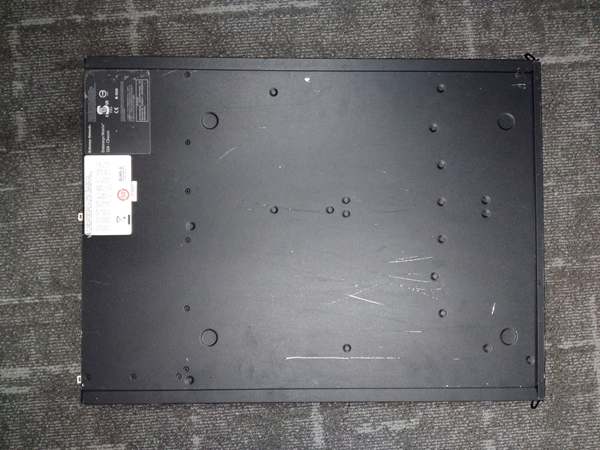
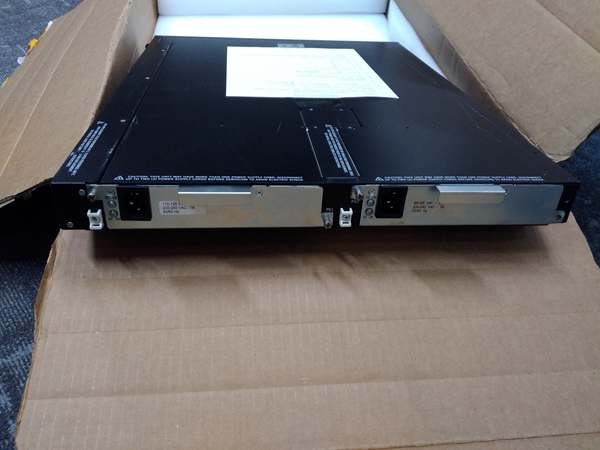
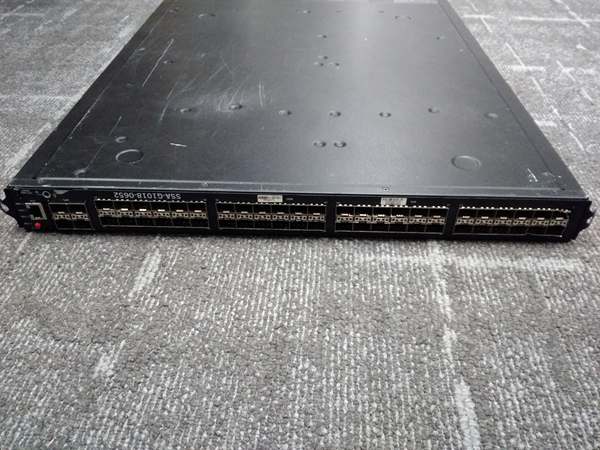
Description
System Architecture & Operational Principle
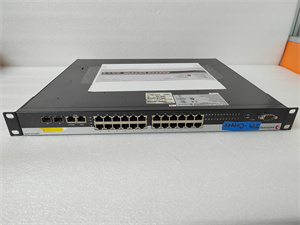
The Enterasys SSA-G1018-0652 is an 18-port gigabit managed industrial switch designed for Level 2 (Distribution) or Level 3 (Core) of the Purdue Model in industrial automation. It resides in network closets or control cabinets and serves as the bridge between end devices (e.g., computers, IP cameras) and core networks (e.g., routers, servers).
Upstream Communication
Receives data from end devices via 10/100/1000BASE-T ports. For uplink to the core network, it uses SFP+ slots (supports fiber or copper) to connect to routers or higher-layer switches, enabling high-speed data transmission (up to 10 Gbps per port).
Downstream Communication
Transmits data from the core network to end devices. The switch uses store-and-forward switching to ensure reliable data transfer, and supports VLAN segmentation to isolate traffic (e.g., separating office traffic from industrial control traffic).
Operational Advantages
-
High Port Density: 18 gigabit ports provide enough connectivity for most industrial applications, reducing the need for additional switches.
-
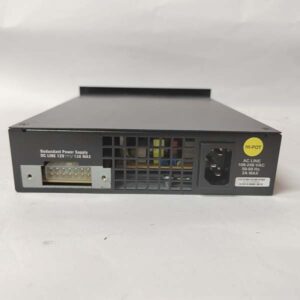
Redundant Power: Supports optional redundant power supplies (e.g., Enterasys RPSM) to ensure uninterrupted operation if the internal power fails.
-
Advanced Management: Offers web-based (HTTP/HTTPS), command-line (CLI), and SNMP management, allowing flexible configuration and monitoring.
Core Technical Specifications
|
Attribute
|
Specification
|
|---|---|
|
Port Count
|
18 10/100/1000BASE-T ports; 4 SFP+ uplink slots
|
|
Switching Capacity
|
36 Gbps (non-blocking)
|
|
Forwarding Rate
|
26.8 Mpps
|
|
MAC Address Table
|
16,000 entries
|
|
VLAN Support
|
IEEE 802.1Q (up to 256 VLANs)
|
|
QoS Features
|
802.1p, DSCP, weighted fair queuing (WFQ)
|
|
Security
|
IEEE 802.1X (port-based authentication), MAC address filtering
|
|
Power Supply
|
Internal 100-240 VAC (50/60 Hz); optional redundant power supply (RPSM)
|
|
Operating Temperature
|
-40°C to +75°C (-40°F to 167°F)
|
|
Dimensions (W×H×D)
|
440 mm × 44 mm × 198 mm (17.3 in × 1.7 in × 7.8 in)
|
|
Weight
|
2.2 kg (4.85 lbs)
|
|
Certifications
|
CE, UL, FCC, RoHS
|
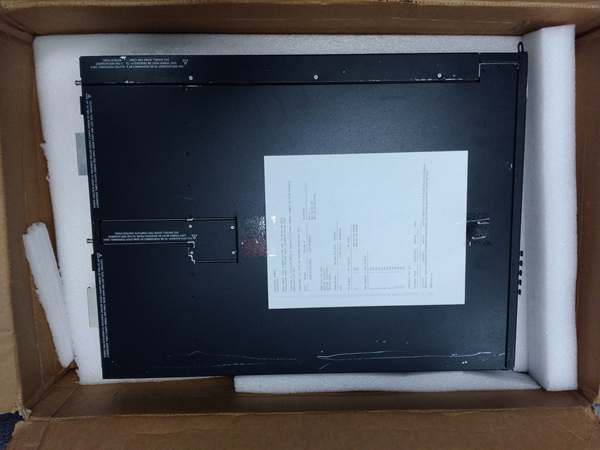
Enterasys SSA-G1018-0652
Customer Value & Operational Benefits
High Availability
The SSA-G1018-0652’s redundant power support ensures that network connectivity is maintained even if the internal power supply fails. This is critical for industrial environments where downtime can result in significant production losses.
Simplified Management
The switch’s web-based management interface allows technicians to configure and monitor the switch remotely, reducing the need for on-site visits. For example, a manufacturing plant can adjust VLAN settings or check port status from a central control room.
Cost-Effective Scalability
The 18-port design allows for gradual expansion of the network without replacing existing infrastructure. As the number of end devices increases, additional SSA-G1018-0652 switches can be added to the stack, saving costs compared to replacing the entire switch.
Industrial Compatibility
The switch’s wide operating temperature range (-40°C to +75°C) and rugged design make it suitable for industrial environments like factories and offshore platforms, where standard office switches would fail.
Field Engineer’s Notes (From the Trenches)
When installing the SSA-G1018-0652, always use shielded twisted-pair (STP) cables for 10/100/1000BASE-T ports—unshielded cables can pick up electromagnetic interference (EMI) from nearby machinery, leading to packet loss. I once saw a site where a contractor used unshielded cables, resulting in intermittent connectivity issues. Switching to STP cables resolved the problem immediately.Another gotcha: verify the SFP+ module compatibility—the SSA-G1018-0652 supports SFP+ modules for fiber uplinks, but not all SFP+ modules are created equal. Use Enterasys-branded or approved third-party SFP+ modules to avoid compatibility issues. I’ve fixed countless “link down” faults by replacing non-approved SFP+ modules.If the switch’s “FAULT” LED is red, check the power supply first—the internal power supply may have failed. Use a multimeter to test the power input (100-240 VAC) and ensure the power cord is securely connected. If the power supply is faulty, replace it with a new one (part number: 109801-00).
Real-World Applications
-
Industrial Automation: Factory Floor ConnectivityA manufacturing plant uses the SSA-G1018-0652 to connect 15 CNC machines, 5 IP cameras, and 3 workstations. The switch’s 18 10/100/1000BASE-T ports provide enough connectivity for all devices, and the 4 SFP+ slots are used for fiber uplinks to the plant’s core router. The redundant power supply ensures that the switch continues to operate even if the internal power fails.
-
Enterprise Networking: Office Building ConnectivityAn office building uses the SSA-G1018-0652 to connect 20 computers, 10 IP phones, and 2 printers. The switch’s QoS features prioritize VoIP traffic, ensuring clear calls. The web-based management interface allows the IT team to monitor the switch remotely and adjust settings as needed.

Enterasys SSA-G1018-0652
High-Frequency Troubleshooting FAQ
Q: What does the “FAULT” LED indicate on the SSA-G1018-0652?
A: The red “FAULT” LED indicates a critical error, such as:
-
Power Supply Failure: The internal power supply is not providing power (check the power cord and input voltage).
-
Fan Failure: The internal fan is not spinning (clean the fan or replace it).
-
Overheating: The switch is operating above the maximum temperature (check the ambient temperature and ventilation).Check the switch’s web interface or CLI for detailed fault codes and follow the manufacturer’s troubleshooting steps.
Q: Can the SSA-G1018-0652 be used with non-Enterasys switches?
A: Yes, the SSA-G1018-0652 supports standard Ethernet protocols (e.g., IEEE 802.3, 802.1Q) and can be used with switches from other vendors. However, advanced features like redundant power may not be compatible.
Q: How do I configure VLANs on the SSA-G1018-0652?
A: Follow these steps:
-
Access the switch’s web interface (default IP: 192.168.1.1).
-
Navigate to the “VLAN” tab and click “Create VLAN”.
-
Enter a VLAN ID (e.g., 10) and a name (e.g., “Office”).
-
Add ports to the VLAN (e.g., ports 1-10 as untagged).
-
Click “Save” to apply the changes.
Q: Why is the SSA-G1018-0652 not recognizing my SFP+ module?
A: Check three things first:
-
Module Compatibility: Ensure the SFP+ module is approved for use with the SSA-G1018-0652 (check the manufacturer’s website).
-
Port Configuration: Verify that the SFP+ port is enabled (use the web interface or CLI to check).
-
Cable Connection: Ensure the fiber cable is securely connected to the SFP+ module and the port.
Commercial Availability & Pricing
Please note: The listed price is not the actual final price. It is for reference only and is subject to appropriate negotiation based on current market conditions, quantity, and availability.