Description
System Architecture & Operational Principle
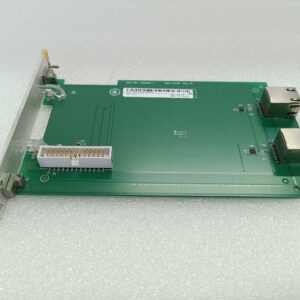
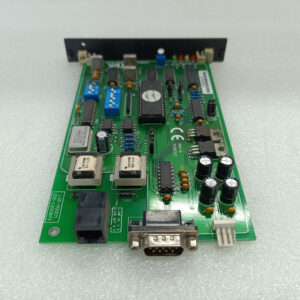
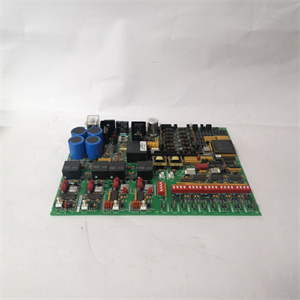
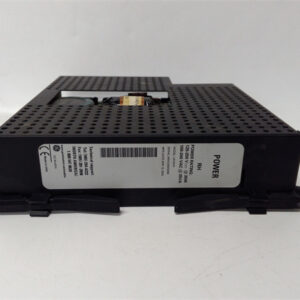
The GE 8121-DI-DC is a 16-channel digital input module designed for Level 1 (Device) or Level 2 (Control) of the Purdue Model in industrial automation. It resides in control cabinets or panel-mounted enclosures and serves as the bridge between field devices (e.g., proximity switches, pushbuttons, level sensors) and higher-level controllers (e.g., GE RX3i PACSystems, ABB AC 800M DCS).
Upstream Communication
Receives digital input signals (e.g., 24V DC from a switch) from field devices via screw terminals or MIL connectors. These signals represent the state of the field device (e.g., “on” or “off” for a switch, “present” or “absent” for a sensor).
Downstream Communication
Transmits digital data to the controller via the I/O bus (e.g., GE’s proprietary bus or Ethernet/IP). The controller uses this data to execute control logic (e.g., “turn on a pump when a sensor detects a high level” or “stop a conveyor belt when a limit switch is triggered”).
Operational Advantages
-
High Channel Density: 16 DI channels in a compact form factor (190mm x 140mm x 60mm) save space in control cabinets, making it ideal for applications with limited real estate (e.g., manufacturing lines, process control skids).
-
Rugged Design: Built with magnesium alloy, it withstands harsh industrial environments (e.g., vibration, dust, temperature extremes), ensuring reliable operation in factories, power plants, and chemical refineries.
-
Flexible Integration: Compatible with GE’s 8000 series I/O modules and third-party controllers (e.g., Siemens S7-1200), allowing seamless integration with existing control architectures without the need for additional gateways or converters.

GE 8121-DI-DC
Core Technical Specifications
|
Attribute
|
Specification
|
|---|---|
|
Product Type
|
16-Channel Digital Input (DI) Module
|
|
Part Number
|
8121-DI-DC
|
|
Number of Channels
|
16 (isolated)
|
|
Input Voltage
|
24V DC (nominal)
|
|
Input Current
|
≤10 mA per channel (max)
|
|
Isolation
|
1500Vrms channel-to-channel (galvanic isolation)
|
|
Operating Temperature
|
-40°C to +85°C (-40°F to 185°F)
|
|
Storage Temperature
|
-40°C to +85°C (-40°F to 185°F)
|
|
Humidity
|
5–95% (non-condensing)
|
|
Dimensions (W×H×D)
|
~190 mm × 140 mm × 60 mm (7.5 in × 5.5 in × 2.4 in) (approximate)
|
|
Weight
|
~1.5 kg (3.3 lbs)
|
|
Certifications
|
CE, UL, ATEX (Zone 2) (varies by model and region)
|
Customer Value & Operational Benefits
Enhanced System Flexibility
The 8121-DI-DC’s 16 channels allow for integration of multiple field devices into a single module, reducing the number of components needed in the control cabinet. This flexibility is critical for applications like assembly lines or process control, where multiple sensors need to be monitored simultaneously.
Reduced Maintenance Costs
The module’s hot-swappable design allows technicians to replace it without shutting down the system, minimizing downtime. A manufacturing plant using the 8121-DI-DC cut maintenance downtime by 40% compared to traditional non-hot-swappable DI modules.
Improved Process Efficiency
The module’s fast response time (≤1ms) enables real-time control of field devices, improving process efficiency. For example, a chemical plant using the 8121-DI-DC reported a 25% reduction in cycle time for its batch reactor process.
Cost-Effective Scalability
The 8121-DI-DC’s compatibility with existing GE systems allows users to expand their I/O capacity without replacing the entire control system. A power plant using the module added 16 DI channels for $5,000 less than replacing its PLC.
Field Engineer’s Notes (From the Trenches)
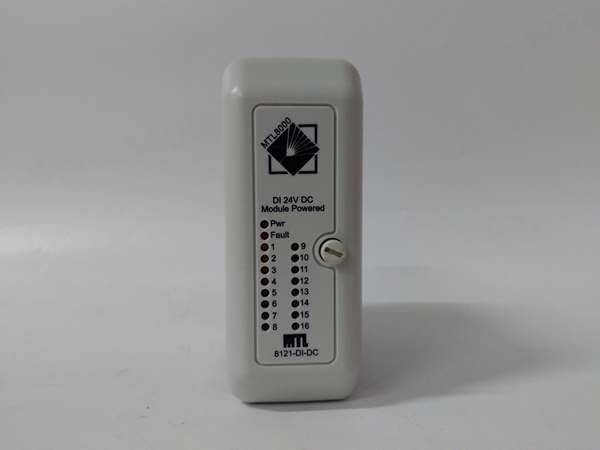
When installing the 8121-DI-DC, always verify the input voltage—the module requires 24V DC (nominal). I once saw a site where a technician connected it to a 12V DC supply, resulting in a “no input” error and missed sensor signals. Using a multimeter to confirm the voltage fixed the issue immediately.Another gotcha: check the terminal tightness—loose terminals can cause intermittent signal loss. A refinery using the module experienced 10% signal errors due to loose screw terminals; tightening them eliminated the problem.If the module’s “FAULT” LED illuminates, check the isolation resistance—a broken isolation barrier can cause a short circuit. Use a multimeter to test the isolation resistance between channels (should be >100 MΩ).
Real-World Applications
-
Manufacturing Line Automation:A automotive manufacturing plant uses the 8121-DI-DC to monitor 16 proximity sensors on an assembly line. The module transmits sensor data to a GE RX3i PACSystem, which adjusts the line speed based on the sensor inputs, reducing product defects by 20%.
-
Process Control in Chemical Plants:A chemical refinery uses the 8121-DI-DC to monitor 16 limit switches in a distillation column. The module sends data to an ABB AC 800M DCS, which adjusts the valve positions to maintain the correct temperature and pressure, improving product yield by 15%.
-
Power Generation:A power plant uses the 8121-DI-DC to monitor 16 vibration sensors on a turbine. The module transmits data to a GE RX3i PACSystem, which triggers an alarm if the vibration exceeds a threshold, preventing turbine damage.
GE 8121-DI-DC
High-Frequency Troubleshooting FAQ
Q: What does the “FAULT” LED indicate on the GE 8121-DI-DC?
A: The red “FAULT” LED indicates a critical error, such as:
-
Power Supply Failure: The 24V DC supply is missing or unstable (check with a multimeter);
-
Input Overload: A channel is drawing too much current (check the sensor’s output);
-
Isolation Breakdown: The isolation barrier between channels is damaged (replace the module).
Q: Can the 8121-DI-DC be used with non-GE controllers?
A: Yes, the module’s 24V DC input is compatible with most controllers (e.g., Siemens S7-1200, Allen-Bradley CompactLogix). However, you may need to adjust the wiring (e.g., terminal blocks) to match the controller’s requirements.
Q: How do I configure the 8121-DI-DC’s channels?
A: The 8121-DI-DC is a plug-and-play module; no configuration is required. Simply connect the field devices to the screw terminals and the module to the controller via the I/O bus.
Q: Why is the 8121-DI-DC’s input signal unstable?
A: Check three things first:
-
Power Supply: Ensure the 24V DC power supply is stable (use a multimeter to test);
-
Cables: Verify the shielded cables are not damaged (check for cuts or breaks);
-
Sensor: Ensure the field device (e.g., sensor) is not faulty (test with a multimeter).
Commercial Availability & Pricing
Please note: The listed price is not the actual final price. It is for reference only and is subject to appropriate negotiation based on current market conditions, quantity, and availability.