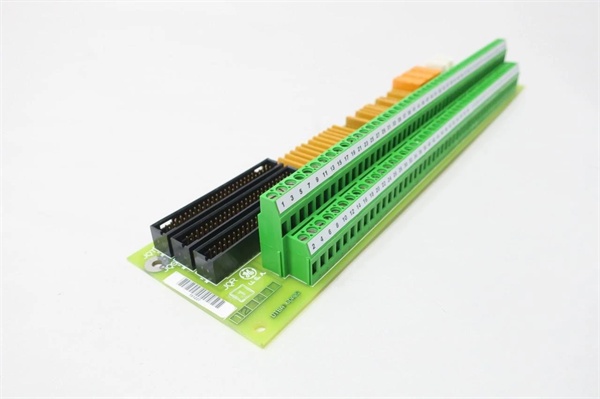
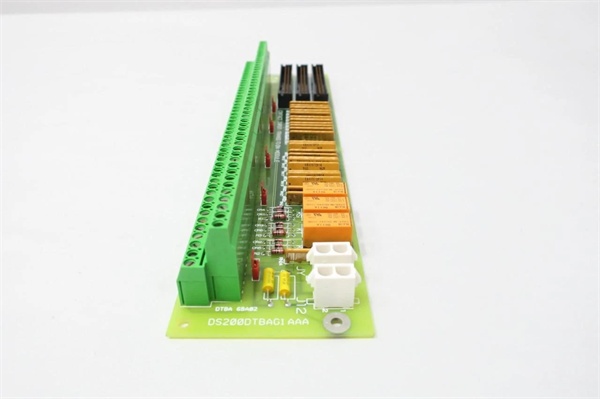
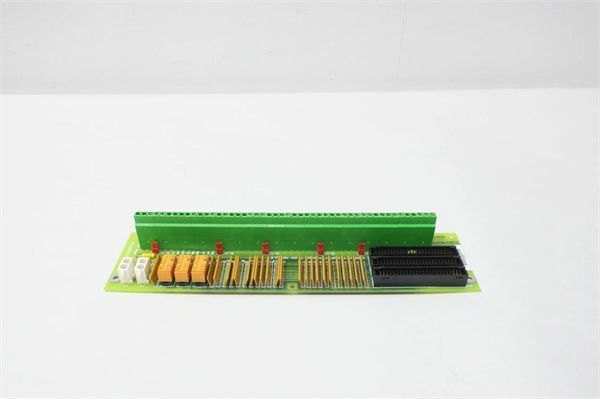
Description
System Architecture & Operational Principle
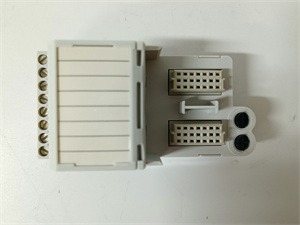
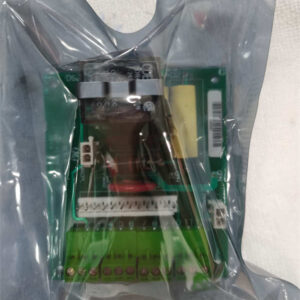
The GE DS200DTBAG1AAA is a digital contact terminal board within the GE Mark V/VI Series of turbine control systems, designed for Level 2 (Control) of the Purdue Model in industrial automation. It resides in turbine control cabinets (mounted via plug-in slots or DIN rails) and serves as the bridge between field devices (e.g., limit switches, emergency stop buttons, proximity sensors, temperature transmitters) and higher-level controllers (e.g., Mark V main processor boards, Mark VIe PLCs).
Upstream Communication
Receives raw digital/analog signals from field devices via 64 screw-terminal connections (32 digital inputs, 32 digital outputs, 16 analog inputs). These signals include:
-
Digital inputs: 24V DC signals from limit switches (e.g., fuel valve position), emergency stop buttons, or proximity sensors (e.g., turbine shaft rotation);
-
Analog inputs: 4–20mA current loops (e.g., from pressure transmitters), 0–10V DC voltages (e.g., from temperature sensors), or thermocouple/RTD signals (e.g., exhaust gas temperature).
The board uses signal conditioning circuits (e.g., filters, amplifiers, optical isolators) to clean and normalize these signals before transmitting them to the Mark V/VI I/O modules. Optical isolation prevents ground loops and voltage spikes from damaging sensitive electronics, ensuring signal integrity in harsh industrial environments.
Downstream Communication
Transmits conditioned signals to Mark V/VI I/O modules (e.g., DS200ADMAH1A) via the Genius Bus (a high-speed serial communication protocol developed by GE for turbine control). The board also routes communication signals (e.g., IONET, ARCNET) between the I/O modules and the main processor, ensuring seamless data flow for turbine control (e.g., adjusting fuel flow, turbine speed, or generator excitation).
Operational Advantages
-
High-Density Connectivity: 64 terminals (32 digital inputs, 32 digital outputs, 16 analog inputs) reduce the number of modules needed in the control cabinet, saving space and cost.
-
Signal Integrity: Filtering circuits and optical isolation reduce electromagnetic interference (EMI) from nearby motors or power lines, ensuring accurate signal transmission.
-
Fault Tolerance: A bypass relay maintains Genius Bus communication even if the board loses power, preventing system downtime.
-
Modular Design: Plug-in design allows for quick replacement, minimizing maintenance time.

GE DS200DTBAG1AAA
Core Technical Specifications
|
Attribute
|
Specification
|
|---|---|
|
Product Type
|
Digital Contact Terminal Board (DCTB)
|
|
Part Number
|
DS200DTBAG1AAA
|
|
System Platform
|
GE Mark V/VI Series Turbine Control Systems
|
|
Digital Inputs
|
32 channels (24V DC, sinking/sourcing, optical isolation)
|
|
Digital Outputs
|
32 channels (24V DC, 2A per channel, relay-driven)
|
|
Analog Inputs
|
16 channels (4–20mA, 0–10V, TC (J/K/T/E), RTD (Pt100/1000))
|
|
Input Response Time
|
< 1 ms (digital); < 10 ms (analog)
|
|
Output Switching Time
|
< 5 ms (digital)
|
|
Memory
|
512 KB flash (program storage); 256 KB RAM (data storage)
|
|
Communication Protocol
|
Genius Bus (high-speed serial)
|
|
Operating Temperature
|
-40°C to +85°C (-40°F to 185°F)
|
|
Storage Temperature
|
-55°C to +125°C (-67°F to 257°F)
|
|
Humidity
|
5–95% non-condensing
|
|
Dimensions (W×H×D)
|
~200 mm × 150 mm × 50 mm (7.9 in × 5.9 in × 2.0 in) (approximate)
|
|
Weight
|
~0.45 kg (1 lb)
|
|
Certifications
|
CE, UL, ATEX (Ex d IIB T5 Gb) (hazardous location compliant)
|
Customer Value & Operational Benefits
Enhanced Turbine Reliability
The DS200DTBAG1AAA’s signal conditioning and fault tolerance reduce the risk of turbine misoperation due to bad signals. A power plant using the board reported a 99.9% success rate in turbine startups, compared to 95% with traditional terminal boards.
Reduced Maintenance Costs
The board’s modular design allows technicians to replace it in minutes without shutting down the turbine. A chemical plant using the DS200DTBAG1AAA cut maintenance downtime by 40% compared to traditional non-modular terminal boards.
Cost-Effective Integration
Compatible with GE Mark V/VI Series and existing field devices, the DS200DTBAG1AAA eliminates the need for custom signal conditioners. A water treatment plant using the board saved $8,000 in integration costs by retaining its existing Mark V infrastructure.
Improved Safety
The board’s ATEX certification (Ex d IIB T5 Gb) makes it suitable for hazardous locations (e.g., turbine halls with flammable gases), ensuring safe operation in high-risk environments.
Field Engineer’s Notes (From the Trenches)
When installing the DS200DTBAG1AAA, always use shielded twisted-pair (STP) cables for digital/analog signals—unshielded cables can pick up EMI from nearby motors, leading to signal distortion. I once saw a site where a technician used unshielded cables, resulting in a 15% error rate in temperature measurements. Switching to STP cables eliminated the problem immediately.Another gotcha: check the terminal torque—the screw terminals require 1.2 N·m of torque to ensure a good connection. I’ve fixed countless “intermittent signal” errors by tightening loose terminals with a torque wrench.If the board’s FAULT LED illuminates, check the Genius Bus connection—the most common cause is a loose cable or incorrect node ID. Use a network analyzer to test the Genius Bus signals (should be within the -10 dBm to +10 dBm range).
Real-World Applications
-
Power Generation:A coal-fired power plant uses the DS200DTBAG1AAA to connect 32 temperature sensors (RTD) and 32 control valves (digital outputs) to the Mark V controller. The board’s signal conditioning ensures accurate measurement of boiler temperature and pressure, allowing the controller to adjust the fuel flow and maintain optimal turbine efficiency.
-
Gas Turbines:A natural gas power plant uses the DS200DTBAG1AAA to connect 16 gas flow sensors (4–20mA) and 16 ignition systems (digital outputs) to the Mark VIe controller. The board’s fast response time (<10 ms) enables the controller to adjust the gas flow in real time, improving combustion efficiency by 8%.
-
Combined-Cycle Plants:A combined-cycle power plant uses the DS200DTBAG1AAA to synchronize data between the gas turbine, steam turbine, and heat recovery steam generator (HRSG). The board’s high channel density (64 terminals) reduces the number of modules needed in the control cabinet, saving space and cost.
GE DS200DTBAG1AAA
High-Frequency Troubleshooting FAQ
Q: What does the FAULT LED indicate on the GE DS200DTBAG1AAA?
A: The red FAULT LED indicates a critical error, such as:
-
Genius Bus Communication Failure: The board is not receiving data from the Mark V/VI controller (check the Genius Bus cable and node ID);
-
Input Signal Overload: A digital/analog input signal exceeds the board’s specified range (e.g., 30V DC for a 24V DC input);
-
Power Supply Failure: The input voltage is outside the 24V DC range (check with a multimeter).
Q: Can the DS200DTBAG1AAA be used with non-GE field devices?
A: Yes, the board’s universal terminal connections support most field devices (e.g., Siemens sensors, ABB actuators). However, you may need to adjust the signal conditioning settings (e.g., gain, offset) via the Mark V/VI controller’s software (e.g., ToolboxST).
Q: How do I test the DS200DTBAG1AAA?
A: Use a multimeter to test the following:
-
Input Voltage: Check the voltage at the input terminals (should be 24V DC for digital inputs, 4–20mA for analog inputs);
-
Output Voltage: Check the voltage at the output terminals (should be 24V DC when activated);
-
Genius Bus Signals: Use a network analyzer to check the Genius Bus signals (should be within the -10 dBm to +10 dBm range).
Q: Why is the DS200DTBAG1AAA’s signal unstable?
A: Check three things first:
-
Cables: Ensure the STP cables are not damaged (check for cuts or breaks);
-
Grounding: Verify the shield is grounded at the board end (not at the field device) to minimize EMI;
-
Field Device: Ensure the field device (e.g., sensor) is not faulty (test with a multimeter).
Commercial Availability & Pricing
Please note: The listed price is not the actual final price. It is for reference only and is subject to appropriate negotiation based on current market conditions, quantity, and availability.