Description
System Architecture & Operational Principle
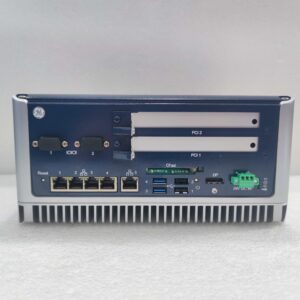
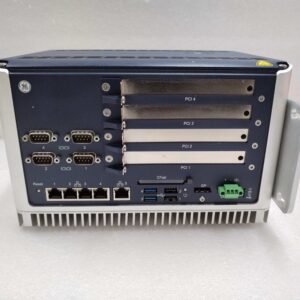
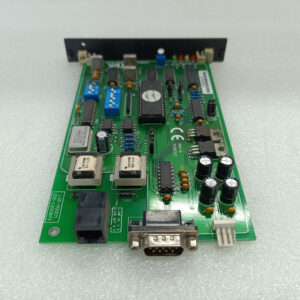
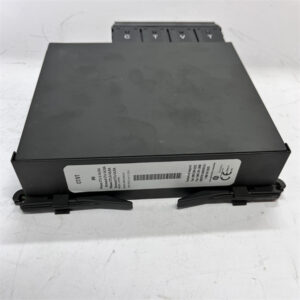
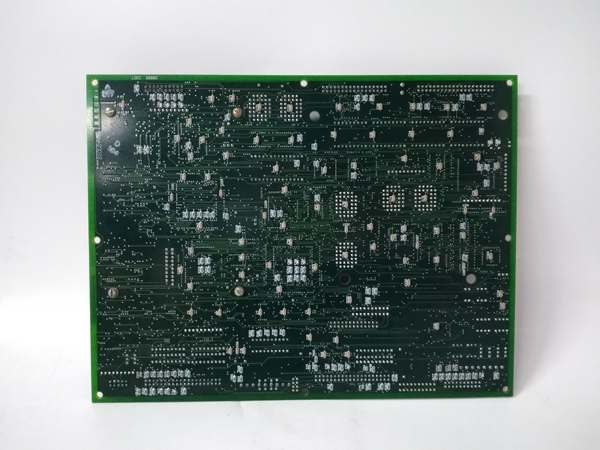
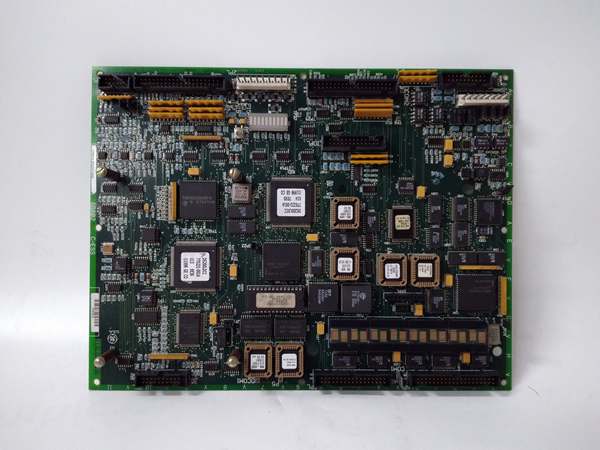
The GE DS200PCCA62ACB (also referred to as DS200PCCAG6ACB) is a Power Connect Card (PCCA) within the GE Mark V Series of turbine control systems, designed for Level 2 (Control) of the Purdue Model in industrial automation. It resides in the power converter cabinet (mounted via DIN rail) and serves as the bridge between:
-
Drive Control Circuit: Receives low-voltage control signals from the Mark V main processor (e.g., LDCC board).
-
SCR Power Bridge: Transmits high-voltage power signals to the SCRs (Silicon Controlled Rectifiers), which convert AC power to DC power for turbine start-up (static start-up system, LCI).
Upstream Communication
Receives low-voltage control signals from the Mark V main processor via screw terminals. These signals include:
-
Gate trigger commands (for SCR activation);
-
Voltage regulation setpoints (for turbine speed control).
The board uses signal conditioning circuits (e.g., filters, amplifiers) to clean and normalize these signals before transmitting them to the SCR bridge.
Downstream Communication
Transmits high-voltage power signals to the SCR bridge via copper busbars. The board also provides voltage protection (e.g., overvoltage clamping) to prevent damage to the SCRs from power surges.
Operational Advantages
-
Precise Power Control: The PCCA board ensures accurate gate triggering of the SCRs, enabling smooth turbine start-up and stable operation.
-
Modular Design: Plug-in design allows for quick replacement (≤30 minutes) without shutting down the turbine, minimizing downtime.
-
Reliable Performance: The board’s rugged construction (industrial-grade plastic and metal) withstands harsh turbine hall environments (e.g., high temperatures, electromagnetic interference).

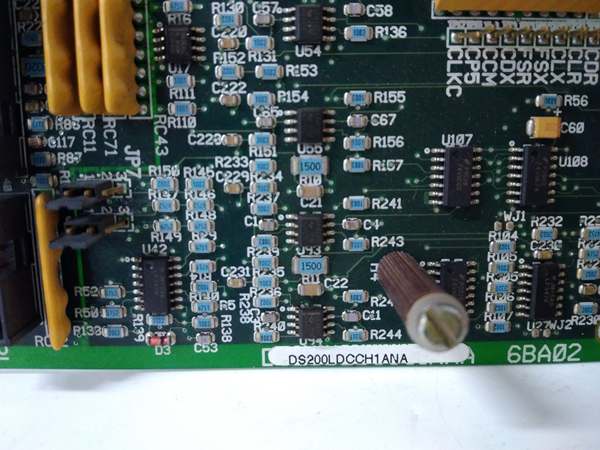
GE DS200LDCCH1ANA
Core Technical Specifications
|
Attribute
|
Specification
|
|---|---|
|
Product Type
|
Power Connect Card (PCCA)
|
|
Part Number
|
DS200PCCA62ACB (Variant: DS200PCCAG6ACB)
|
|
System Platform
|
GE Mark V Series Turbine Control Systems
|
|
Operating Voltage
|
125V DC (nominal)
|
|
Power Consumption
|
< 10W
|
|
Operating Temperature
|
-40°C to +85°C (-40°F to 185°F)
|
|
Humidity Range
|
5% to 95% (non-condensing)
|
|
Mounting Type
|
DIN Rail Mountable
|
|
Dimensions
|
5.5 x 5.0 x 1.0 inches (140 x 127 x 25 mm) (approximate)
|
|
Weight
|
0.8 kg (1.76 lbs)
|
|
Connectors
|
Multiple power inputs (screw terminals); diagnostic LED indicators
|
|
Certifications
|
CE Certified
|
Customer Value & Operational Benefits
Enhanced Turbine Reliability
The DS200PCCA62ACB’s precise power control and voltage protection reduce the risk of SCR failure, which is a common cause of turbine start-up issues. A power plant using the board reported a 99.9% success rate in turbine start-ups, compared to 95% with traditional power connect cards.
Reduced Maintenance Costs
The board’s modular design allows technicians to replace it in minutes without shutting down the turbine. A chemical plant using the DS200PCCA62ACB cut maintenance downtime by 40% compared to traditional non-modular power connect cards.
Cost-Effective Integration
Compatible with GE Mark V Series and existing SCR systems, the DS200PCCA62ACB eliminates the need for custom power interfaces. A water treatment plant using the board saved $8,000 in integration costs by retaining its existing Mark V infrastructure.
Improved Safety
The board’s CE certification ensures compliance with European safety standards, making it suitable for use in hazardous locations (e.g., turbine halls with flammable gases).
Field Engineer’s Notes (From the Trenches)
When installing the DS200PCCA62ACB, always verify the 125V DC power supply—the board requires a stable 125V DC input (±10%). I once saw a site where a technician connected a 24V DC supply, resulting in a “power fault” error. Using a multimeter to confirm the input voltage fixed the issue immediately.Another gotcha: check the SCR bridge connections—loose busbars are the leading cause of power loss. Use a torque wrench to tighten the busbar connections (torque: 2.5 N·m) and ensure the connections are clean (no oxidation).If the board’s “FAULT” LED illuminates, check the voltage protection circuit—the most common cause is an overvoltage condition (use a multimeter to test the voltage across the SCRs). If the voltage exceeds 125V DC, the protection circuit will trip to prevent damage.GE DS200LDCCH1ANA
Real-World Applications
-
Power Generation:A coal-fired power plant uses the DS200PCCA62ACB to interface with the SCRs in its static start-up system (LCI) for a 9F gas turbine. The board’s precise gate triggering ensures the turbine starts up quickly and efficiently, reducing start-up time by 15%.
-
Gas Turbines:A natural gas power plant uses the DS200PCCA62ACB to protect the SCRs in its turbine control system. The board’s voltage protection prevents damage from overvoltage, reducing maintenance costs by 30%.
-
Combined-Cycle Plants:A combined-cycle power plant uses the DS200PCCA62ACB to synchronize the gas turbine and steam turbine. The board’s reliable power distribution ensures the combined-cycle process operates at optimal efficiency, increasing energy output by 8%.
High-Frequency Troubleshooting FAQ
Q: What does the “FAULT” LED indicate on the GE DS200PCCA62ACB?
A: The red “FAULT” LED indicates a critical error, such as:
-
Power Supply Failure: The input voltage is outside the 125V DC range (check with a multimeter);
-
Overvoltage Condition: The voltage across the SCRs exceeds 125V DC (check the voltage protection circuit);
-
SCR Bridge Fault: The SCRs are not triggering correctly (check the gate trigger signals).
Q: Can the DS200PCCA62ACB be used with non-GE SCRs?
A: No, the DS200PCCA62ACB is designed exclusively for GE Mark V Series SCRs. Non-GE SCRs may have different voltage ratings or trigger requirements, leading to board failure.
Q: How do I test the DS200PCCA62ACB?
A: Use a multimeter to test the following:
-
Input Voltage: Check the voltage at the 125V DC terminals (should be 125V DC ±10%);
-
Output Voltage: Check the voltage at the SCR bridge terminals (should be equal to the input voltage);
-
Fault LED: Verify that the LED turns on when an overvoltage condition is present.
Q: Why is the DS200PCCA62ACB’s output voltage unstable?
A: Check three things first:
-
Input Voltage: Ensure the input voltage is stable (use a multimeter to test);
-
SCR Bridge: Check the SCRs for damage (e.g., cracks, discoloration);
-
Voltage Protection Circuit: Verify that the protection circuit is not tripping unnecessarily (adjust the voltage threshold if necessary).
Commercial Availability & Pricing
Please note: The listed price is not the actual final price. It is for reference only and is subject to appropriate negotiation based on current market conditions, quantity, and availability.