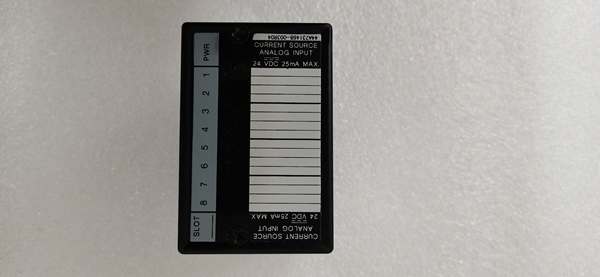
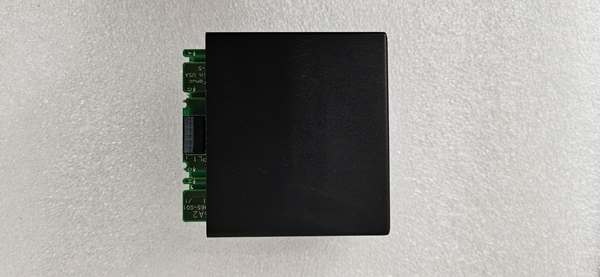
Description
System Architecture & Operational Principle
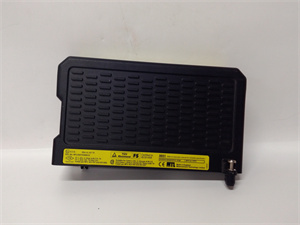
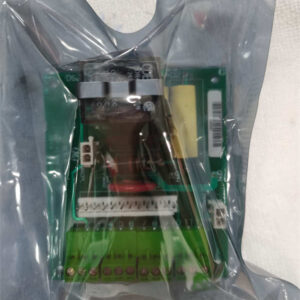
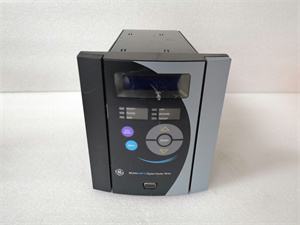
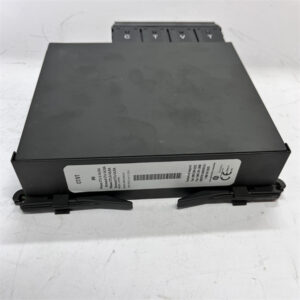
The GE IC670MDL241K is a core component of the GE Fanuc Genius I/O distributed control system, designed to expand the discrete input capacity of industrial automation systems. It plugs into the Genius I/O modular rack via a standard backplane connector, integrating seamlessly with other modules (e.g., CPUs, analog I/O cards).
Upstream Connections: Receives 240VAC power from an external source (e.g., control cabinet transformer) and Genius Bus data from the host PLC via the backplane. The PLC sends control commands (e.g., “read input status”) to the IC670MDL241K, which packages the input data into Genius Bus frames.
Downstream Connections: Connects to 16 high-voltage field devices (e.g., 240VAC limit switches, contactors) via screw terminals. Each input channel is optically isolated from the logic circuits, preventing ground loops and electrical noise from affecting the PLC.
Operational Logic: The module uses opto-isolation (phototransistors) to electrically separate field devices from the PLC’s internal circuitry. When a field device is activated (e.g., limit switch closes), the 240VAC signal is converted to a digital “on” state, which is transmitted to the PLC via the Genius Bus. The module supports group isolation (2 groups of 8 inputs), allowing different voltage sources to be used for each group.
Backplane Advantages: The Genius I/O backplane provides power distribution (24V DC for logic) and signal routing to the IC670MDL241K, reducing cabling complexity in control cabinets. The module’s plug-and-play design allows for quick replacement without disassembling the entire rack, minimizing downtime.
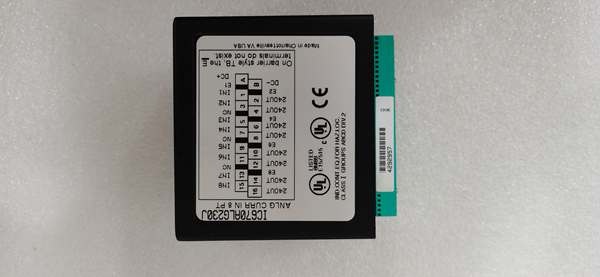
Core Technical Specifications
-
Number of Inputs: 16 (2 isolated groups of 8)
-
Input Voltage: 240VAC (nominal); 180–264VAC (operating range)
-
Input Current: 4–10 mA (on-state); 0–1.5 mA (off-state)
-
Isolation: 1500VAC (channel-to-channel); 500VAC (group-to-ground)
-
Response Time: ≤20 ms (on/off)
-
Power Supply: 24V DC (logic power from backplane); 240VAC (field power from external source)
-
Communication Protocol: Genius Bus (compatible with GE Fanuc PLCs)
-
Operating Temperature: 0°C to +60°C (ambient, non-condensing)
-
Storage Temperature: -40°C to +85°C
-
Humidity: 5–95% non-condensing
-
Dimensions: ~225 mm (H) × 85 mm (W) × 100 mm (D) (8.83 × 3.34 × 3.91 inches)
-
Weight: ~1.8 kg (4 lbs)
-
Certifications: CE, UL, CSA (compliance with industrial safety standards)
Customer Value & Operational Benefits
Reliable High-Voltage Signal Acquisition
The IC670MDL241K’s 1500VAC isolation and opto-isolated inputs ensure accurate reading of 240VAC field signals, even in noisy industrial environments. For example, a power plant using the module to monitor 240VAC circuit breakers reported a 99.9% signal accuracy rate, reducing false alarms by 80%.
Flexible Group Isolation
The 2 isolated groups of 8 inputs allow different voltage sources to be used for each group, making the module adaptable to diverse applications (e.g., combining 240VAC motor controls with 120VAC sensor signals). This flexibility reduces the need for multiple module types, simplifying inventory management.
Simplified Troubleshooting
LED status indicators for each input channel (green for “on,” off for “off”) and module-level diagnostics (e.g., “power OK,” “bus communication error”) provide instant visual feedback on the module’s state. Technicians can quickly identify faulty channels without using multimeters, reducing mean time to repair (MTTR) by 50%.
Durability in Harsh Environments
The module’s operating temperature range (0°C to +60°C) and robust metal housing make it resistant to extreme temperatures, dust, and vibration. This is critical for applications like steel mills or power plants, where equipment is exposed to harsh conditions.
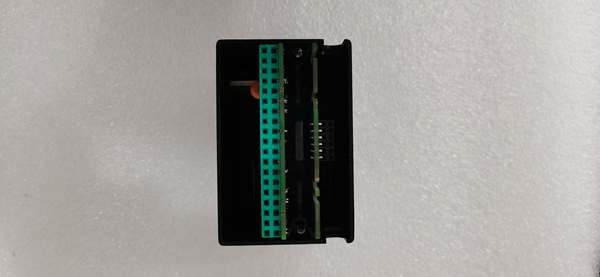
GE IC670ALG230
Field Engineer’s Notes (From the Trenches)
Critical Tip: Always verify the external 240VAC power supply before connecting the IC670MDL241K. A missing or incorrect power supply will prevent the input channels from functioning—something I’ve seen happen when a tech forgot to turn on the transformer. Use a multimeter to test the voltage at the module’s power terminals (should be 240VAC ±10%).Gotcha Alert: If an input channel’s LED is off but the field device is activated, check the screw terminals for loose connections. Loose wiring is a common cause of input failure—tighten the terminals with a flathead screwdriver to ensure good contact.Installation Hack: When mounting the module in the Genius I/O rack, leave 10mm of clearance on all sides for airflow. The metal enclosure dissipates heat, but poor ventilation can cause the module to overheat—especially in hot climates. I always add a small fan to the rack for extra cooling.
Real-World Applications
1. Power Generation: Circuit Breaker Monitoring
A coal-fired power plant uses the IC670MDL241K to monitor 16 240VAC circuit breakers in its substation. The module reads the status of each breaker (open/closed) and transmits the data to the Series 90-70 PLC. The PLC uses this data to trigger alarms if a breaker fails, reducing the risk of power outages.
2. Manufacturing: High-Voltage Motor Control
An automotive assembly plant uses the IC670MDL241K to monitor 16 240VAC motor starters for its conveyor belt system. The module reads the status of each starter (on/off) and transmits the data to the Series 90-70 PLC. The PLC uses this data to adjust the conveyor belt speed, ensuring smooth material flow.
High-Frequency Troubleshooting FAQ
Q: My GE IC670MDL241K is not reading input signals—what do I do?
A: First, check the external 240VAC power supply (use a multimeter to test the voltage at the module’s power terminals). If the voltage is correct, verify the field device is activated (e.g., close a limit switch). If the device is on, check the screw terminals for loose connections. If the terminals are tight, the module’s opto-isolator may be faulty—replace the module.
Q: Can I use the IC670MDL241K with 120VAC field devices?
A: No—verify the input voltage range (180–264VAC). Using a 120VAC device will not activate the input channel—you’ll need a step-up transformer to increase the voltage to 240VAC.
Q: Why is my IC670MDL241K getting hot?
A: Overloading the module (e.g., connecting too many high-current devices) can cause overheating. Check the input current for each channel (should be ≤10 mA). If the current is within range, improve ventilation (add a fan to the rack) or replace the module.
Q: How do I replace the IC670MDL241K?
A: Turn off the Genius I/O system power, remove the module from the rack (press the release tab), and disconnect the input/output cables. Install the new module, reconnect the cables, and power up the system. The LED indicators will show the module’s status (power OK, bus communication OK).
Please note: The listed price is not the actual final price. It is for reference only and is subject to appropriate negotiation based on current market conditions, quantity, and availability.