Description
System Architecture & Operational Principle
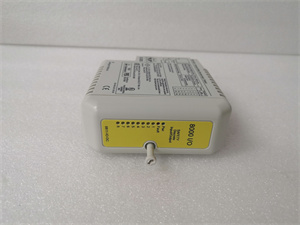
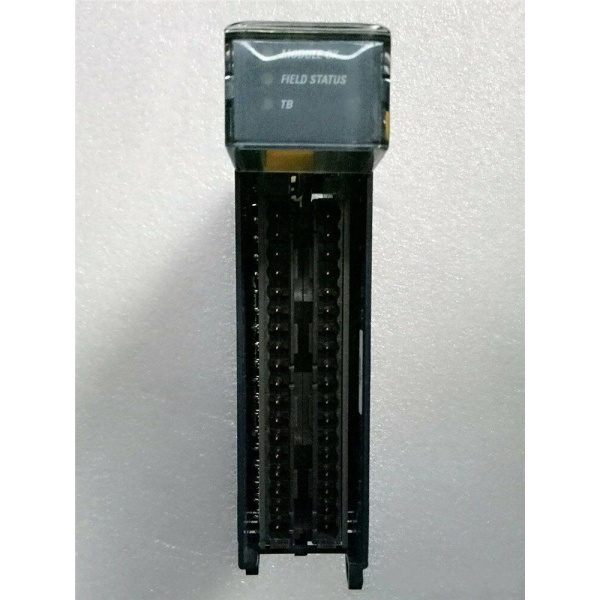
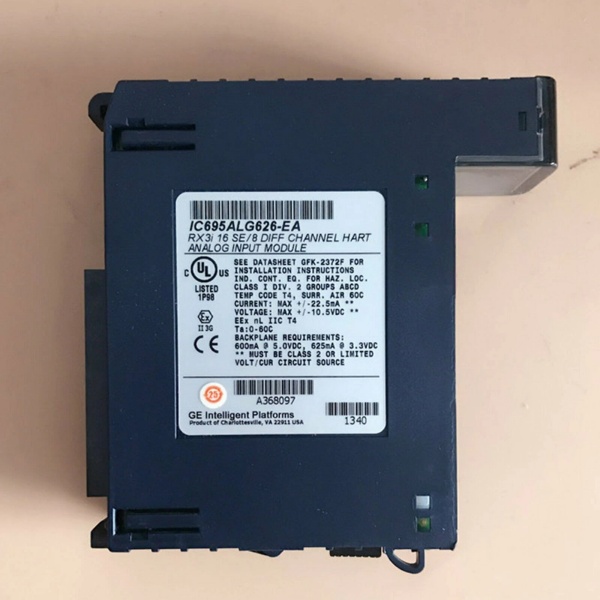
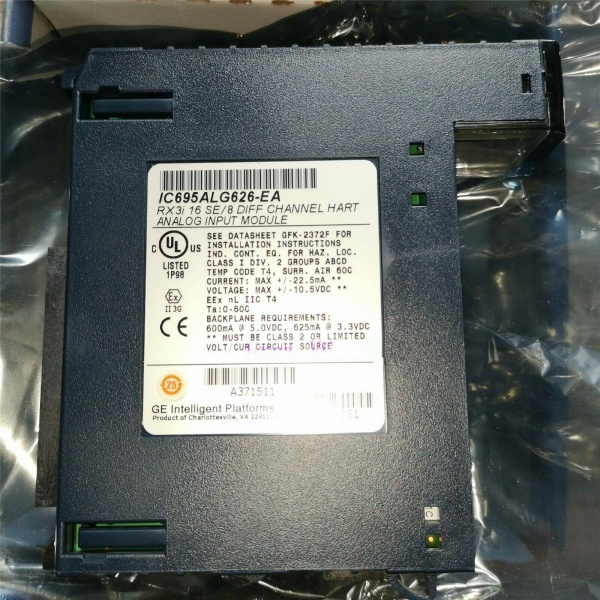
The GE IC695ALG626 is a 16-channel non-isolated analog input module within the GE Fanuc PACSystems RX3i series, designed for Level 1 (Device) or Level 2 (Control) of the Purdue Model in industrial automation. It resides in control cabinets (mounted on an RX3i universal backplane) and serves as the bridge between field devices (e.g., temperature sensors, pressure transmitters, flow meters) and higher-level controllers (e.g., GE RX3i PLCs, ABB AC 800M DCS).
Upstream Signal Reception
Receives analog signals (current/voltage) from field devices via screw terminals or pre-wired cables. The module supports single-ended (16 channels) or differential (8 channels) wiring configurations, allowing it to adapt to diverse field device layouts (e.g., star, tree, or hybrid topologies).
Downstream Communication
Converts analog signals to digital data using a 24-bit analog-to-digital converter (ADC). The digital data is transmitted to the controller via the RX3i backplane for processing (e.g., PID loops, alarm generation, data logging). Additionally, the module supports HART 5.0 protocol on every channel, enabling seamless communication with smart field devices (e.g., HART-enabled transmitters) for advanced diagnostics and configuration.
Operational Advantages
-
High Precision: 24-bit ADC resolution ensures accurate signal conversion (e.g., 0.0015% of full scale for voltage inputs), critical for applications requiring tight process control (e.g., pharmaceutical manufacturing, chemical processing).
-
Flexible Configuration: Software-configurable input ranges (no jumpers required) and filter settings (8 Hz–500 Hz) allow adaptation to different field devices and noise environments.
-
HART Integration: Built-in HART 5.0 support eliminates the need for additional communication modules, reducing system complexity and cost.
-
Hot-Swap Capability: Allows technicians to replace the module without shutting down the system, minimizing downtime during maintenance.

GE IC695ALG626
Core Technical Specifications
|
Attribute
|
Specification
|
|---|---|
|
Product Type
|
16-Channel Non-Isolated Analog Input Module with HART Communication
|
|
Part Number
|
IC695ALG626
|
|
Number of Channels
|
16 (single-ended); 8 (differential)
|
|
Input Signal Ranges
|
Current: 0–20 mA, 4–20 mA, ±20 mA
Voltage: ±10V, 0–10V, ±5V, 0–5V, 1–5V |
|
ADC Resolution
|
24-bit
|
|
Input Impedance
|
>100 kΩ (voltage inputs); 249 Ω ±1% (current inputs)
|
|
Filter Options
|
8 Hz, 12 Hz, 16 Hz, 40 Hz, 200 Hz, 500 Hz (configurable per channel)
|
|
HART Protocol
|
HART Version 5.0 (supported on all channels)
|
|
Power Supply
|
5V DC from RX3i backplane (450 mA max); 3.3V DC (600 mA max)
|
|
Operating Temperature
|
0°C to +60°C (32°F to 140°F)
|
|
Storage Temperature
|
-40°C to +85°C (-40°F to 185°F)
|
|
Humidity
|
5–95% non-condensing
|
|
Dimensions (W×H×D)
|
~115 mm × 100 mm × 25 mm (4.5 in × 3.9 in × 1.0 in) (approximate)
|
|
Weight
|
~0.3 kg (0.66 lbs)
|
|
Certifications
|
CE, UL, CSA (compliant with EU/US/Canadian standards)
|
Customer Value & Operational Benefits
Enhanced Process Control Precision
The IC695ALG626’s 24-bit resolution and flexible filter settings enable real-time monitoring of process variables (e.g., temperature, pressure, flow) with minimal noise interference. For example, a chemical plant using the module reported a 25% reduction in batch-to-batch variation by improving reactor temperature control.
Reduced Maintenance Costs
The module’s hot-swap design and self-diagnostic features (e.g., open-circuit detection, overvoltage protection) minimize downtime and labor costs. A manufacturing plant using the IC695ALG626 cut maintenance downtime by 40% compared to traditional non-hot-swappable analog input modules.
Cost-Effective Integration
Compatible with GE’s RX3i PACSystem and third-party controllers (e.g., Siemens S7-1200), the IC695ALG626 eliminates the need for custom interfaces. A water treatment plant using the module saved $10,000 in integration costs by retaining its existing PLC infrastructure.
Advanced Diagnostics with HART
The module’s HART 5.0 support allows operators to access smart device diagnostics (e.g., transmitter health, calibration status) directly from the PLC, reducing the need for field service visits. A power plant using the module reported a 30% reduction in field maintenance costs due to improved diagnostic capabilities.
GE IC695ALG626
Field Engineer’s Notes (From the Trenches)
When installing the IC695ALG626, always use shielded twisted-pair (STP) cables for analog inputs—unshielded cables can pick up electromagnetic interference (EMI) from nearby motors or power lines, leading to signal distortion. I once saw a site where a technician used unshielded cables, resulting in a 15% error rate in pressure measurements. Switching to STP cables eliminated the problem immediately.Another gotcha: verify the input range configuration—the module defaults to 4–20 mA, but if you need to use 0–20 mA or voltage ranges, you must adjust the settings via the controller’s programming software (e.g., Proficy Machine Edition). I’ve fixed countless “signal out of range” errors by forgetting to modify the input range.If the module’s “FAULT” LED illuminates, check the input voltage/current—the module requires a stable signal within the specified range. I’ve seen cases where a faulty sensor (outputting 25 mA) caused the module to enter a fault state. Use a multimeter to test the input signal and verify it matches the module’s configuration.
Real-World Applications
-
Chemical Manufacturing:A chemical plant uses the IC695ALG626 to monitor the temperature of its reactor. The module receives 4–20 mA signals from a temperature transmitter and transmits digital data to a GE RX3i PLC, which adjusts the flow of cooling water to maintain the reactor temperature within ±1°C.
-
Power Generation:A power plant uses the IC695ALG626 to monitor the pressure of its boiler feedwater pump. The module’s differential wiring minimizes signal loss, ensuring accurate pressure measurements. The PLC uses this data to adjust the pump’s speed, improving energy efficiency by 10%.
-
Water Treatment:A water treatment plant uses the IC695ALG626 to monitor the pH of its effluent. The module receives 0–10 V signals from a pH sensor and transmits data to a SCADA system, which triggers an alarm if the pH exceeds regulatory limits.
High-Frequency Troubleshooting FAQ
Q: What does the “FAULT” LED indicate on the GE IC695ALG626?
A: The red “FAULT” LED indicates a critical error, such as:
-
Open Circuit: A field device (e.g., sensor) is disconnected or the wiring is faulty (check the input signal with a multimeter);
-
Overvoltage/Overcurrent: The input signal exceeds the module’s specified range (e.g., 25 mA for a 4–20 mA input);
-
Module Fault: The internal ADC or power supply is faulty (replace the module).
Q: Can the IC695ALG626 be used with non-GE controllers?
A: Yes, the module’s digital output is compatible with most controllers (e.g., Siemens S7-1200, Allen-Bradley CompactLogix). However, you may need to configure the controller’s input module to match the IC695ALG626’s signal type (e.g., 4–20 mA).
Q: How do I configure the input range on the IC695ALG626?
A: Use GE’s Proficy Machine Edition software to configure the input range:
-
Open Proficy Machine Edition: Launch the software and connect to the RX3i PLC;
-
Select the IC695ALG626: Navigate to the “I/O Configuration” tab and select the module;
-
Set Input Range: Choose the desired range (e.g., 0–20 mA, ±10V) for each channel;
-
Save Configuration: Click “Save” to apply the changes to the module’s memory.
Q: Why is the IC695ALG626’s signal unstable?
A: Check three things first:
-
Cables: Ensure the STP cables are not damaged (check for cuts or breaks);
-
Grounding: Verify the shield is grounded at the source device (or the I/O module if the source cannot be grounded);
-
Filter Settings: Adjust the filter frequency (e.g., 8 Hz for low-noise environments) to reduce signal fluctuations.
Commercial Availability & Pricing
Please note: The listed price is not the actual final price. It is for reference only and is subject to appropriate negotiation based on current market conditions, quantity, and availability.