Description
System Architecture & Operational Principle
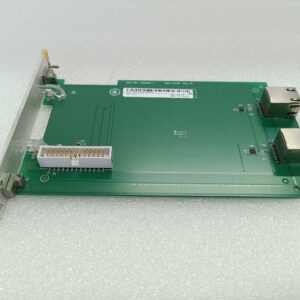
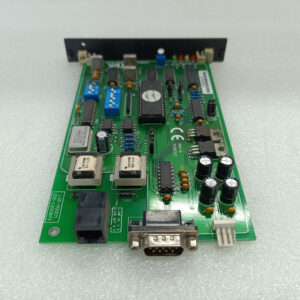
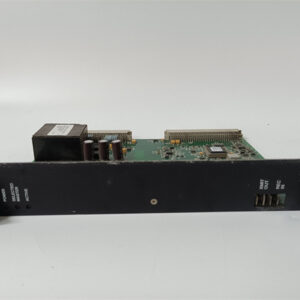
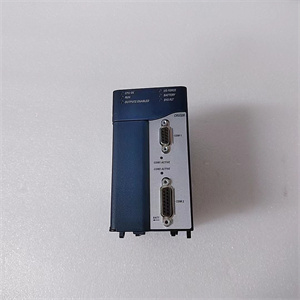
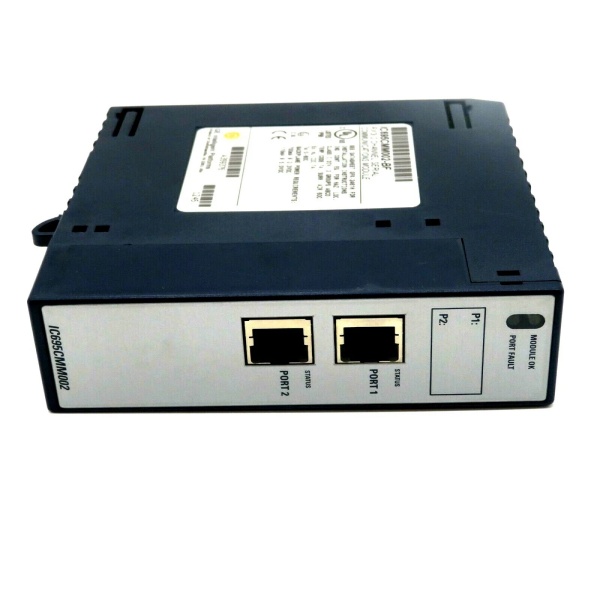
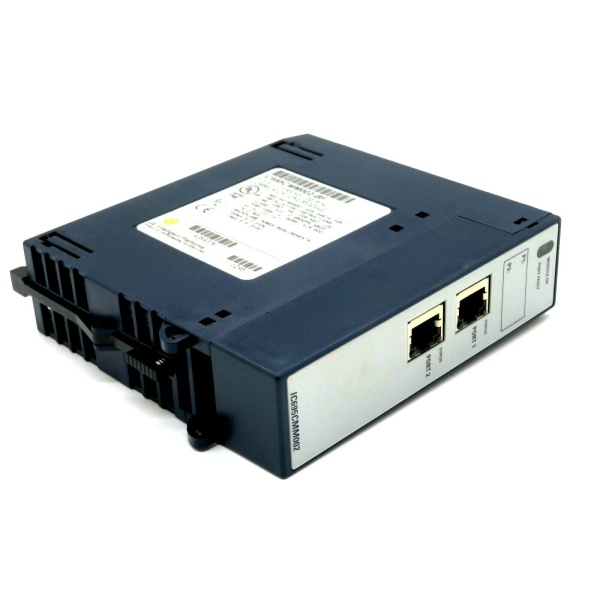
The GE IC695CMM002VC is a dual-channel serial communication module within the GE Fanuc PACSystems RX3i series, designed for Level 1 (Device) or Level 2 (Control) of the Purdue Model in industrial automation. It resides in control cabinets (mounted on an RX3i universal backplane) and serves as the backbone of serial communication networks, connecting:
-
RX3i PLCs: Receives control commands from the PLC via the backplane and transmits processed data back to the PLC.
-
Field Devices: Interfaces with third-party devices (e.g., barcode scanners, flow meters, legacy controllers) via serial ports, supporting multiple protocols (Modbus RTU, CCM, DNP3) for seamless integration.
Upstream Communication
Receives digital control signals from the RX3i PLC via the backplane. The module uses a high-speed processor to parse the control commands and prepare them for transmission to field devices.
Downstream Communication
Transmits serial data to field devices via two independent ports (RS-232/RS-485/RS-422). The module supports full-duplex (4-wire) or half-duplex (2-wire) operation for RS-485/422, allowing adaptation to diverse field device layouts.
Operational Advantages
-
High Isolation: 2 kV port-to-logic isolation protects the PLC from ground loops and voltage spikes, ensuring reliable operation in harsh industrial environments.
-
Protocol Versatility: Supports multiple serial protocols (Modbus RTU/ASCII, CCM, DNP3), eliminating the need for additional gateways and reducing system complexity.
-
Hot-Swap Capability: Allows technicians to replace the module without shutting down the system, minimizing downtime during maintenance.
Core Technical Specifications
|
Attribute
|
Specification
|
|---|---|
|
Product Type
|
Dual-Channel Serial Communication Module
|
|
Part Number
|
IC695CMM002VC
|
|
Number of Ports
|
2 (independent, isolated)
|
|
Port Types
|
RS-232, RS-485/422 (software-selectable)
|
|
Supported Protocols
|
Modbus RTU/ASCII (Master/Slave), CCM Slave, DNP3 Master/Slave, Serial I/O
|
|
Baud Rate Range
|
300–115.2 kbps (configurable per port)
|
|
Data Configuration
|
7/8 data bits, 1/2 stop bits, even/odd/none parity (software-selectable)
|
|
Isolation
|
2 kV port-to-logic; 500 V port-to-port (continuous)
|
|
Power Supply
|
5 V DC from RX3i backplane (0.115 A max); 3.3 V DC (0.7 A max)
|
|
Operating Temperature
|
0°C to +60°C (32°F to 140°F)
|
|
Storage Temperature
|
-40°C to +85°C (-40°F to 185°F)
|
|
Humidity
|
5–95% non-condensing
|
|
Dimensions (W×H×D)
|
~118 mm × 72 mm × 35 mm (4.6 in × 2.8 in × 1.4 in) (approximate)
|
|
Weight
|
~0.5 kg (1.1 lbs)
|
|
Certifications
|
CE, UL, CSA (compliant with EU/US/Canadian standards)
|
GE IC695CMU310
Customer Value & Operational Benefits
Enhanced System Flexibility
The IC695CMM002VC’s two independent ports and protocol versatility allow it to integrate multiple field devices into a single module, reducing the number of components needed in the control cabinet. This flexibility is critical for applications like assembly lines or process control, where multiple sensors need to communicate with the PLC simultaneously.
Reduced Maintenance Costs
The module’s hot-swap design allows technicians to replace it in minutes without shutting down the system. A manufacturing plant using the IC695CMM002VC cut maintenance downtime by 40% compared to traditional non-hot-swappable communication modules.
Cost-Effective Integration
Compatible with GE’s RX3i PACSystem and third-party controllers (e.g., Siemens S7-1200), the IC695CMM002VC eliminates the need for custom interfaces. A water treatment plant using the module saved $10,000 in integration costs by retaining its existing PLC infrastructure.
Field Engineer’s Notes (From the Trenches)
When installing the IC695CMM002VC, always use shielded twisted-pair (STP) cables for serial connections—unshielded cables can pick up electromagnetic interference (EMI) from nearby motors or power lines, leading to data corruption. I once saw a site where a technician used unshielded cables, resulting in a 15% error rate in barcode scanner data. Switching to STP cables eliminated the problem immediately.Another gotcha: verify the protocol configuration—the module defaults to Modbus RTU, but if you’re using a different protocol (e.g., CCM), you must adjust the settings via the PLC’s programming software (e.g., Proficy Machine Edition). I’ve fixed countless “communication timeout” errors by forgetting to switch the protocol.If the module’s “PORT FAULT” LED illuminates, check the cable connection—loose cables are the most common cause of port faults. Use a multimeter to test the continuity of the cable and ensure it’s securely connected to the module and field device.
Real-World Applications
-
Manufacturing Lines:An automotive manufacturing plant uses the IC695CMM002VC to connect 10 barcode scanners (via RS-232) to an RX3i PLC. The module’s Modbus RTU protocol enables real-time data transfer, allowing the PLC to track parts through the assembly line with 99.9% accuracy.
-
Chemical Processing:A chemical plant uses the IC695CMM002VC to interface 8 flow meters (via RS-485) with an RX3i PLC. The module’s DNP3 protocol supports remote monitoring, enabling operators to adjust flow rates from a central SCADA system.
-
Power Generation:A power plant uses the IC695CMM002VC to connect 4 legacy controllers (via RS-232) to an RX3i PLC. The module’s Serial I/O protocol enables seamless integration, allowing the PLC to control the legacy devices without replacing them.

GE IC695CMU310
High-Frequency Troubleshooting FAQ
Q: What does the “MODULE OK” LED indicate on the GE IC695CMM002VC?
A: The green “MODULE OK” LED indicates that the module is powered on and functioning correctly. If it’s off, the module is not receiving power from the backplane—check the backplane voltage with a multimeter.
Q: Can the IC695CMM002VC be used with non-GE PLCs?
A: Yes, the module’s serial ports are compatible with most third-party PLCs (e.g., Siemens S7-1200, Allen-Bradley CompactLogix). However, you may need to configure the PLC’s communication settings (e.g., baud rate, parity) to match the module’s requirements.
Q: How do I configure the protocol on the IC695CMM002VC?
A: Use GE’s Proficy Machine Edition software to configure the protocol:
-
Open Proficy Machine Edition: Launch the software and connect to the RX3i PLC.
-
Select the IC695CMM002VC: Navigate to the “I/O Configuration” tab and select the module.
-
Set Protocol: Choose the desired protocol (e.g., Modbus RTU, CCM) for each port.
-
Save Configuration: Click “Save” to apply the changes to the module’s memory.
Q: Why is the IC695CMM002VC’s communication slow?
A: Check three things first:
-
Baud Rate: Ensure the module’s baud rate (e.g., 115.2 kbps) matches the field device’s baud rate.
-
Cable Length: Serial cables longer than 100 meters can cause signal degradation—use fiber optic cables for longer distances.
-
EMI: Ensure the module is installed in a cabinet with adequate shielding (e.g., metal cabinet) to reduce EMI.
Commercial Availability & Pricing
Please note: The listed price is not the actual final price. It is for reference only and is subject to appropriate negotiation based on current market conditions, quantity, and availability.