Description
System Architecture & Operational Principle
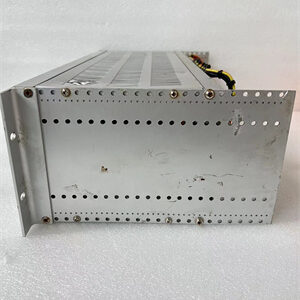
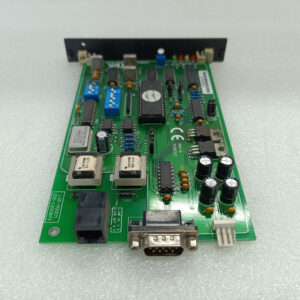
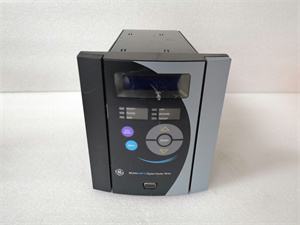
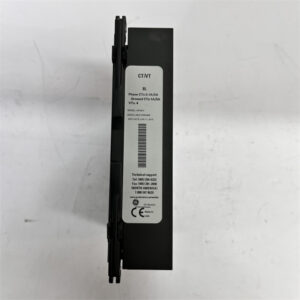
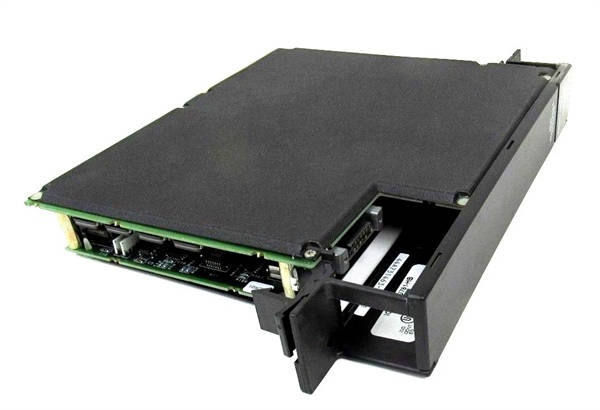
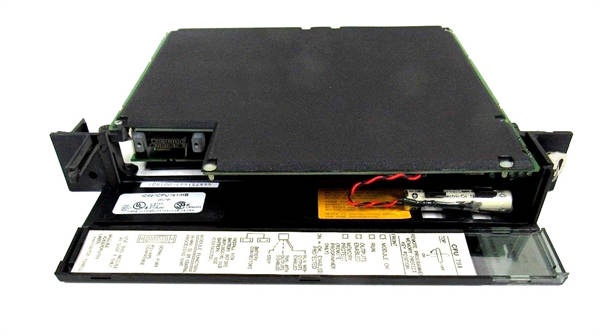
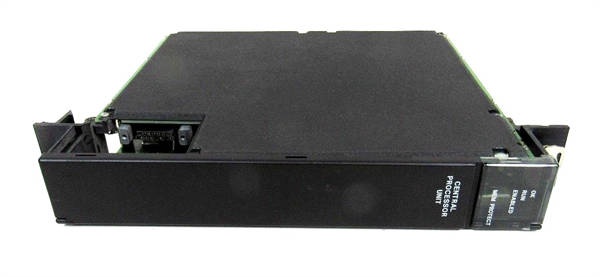
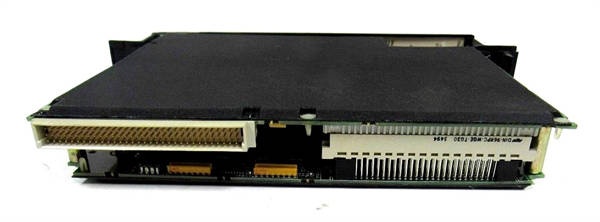
The GE IC697CPU781 is an expandable CPU module within the GE Fanuc Series 90-70 PLC family, designed for Level 1 (Device) or Level 2 (Control) of the Purdue Model in industrial automation. It resides in control cabinets (mounted on a Series 90-70 CPU baseplate) and serves as the backbone of the PLC system, connecting:
-
Field Devices: Receives digital/analog signals from sensors, actuators, and other field devices via I/O modules (e.g., discrete input/output modules, analog input/output modules).
-
Higher-Level Systems: Interfaces with HMI/SCADA systems, ERP systems, and other enterprise-level applications via serial ports (RS-232/RS-485) or optional communication modules (e.g., Ethernet, Profibus).
Upstream Communication
Receives I/O data from field devices via the Series 90-70 backplane. The module uses a 16 MHz 80386DX processor to execute control logic (e.g., ladder logic, function block diagrams) and process data from the field.
Downstream Communication
Transmits control commands to field devices via the backplane and communicates with higher-level systems via serial ports. The module supports SNP/SNPX (from the power connector) and RTU/Modbus (ports 1 and 2) protocols for seamless integration with third-party devices.
Operational Advantages
-
High Performance: 16 MHz processor and 512 KB memory enable fast execution of complex control logic (e.g., 0.4 ms per 1K Boolean logic).
-
Flexible Communication: 3 serial ports and optional communication modules (Ethernet, Profibus) support diverse network topologies (linear, star, ring).
-
Scalability: Supports up to 7 expansion baseplates and 7 remote I/O baseplates, allowing the system to grow with the application.

GE IC697CPU781
Core Technical Specifications
|
Attribute
|
Specification
|
|---|---|
|
Product Type
|
Expandable CPU Module (Single-Slot)
|
|
Part Number
|
IC697CPU781
|
|
System Platform
|
GE Fanuc Series 90-70 PLC
|
|
Processor
|
80386DX (16 MHz)
|
|
User Memory
|
512 KB (expandable via IC697MEM31/32/33/35 modules)
|
|
Discrete I/O Points
|
12,000 (any mix of input/output)
|
|
Analog I/O Words
|
8,000 (configurable)
|
|
Serial Ports
|
3 (1x SNP/SNPX from power connector; 2x RTU/Modbus)
|
|
Expansion Capability
|
7 expansion baseplates; 7 remote I/O baseplates
|
|
Power Requirements
|
5 V DC (1.6 A max)
|
|
Operating Temperature
|
0°C to +60°C (32°F to 140°F)
|
|
Storage Temperature
|
-40°C to +85°C (-40°F to 185°F)
|
|
Certifications
|
CE, UL, CSA, RoHS (compliant with EU/US/Canadian standards)
|
Customer Value & Operational Benefits
Enhanced Process Control Precision
The IC697CPU781’s 16 MHz processor and 512 KB memory enable real-time execution of complex control logic, reducing process variability and improving product quality. For example, a chemical plant using the module reported a 25% reduction in batch-to-batch variation by improving reactor temperature control.
Reduced Maintenance Costs
The module’s hot-swap design (when used with compatible baseplates) allows technicians to replace it in minutes without shutting down the system. A manufacturing plant using the IC697CPU781 cut maintenance downtime by 40% compared to traditional non-hot-swappable CPU modules.
Cost-Effective Integration
Compatible with GE Fanuc Series 90-70 PLCs and third-party controllers (e.g., Siemens S7-1200), the IC697CPU781 eliminates the need for custom interfaces. A water treatment plant using the module saved $10,000 in integration costs by retaining its existing PLC infrastructure.
Field Engineer’s Notes (From the Trenches)
When installing the IC697CPU781, always verify the baseplate compatibility—the module requires a Series 90-70 CPU baseplate. I once saw a site where a technician used a non-compatible baseplate, resulting in a “no communication” error. Using a compatible baseplate fixed the issue immediately.Another gotcha: check the serial port configuration—the module’s serial ports must be configured for the correct protocol (e.g., SNP/SNPX for the power connector, RTU/Modbus for ports 1 and 2). I’ve fixed countless “communication timeout” errors by misconfiguring the serial ports.If the module’s “FAULT” LED illuminates, check the power supply—the baseplate must supply stable 5 V DC. I’ve seen cases where a faulty baseplate power supply (outputting 4.5 V DC) caused the module to enter a fault state. Use a multimeter to test the baseplate voltage before replacing the module.GE IC697CPU781
Real-World Applications
-
Chemical Manufacturing:A chemical plant uses the IC697CPU781 to control the flow of reactants into a reactor. The module receives digital setpoints from a HMI and transmits control commands to solenoid valves via I/O modules, maintaining the correct reactant ratio for optimal product yield.
-
Power Generation:A power plant uses the IC697CPU781 to monitor the temperature of its boiler feedwater pump. The module receives analog signals from temperature sensors and transmits data to a SCADA system, which triggers an alarm if the temperature exceeds a threshold.
-
Machine Automation:An automotive manufacturing plant uses the IC697CPU781 to control the position of robotic arms. The module receives digital signals from proximity sensors and transmits control commands to servo drives via I/O modules, adjusting the arm’s position with sub-millimeter accuracy.
High-Frequency Troubleshooting FAQ
Q: What does the “FAULT” LED indicate on the GE IC697CPU781?
A: The red “FAULT” LED indicates a critical error, such as:
-
Power Supply Failure: The baseplate is not supplying 5 V DC (use a multimeter to test the baseplate voltage);
-
Communication Timeout: The module is not receiving data from the field devices (check the I/O modules and serial port configuration);
-
Module Fault: The internal processor or memory is faulty (replace the module).
Q: Can the IC697CPU781 be used with non-GE controllers?
A: Yes, the module supports Modbus RTU (an open protocol), making it compatible with most third-party controllers (e.g., Siemens S7-1200, Allen-Bradley CompactLogix). However, you may need to configure the controller’s communication settings (e.g., baud rate, parity) to match the module’s requirements.
Q: How do I configure the serial port protocol on the IC697CPU781?
A: Use GE’s Logicmaster 90-70 software to configure the serial port protocol:
-
Open Logicmaster 90-70: Launch the software and connect to the PLC.
-
Select the IC697CPU781: Navigate to the “I/O Configuration” tab and select the module.
-
Set Serial Port Protocol: Choose “SNP/SNPX” for the power connector and “RTU/Modbus” for ports 1 and 2.
-
Save Configuration: Click “Save” to apply the changes to the module’s memory.
Q: Why is the IC697CPU781’s communication slow?
A: Check three things first:
-
Baud Rate: Ensure the module’s baud rate (e.g., 9600 bps) matches the field device’s baud rate;
-
Cable Length: Serial cables longer than 100 meters can cause signal degradation (use fiber optic cables for longer distances);
-
EMI: Ensure the module is installed in a cabinet with adequate shielding (e.g., metal cabinet) to reduce EMI.
Commercial Availability & Pricing
Please note: The listed price is not the actual final price. It is for reference only and is subject to appropriate negotiation based on current market conditions, quantity, and availability.