Description
System Architecture & Operational Principle
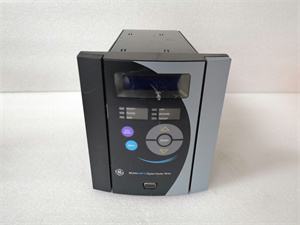
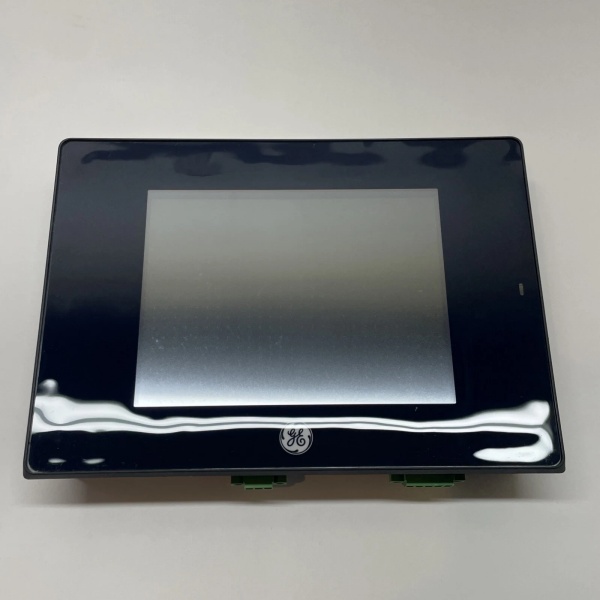
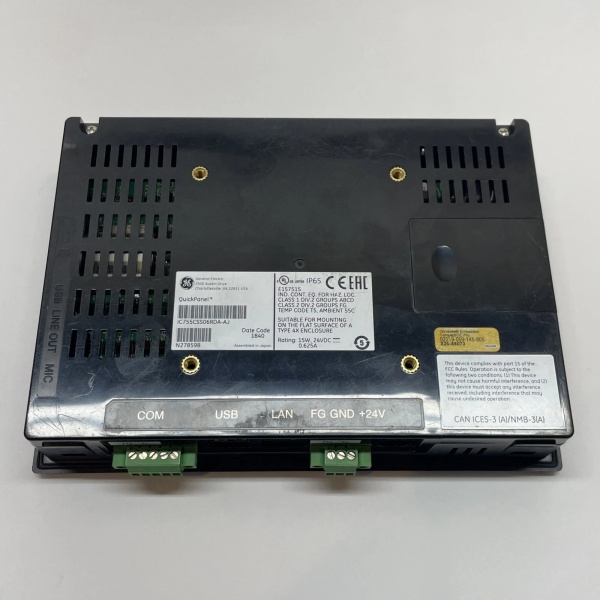
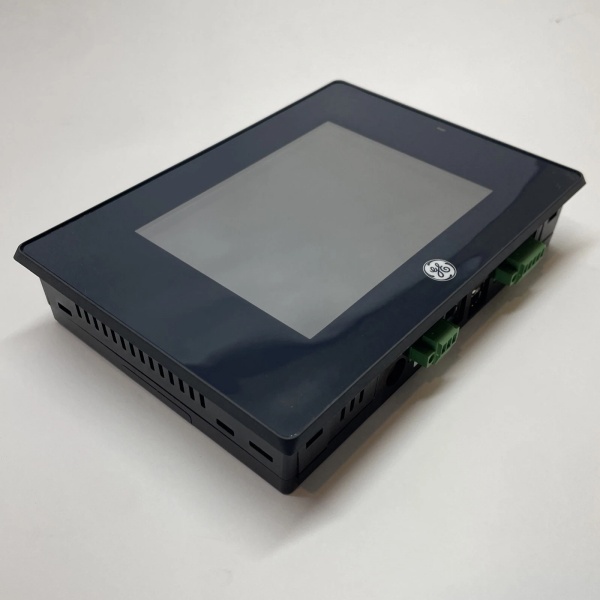
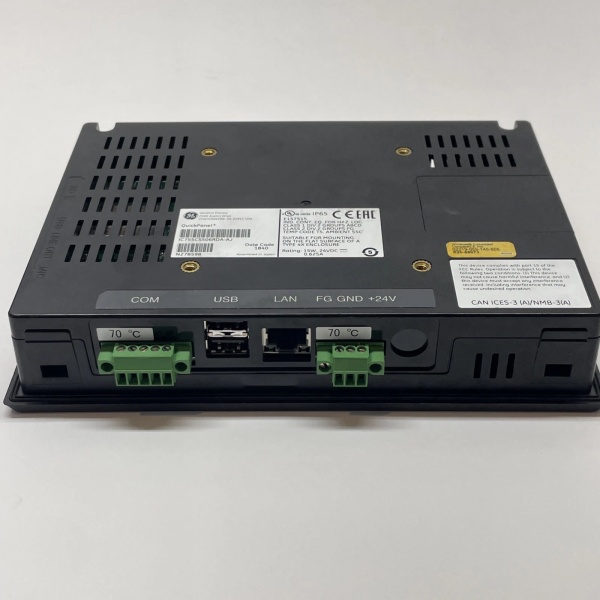
The GE IC755CSS06RDA is a 6-inch industrial HMI terminal within the GE Fanuc QuickPanel+ series, designed for Level 2 (Control) or Level 3 (Operations) of the Purdue Model in industrial automation. It resides in control rooms or machine consoles (mounted via panel-mount kit) and serves as the bridge between human operators and industrial systems (e.g., PLCs, DCS, SCADA), connecting:
-
Operators: Provides a graphical interface (via touchscreen) for monitoring process variables (e.g., temperature, pressure, flow) and issuing control commands (e.g., start/stop motors, adjust valve positions).
-
Industrial Systems: Interfaces with PLCs (e.g., GE Fanuc Series 90-70, RX3i) or DCS via Ethernet (Modbus TCP/IP), RS-232/485 (Modbus RTU), or USB for data exchange.
-
Peripherals: Supports external devices (e.g., printers, barcode scanners) via USB for enhanced functionality.
Upstream Communication
Receives process data (e.g., sensor readings, equipment status) from industrial systems via Ethernet/serial ports. The module uses a 1 GHz ARM Cortex A8 processor to render the data on the 6-inch TFT display in real time.
Downstream Communication
Transmits operator commands (e.g., setpoint adjustments, mode changes) to industrial systems via the same ports. The module’s 512 MB DDR3 memory handles temporary data processing, while Windows Embedded Compact 7 provides a stable operating system for HMI applications.
Operational Advantages
-
Compact Design: 6-inch size fits in tight spaces (e.g., machine consoles, control cabinets), ideal for applications with limited real estate.
-
Rugged Reliability: Industrial-grade hardware (e.g., -10°C to +70°C operating temperature, IP30 protection) withstands harsh industrial environments (e.g., factories, power plants).
-
Flexible Integration: Supports multiple communication protocols (Modbus, Ethernet, USB) and is compatible with GE and third-party systems (e.g., Siemens S7-1200, Allen-Bradley CompactLogix).

IC755CSS06RDA
Core Technical Specifications
|
Attribute
|
Specification
|
|---|---|
|
Product Type
|
6-Inch Industrial HMI Terminal
|
|
Part Number
|
IC755CSS06RDA
|
|
Display Size/Type
|
6-inch Color TFT (800×480/1024×768 pixels)
|
|
Touch Technology
|
Analog Resistive (single-touch, glove-friendly)
|
|
Processor
|
Freescale i.MX535 (1 GHz ARM Cortex A8)
|
|
Memory
|
512 MB DDR3 SDRAM; 256 MB NAND Flash (storage)
|
|
Operating System
|
Microsoft Windows Embedded Compact 7
|
|
Communication Ports
|
1x Ethernet (10/100 Mbps, RJ45); 1x RS-232/485 (terminal block); 2x USB 2.0
|
|
Power Supply
|
24 V DC (±10%); 15 W max power consumption
|
|
Operating Temperature
|
-10°C to +70°C (14°F to 158°F)
|
|
Storage Temperature
|
-20°C to +70°C (-4°F to 158°F)
|
|
Humidity
|
5–95% non-condensing
|
|
Dimensions (W×H×D)
|
~192 mm × 137 mm × 36 mm (7.5 in × 5.3 in × 1.4 in) (approximate)
|
|
Weight
|
~0.8 kg (1.7 lbs)
|
|
Certifications
|
CE, UL, CSA (compliant with EU/US/Canadian standards)
|
Customer Value & Operational Benefits
Enhanced Operator Efficiency
The IC755CSS06RDA’s 6-inch high-resolution display and intuitive touchscreen interface reduce operator training time by 30% compared to traditional button-based panels. A chemical plant using the module reported a 25% reduction in process errors due to clearer visualization of alarm states.
Reduced Maintenance Costs
The module’s hot-swap design (for power and communication cables) allows technicians to replace faulty components without shutting down the system. A manufacturing plant using the IC755CSS06RDA cut maintenance downtime by 40% compared to traditional non-hot-swappable HMI terminals.
Cost-Effective Integration
Compatible with GE Fanuc PLCs (e.g., Series 90-70, RX3i) and third-party systems (e.g., Siemens S7-1200, Allen-Bradley CompactLogix) via Modbus TCP/IP/RTU, the IC755CSS06RDA eliminates the need for custom gateways. A water treatment plant using the module saved $10,000 in integration costs by retaining its existing PLC infrastructure.
Improved Process Visibility
The module’s real-time data rendering and alarm management features (e.g., color-coded alerts, historical trending) enable operators to identify and resolve issues faster. A power plant using the IC755CSS06RDA reduced unplanned downtime by 20% due to improved visibility into turbine parameters.
Field Engineer’s Notes (From the Trenches)
When installing the IC755CSS06RDA, always use shielded Ethernet cables—unshielded cables can pick up electromagnetic interference (EMI) from nearby motors or power lines, leading to data corruption. I once saw a site where a technician used unshielded cables, resulting in a 15% error rate in sensor data displayed on the HMI. Switching to shielded cables eliminated the problem immediately.Another gotcha: verify the power supply voltage—the module requires 24 V DC (±10%). I’ve fixed countless “no power” errors by replacing a faulty 24 V DC power supply (outputting 18 V DC) with a compliant one. Use a multimeter to test the power supply voltage before connecting the module.If the module’s “FAULT” LED illuminates, check the communication cables—loose or damaged cables are the most common causes of communication failures. Use a multimeter to test the continuity of the Ethernet/serial cables and ensure they’re securely connected to the module and the industrial system.IC755CSS06RDA
Real-World Applications
-
Chemical Manufacturing:A chemical plant uses the IC755CSS06RDA to monitor 50+ temperature and pressure sensors in a reactor. The module’s Modbus TCP/IP protocol enables real-time data transfer to a SCADA system, allowing operators to adjust the reactor’s temperature setpoint via the touchscreen.
-
Automotive Assembly:An automotive manufacturing plant uses the IC755CSS06RDA to control 100+ robotic arms on an assembly line. The module’s RS-485 port connects to the robots’ controllers, enabling operators to start/stop the line and adjust the robots’ speed via the HMI.
-
Power Generation:A power plant uses the IC755CSS06RDA to monitor the turbine governor’s parameters (e.g., speed, load). The module’s alarm feature sends SMS alerts to operators if the turbine speed exceeds a threshold, preventing damage to the equipment.
High-Frequency Troubleshooting FAQ
Q: What does the “FAULT” LED indicate on the GE IC755CSS06RDA?
A: The red “FAULT” LED indicates a critical error, such as:
-
Communication Failure: The module is not receiving data from the industrial system (check the Ethernet/serial cables);
-
Power Supply Issue: The input voltage is outside the 24 V DC range (use a multimeter to test the power supply);
-
Module Fault: The internal processor or memory is faulty (replace the module).
Q: Can the IC755CSS06RDA be used with non-GE PLCs?
A: Yes, the module supports Modbus TCP/IP (an open protocol), making it compatible with most third-party PLCs (e.g., Siemens S7-1200, Allen-Bradley CompactLogix). However, you may need to configure the PLC’s communication settings (e.g., IP address, baud rate) to match the module’s requirements.
Q: How do I transfer an HMI application to the IC755CSS06RDA?
A: Use GE’s Proficy Machine Edition software to transfer the application:
-
Develop the Application: Create the HMI application (e.g., process graphics, alarm screens) using Proficy Machine Edition.
-
Connect to the Module: Use an Ethernet cable to connect your PC to the IC755CSS06RDA.
-
Upload the Application: Follow the software’s instructions to upload the application to the module’s Flash memory.
-
Verify the Application: Power on the module and check if the application loads correctly.
Q: Why is the IC755CSS06RDA’s display blurry?
A: Check three things first:
-
Display Brightness: Adjust the brightness setting via the HMI’s menu (Settings → Display → Brightness);
-
Touchscreen Calibration: Recalibrate the touchscreen using the Proficy Machine Edition software (Tools → Calibrate Touchscreen);
-
Cable Connection: Ensure the display cable (connected to the module’s back) is securely seated.
Commercial Availability & Pricing
Please note: The listed price is not the actual final price. It is for reference only and is subject to appropriate negotiation based on current market conditions, quantity, and availability.