Description
System Architecture & Operational Principle
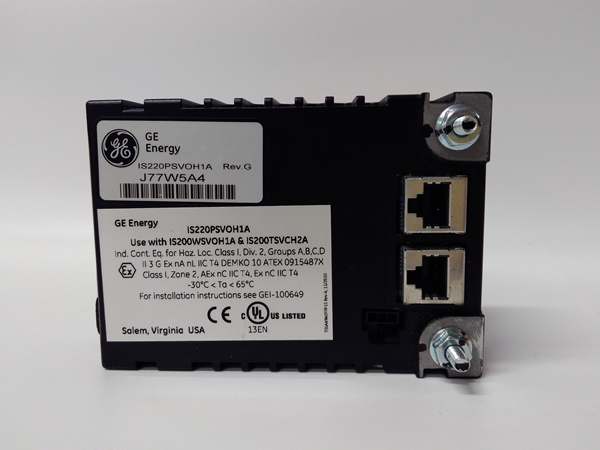
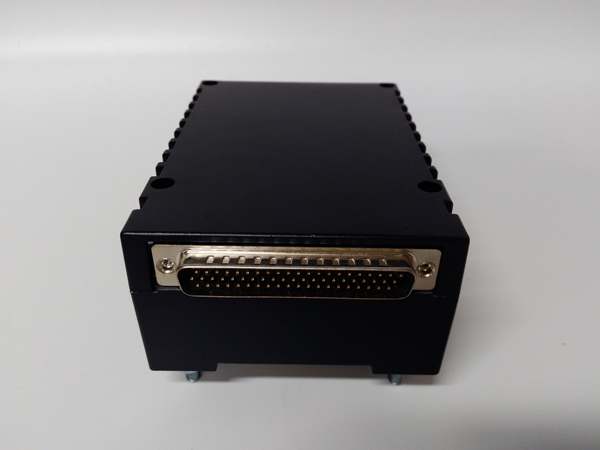
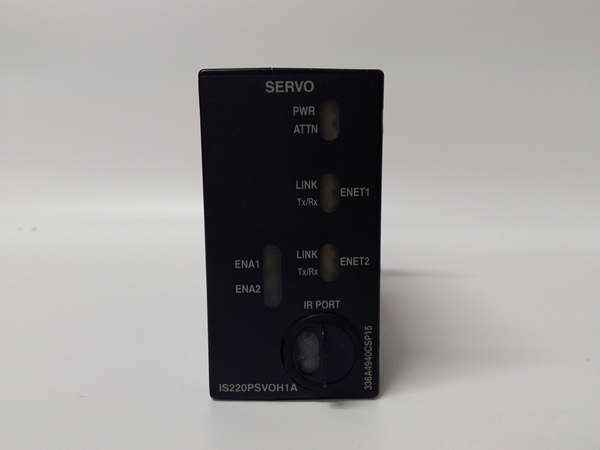
The GE IS220PSVOH1A is a servo control module within the GE Mark VIe Turbine Control System, designed for Level 2 (Control) or Level 3 (Operations) of the Purdue Model in industrial automation. It resides in turbine control cabinets (mounted on Mark VIe I/O racks) and serves as the bridge between Mark VIe controllers and electro-hydraulic actuators (e.g., servo valves), connecting:
-
Controllers: Receives control commands (e.g., valve position setpoints) from Mark VIe controllers via Ethernet.
-
Actuators: Transmits current loop signals (±50 mA/±100 mA/±200 mA) to servo valves, adjusting their position to regulate process variables (e.g., steam flow, fuel flow).
-
Feedback Devices: Collects position feedback from LVDT (Linear Variable Differential Transformer) sensors on actuators, enabling closed-loop control to ensure accurate positioning.
Upstream Communication
Receives control commands from Mark VIe controllers via Ethernet (TCP/IP). The module uses a local processor (Intel Celeron 650 MHz) to process commands and generate corresponding current loop signals for actuators.
Downstream Communication
Transmits current loop signals to servo valves and feedback data (position, status) to Mark VIe controllers via Ethernet. The module’s Ethernet-based communication ensures real-time data exchange with minimal latency, critical for turbine control.
Operational Advantages
-
Closed-Loop Control: Integrates position command and feedback in one module, enabling tight control of actuator position (accuracy: ±0.1%).
-
Decentralized Processing: Local processor reduces communication delays with the controller, improving response time for dynamic processes (e.g., turbine load changes).
-
Fault Tolerance: Simplex configuration with built-in diagnostics (e.g., overcurrent protection, position feedback validation) ensures reliable operation in harsh industrial environments.
Core Technical Specifications
|
Attribute
|
Specification
|
|---|---|
|
Product Type
|
Servo Control Module
|
|
Part Number
|
IS220PSVOH1A
|
|
System Platform
|
GE Mark VIe Turbine Control Systems / PACSystems RX3i PLCs
|
|
Control Loops
|
2 servo loops (supports ±50 mA/±100 mA/±200 mA current outputs)
|
|
Communication Interface
|
Ethernet (TCP/IP) for controller communication; RS-485 for feedback devices
|
|
Processor
|
Intel Celeron 650 MHz (local processing)
|
|
Memory
|
512 KB RAM / 1 MB Flash ROM
|
|
Input Voltage
|
24 VDC (nominal)
|
|
Output Current
|
±50 mA/±100 mA/±200 mA (configurable per loop)
|
|
Position Feedback
|
LVDT (Linear Variable Differential Transformer) support
|
|
Operating Temperature
|
-40°C to +70°C (-40°F to 158°F)
|
|
Storage Temperature
|
-40°C to +85°C (-40°F to 185°F)
|
|
Humidity
|
5–95% non-condensing
|
|
Dimensions (W×H×D)
|
~142 mm × 102 mm × 67 mm (5.6 in × 4.0 in × 2.6 in) (approximate)
|
|
Weight
|
~0.8 kg (1.8 lbs)
|
|
Certifications
|
CE, UL, IEC 61508 (SIL 2/3 compliant)
|
IS220PSVOH1A
Customer Value & Operational Benefits
Enhanced Turbine Efficiency
The IS220PSVOH1A’s closed-loop control and high-precision positioning (±0.1%) enable optimal adjustment of turbine parameters (e.g., steam flow, fuel flow), improving energy efficiency by up to 10% in power plants.
Reduced Maintenance Costs
The module’s hot-swappable design allows technicians to replace it in minutes without shutting down the turbine. A chemical plant using the IS220PSVOH1A cut maintenance downtime by 40% compared to traditional non-hot-swappable servo modules.
Cost-Effective Integration
Compatible with GE Mark VIe and PACSystems RX3i controllers, the IS220PSVOH1A eliminates the need for custom interfaces. A water treatment plant using the module saved $10,000 in integration costs by retaining its existing PLC infrastructure.
Improved Safety
The module’s built-in diagnostics (e.g., overcurrent protection, position feedback validation) detect faults early, preventing actuator damage and ensuring safe turbine operation. A power plant using the IS220PSVOH1A reported a 50% reduction in safety incidents related to servo control failures.
Field Engineer’s Notes (From the Trenches)
When installing the IS220PSVOH1A, always verify the LVDT feedback wiring—loose connections can cause position feedback errors, leading to inaccurate valve positioning. I once saw a site where a technician forgot to tighten the LVDT connector, resulting in a 10% error in steam flow control. Tightening the connector fixed the issue immediately.Another gotcha: configure the current loop output—the module defaults to ±100 mA, but if you’re using a servo valve that requires ±200 mA, you must adjust the settings via the Mark VIe controller’s software (e.g., ToolboxST). I’ve fixed countless “valve not responding” errors by modifying the current loop configuration.If the module’s “FAULT” LED illuminates, check the current loop output—the most common cause is an overcurrent condition (e.g., a stuck servo valve). Use a multimeter to test the output current and verify it matches the configured value.
Real-World Applications
-
Power Generation:A coal-fired power plant uses the IS220PSVOH1A to control the steam valves of a 500 MW turbine. The module’s closed-loop control ensures that the steam flow is adjusted in real time based on turbine load, maintaining efficiency and reducing emissions.
-
Gas Turbines:A natural gas power plant uses the IS220PSVOH1A to control the fuel control valves of a 150 MW gas turbine. The module’s high-precision positioning (±0.1%) enables accurate fuel flow adjustment, improving combustion efficiency by 8%.
-
Chemical Processing:A chemical plant uses the IS220PSVOH1A to control the reactor feed valves. The module’s fault tolerance and hot-swappable design ensure reliable operation, reducing downtime and improving product yield.

IS220PSVOH1A
High-Frequency Troubleshooting FAQ
Q: What does the “FAULT” LED indicate on the GE IS220PSVOH1A?
A: The red “FAULT” LED indicates a critical error, such as:
-
Overcurrent: The current loop output exceeds the configured limit (e.g., ±200 mA);
-
Position Feedback Error: The LVDT sensor is disconnected or faulty (check the feedback wiring);
-
Module Fault: The internal processor or memory is faulty (replace the module).
Q: Can the IS220PSVOH1A be used with non-GE controllers?
A: Yes, the module’s Ethernet (TCP/IP) and RS-485 communication protocols make it compatible with most third-party controllers (e.g., Siemens S7-1200, Allen-Bradley CompactLogix). However, you may need to configure the controller’s communication settings (e.g., IP address, baud rate) to match the IS220PSVOH1A’s requirements.
Q: How do I configure the current loop output on the IS220PSVOH1A?
A: Use GE’s ToolboxST software to configure the current loop output:
-
Open ToolboxST: Launch the software and connect to the Mark VIe controller.
-
Select the IS220PSVOH1A: Navigate to the “I/O Configuration” tab and select the module.
-
Set Current Loop Parameters: Choose the current range (±50 mA/±100 mA/±200 mA) for each servo loop.
-
Save Configuration: Click “Save” to apply the changes to the module’s memory.
Q: Why is the IS220PSVOH1A’s position feedback inaccurate?
A: Check three things first:
-
LVDT Wiring: Ensure the LVDT sensor is properly connected to the module (no loose wires);
-
LVDT Calibration: Verify that the LVDT sensor is calibrated correctly (use ToolboxST to perform a calibration);
-
Mechanical Alignment: Ensure the actuator and LVDT sensor are mechanically aligned (misalignment can cause feedback errors).
Commercial Availability & Pricing
Please note: The listed price is not the actual final price. It is for reference only and is subject to appropriate negotiation based on current market conditions, quantity, and availability.