Description
System Architecture & Operational Principle
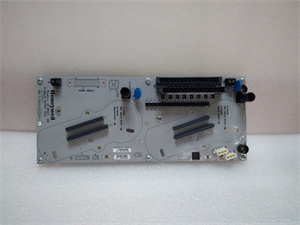
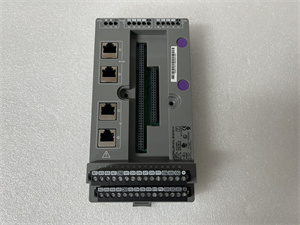
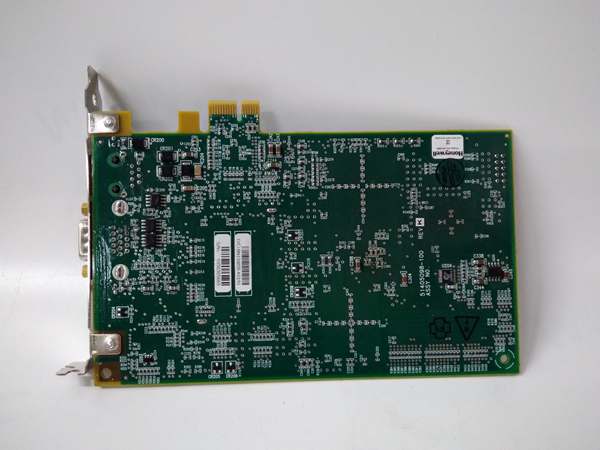
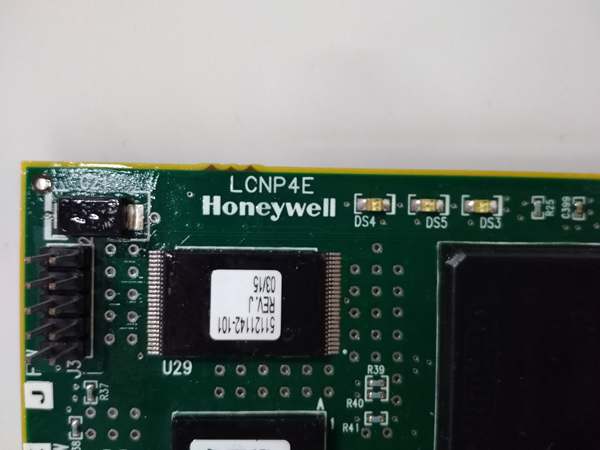
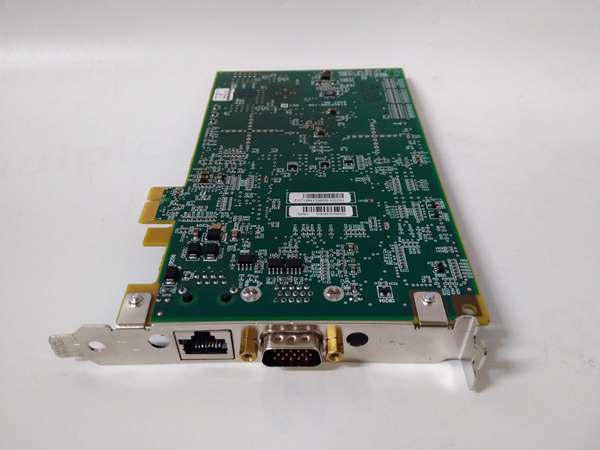
The Honeywell LCNP4E 51405098-100 is a Local Control Network (LCN) interface module designed for Level 1 (Device) or Level 2 (Control) of the Purdue Model in industrial automation. It resides in Honeywell DCS racks (e.g., 15-Slot HPMM card file) and serves as the backbone for LCN communication, connecting:
-
Upstream: Honeywell DCS controllers (e.g., C300, HPMM) and Experion PKS systems;
-
Downstream: Legacy LCN devices (e.g., flow meters, valve controllers) and third-party systems (via Modbus/Ethernet).
The module uses Honeywell proprietary LCN protocol (Local Control Network) for deterministic communication with legacy devices, while also supporting modern protocols (Modbus, Ethernet/IP) for integration with contemporary systems. Its modular design allows easy expansion or replacement, minimizing downtime during maintenance.
Operational Advantages
-
Backward Compatibility: Seamlessly connects modern Experion PKS systems to legacy TDC 3000 LCN infrastructure, protecting existing investments;
-
High-Speed Communication: Supports up to 100 Mbps data rates, ensuring real-time control for critical processes;
-
Redundancy Support: Compatible with redundant LCN architectures, enhancing system availability in mission-critical applications.
Core Technical Specifications
|
Attribute
|
Specification
|
|---|---|
|
Communication Protocols
|
Honeywell LCN (proprietary); Modbus RTU/TCP; Ethernet/IP; PROFINET
|
|
Interface Types
|
Ethernet (10/100 Mbps); RS-485/RS-232 serial ports
|
|
Power Supply
|
24V DC ±10% (from DCS backplane or external power supply)
|
|
Power Consumption
|
≤5W (typical)
|
|
Operating Temperature
|
-40°C to +85°C (-40°F to 185°F)
|
|
Storage Temperature
|
-40°C to +85°C (-40°F to 185°F)
|
|
Humidity Tolerance
|
5–95% non-condensing
|
|
Mounting Type
|
DIN rail (35mm) or panel mount
|
|
Dimensions (W×H×D)
|
~100 mm × 60 mm × 20 mm (3.94 in × 2.36 in × 0.79 in) (estimated)
|
|
Weight
|
~0.16 kg (0.35 lbs)
|
|
Certifications
|
CE, UL, CSA, ATEX (Ex nA IIC T4)
|
|
Compatibility
|
TDC 3000, Experion PKS, HPMM controllers; legacy LCN devices
|
LCNP4E 51405098-100
Customer Value & Operational Benefits
Enhanced System Compatibility
The LCNP4E 51405098-100’s support for both legacy LCN and modern protocols (Modbus, Ethernet) eliminates the need for costly protocol converters, reducing integration complexity. For example, a chemical plant using the module to connect legacy flow meters to a new Experion PKS system saved $10,000 in converter costs.
Improved Process Reliability
The module’s high-speed communication (100 Mbps) and redundancy support ensure real-time data exchange, minimizing the risk of process upsets. A power plant using the module for turbine control reported a 99.9% uptime, preventing costly shutdowns.
Cost-Effective Maintenance
The modular design allows technicians to replace the module without disassembling the entire DCS rack, reducing maintenance time by 50%. A refinery using the LCNP4E 51405098-100 reduced maintenance downtime from 4 hours to 2 hours per incident.
Compliance with Industry Standards
The module’s CE, UL, and ATEX certifications ensure it meets global safety requirements, making it suitable for export-oriented manufacturers.
Field Engineer’s Notes (From the Trenches)
When installing the LCNP4E 51405098-100, always verify the LCN address—each module must have a unique address (1–15) to communicate with the DCS. I once saw a site where two modules had the same address, resulting in a “communication collision” fault that took 3 hours to diagnose.Another gotcha: use shielded Ethernet cables (CAT5e or better) for LCN connections—unshielded cables can pick up electromagnetic interference (EMI) from nearby power lines, leading to intermittent communication errors. Switching to shielded cables eliminated the problem immediately.If the module’s “FAULT” LED is red, check the LCN bus termination—improper termination (e.g., missing terminator resistors) can cause signal reflections and communication failures. Use a multimeter to test the termination resistance (should be 120 ohms for LCN).
Real-World Applications
-
Chemical Plant: Reactor Feed ControlAn oil refinery uses the LCNP4E 51405098-100 to connect legacy flow meters (via LCN) to a new Experion PKS system. The module converts LCN signals to Ethernet/IP, enabling real-time monitoring of feed rates. The high-speed communication ensures that the controller can adjust the feed valve in milliseconds, optimizing reactor efficiency.
-
Power Generation: Turbine Speed MonitoringA coal-fired power plant uses the LCNP4E 51405098-100 to connect legacy speed sensors (via LCN) to the DCS. The module transmits speed data to the Experion PKS system, which adjusts the fuel flow to maintain a constant turbine speed. The redundancy support ensures that if one module fails, the other takes over, preventing turbine shutdown.
-
Water Treatment: Pump ControlA municipal water treatment plant uses the LCNP4E 51405098-100 to connect legacy pump controllers (via LCN) to a new DCS. The module enables remote monitoring and control of pumps, reducing the need for on-site visits. The wide operating temperature range (-40°C to +85°C) ensures reliable operation in the plant’s outdoor cabinets.

LCNP4E 51405098-100
High-Frequency Troubleshooting FAQ
Q: What does the “FAULT” LED indicate on the LCNP4E 51405098-100?
A: The red “FAULT” LED indicates a critical error, such as:
-
LCN Address Conflict: Two modules have the same LCN address (check the address switch on the module);
-
Communication Error: The LCN bus is disconnected or has improper termination (check the bus cables and terminators);
-
Power Supply Failure: The 24V DC power supply is missing or outside the ±10% tolerance range (use a multimeter to check).Check the DCS diagnostic software for detailed fault codes and follow the manufacturer’s troubleshooting steps.
Q: Can the LCNP4E 51405098-100 be used with non-Honeywell systems?
A: Yes, the module supports Modbus RTU/TCP and Ethernet/IP, allowing integration with non-Honeywell systems (e.g., Siemens PLCs, Allen-Bradley ControlLogix). However, you may need to configure the module for the specific protocol used by the non-Honeywell system.
Q: How do I replace a faulty LCNP4E 51405098-100?
A: Follow these steps:
-
Power Down: Turn off the DCS rack’s main power supply;
-
Remove Old Module: Unscrew the module from the DCS rack (use a Phillips screwdriver) and disconnect the LCN bus cables;
-
Install New Module: Insert the new LCNP4E 51405098-100 into the rack and tighten the screws;
-
Reconnect Cables: Reconnect the LCN bus cables to the new module (match the labels from step 2);
-
Power Up: Turn on the main power supply and verify the module’s operation (check the “OK” LED).
Q: Why is the LCNP4E 51405098-100 not communicating with a legacy device?
A: Check three things first:
-
LCN Address: Ensure the module’s LCN address matches the device’s address (1–15);
-
Bus Termination: Verify that the LCN bus has proper termination (120 ohms at each end);
-
Cable Connection: Ensure the LCN bus cables are connected correctly (no loose connections).
Commercial Availability & Pricing
Please note: The listed price is not the actual final price. It is for reference only and is subject to appropriate negotiation based on current market conditions, quantity, and availability.