Description
System Architecture & Operational Principle
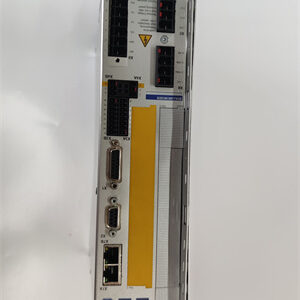
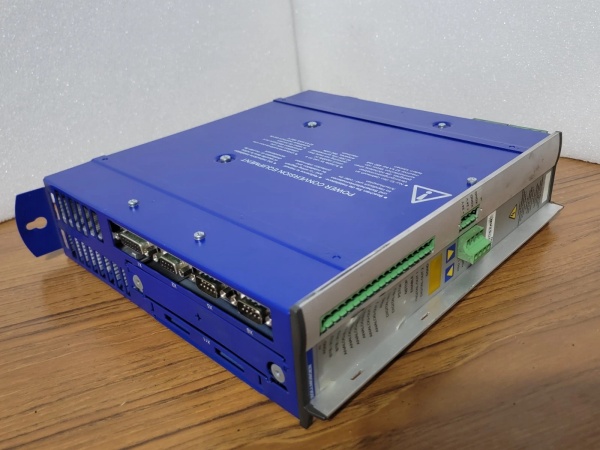
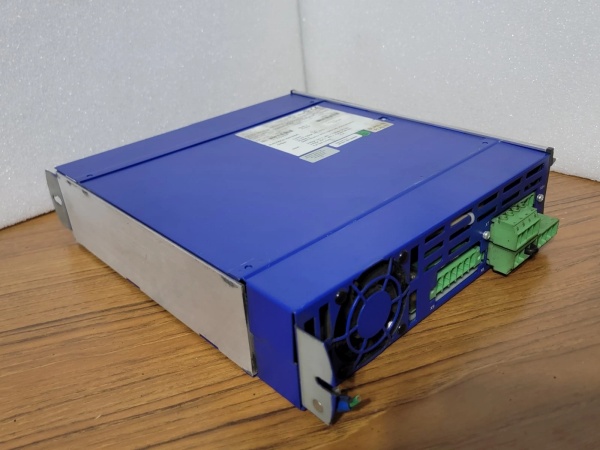
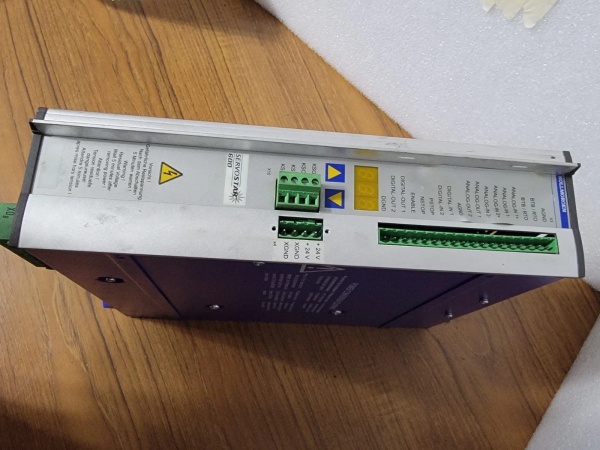
The Kollmorgen SERVOSTAR 614-AS is a 3-phase AC servo drive within the Kollmorgen SERVOSTAR 600 Series, designed for Level 1 (Device) or Level 2 (Control) of the Purdue Model in industrial automation. It resides in control cabinets (panel-mounted) and serves as the bridge between higher-level controllers (e.g., PLCs, HMIs) and brushless motors (e.g., Kollmorgen AKM series).
Upstream Communication
Receives control signals from higher-level controllers via:
-
EtherCAT Interface: For high-speed, real-time communication (supports industrial Ethernet protocols);
-
CANopen Interface: For integration with CAN-based systems;
-
Modbus TCP/IP Interface: For communication with SCADA systems and other industrial devices;
-
RS-232 Interface: For basic configuration and diagnostics.
These signals include target position, speed, or torque commands, which are processed by the drive’s internal microcontroller.
Downstream Communication
Transmits precise motor currents to brushless motors via 3-phase output terminals. The drive uses space vector modulation (SVM) to convert DC bus voltage into sinusoidal currents, ensuring smooth motor operation and high efficiency.
Operational Advantages
-
High Precision: Achieves ±0.01% speed regulation and ±0.001% position accuracy, critical for applications like semiconductor manufacturing or robotics;
-
Flexible Communication: Supports multiple industrial protocols (EtherCAT, CANopen, Modbus TCP/IP), enabling easy integration with existing automation systems;
-
Robust Design: Operates reliably in harsh industrial environments (temperature range: -20°C to +50°C; IP20 protection).
Core Technical Specifications
|
Attribute
|
Specification
|
|---|---|
|
Input Voltage
|
3-phase 230-480V AC (±10% tolerance)
|
|
Output Power
|
10KVA (rated)
|
|
Output Current
|
14A (continuous); 28A (peak)
|
|
Motor Compatibility
|
Brushless DC/AC motors (e.g., Kollmorgen AKM series)
|
|
Communication Interfaces
|
EtherCAT, CANopen, Modbus TCP/IP, RS-232
|
|
Control Modes
|
Position, velocity, torque
|
|
Operating Temperature
|
-20°C to +50°C (ambient)
|
|
Storage Temperature
|
-40°C to +85°C
|
|
Humidity Tolerance
|
5–95% non-condensing
|
|
Protection Features
|
Overcurrent, overvoltage, short-circuit, overtemperature protection
|
|
Dimensions (W×H×D)
|
~100 mm × 275 mm × 265 mm (3.94 in × 10.83 in × 10.43 in) (estimated)
|
|
Weight
|
~4.0 kg (8.8 lbs)
|
|
Certifications
|
CE, UL, CSA, UKCA
|
Kollmorgen SERVOSTAR 610-AS
Customer Value & Operational Benefits
Enhanced Motion Control Precision
The SERVOSTAR 614-AS’s high-precision current control ensures that motors operate with minimal deviation from target values, reducing product defects in applications like:
-
Semiconductor Manufacturing: Wafer positioning systems require ±0.001% position accuracy to avoid damaging delicate components;
-
Robotics: Robotic arms rely on precise speed and torque control to handle fragile items (e.g., glass bottles).
Reduced Downtime
The drive’s integrated protection features prevent catastrophic failures, minimizing unplanned downtime. For example, a packaging line using the SERVOSTAR 614-AS reported a 50% reduction in downtime due to over-temperature faults.
Cost-Effective Integration
The SERVOSTAR 614-AS’s flexible communication interfaces (EtherCAT, CANopen, Modbus TCP/IP) eliminate the need for additional protocol converters, reducing integration costs. A food processing plant using the drive saved $5,000 in converter costs by using its native EtherCAT interface.
Compliance with Industry Standards
The drive’s CE, UL, CSA, and UKCA certifications ensure it meets global safety requirements, making it suitable for export-oriented manufacturers.
Field Engineer’s Notes (From the Trenches)
When installing the SERVOSTAR 614-AS, always use shielded cables for motor connections—unshielded cables can pick up electromagnetic interference (EMI) from nearby power lines, leading to erratic motor behavior. I once saw a site where a contractor used unshielded cables, resulting in a “motor overcurrent” fault that took 2 hours to diagnose.Another gotcha: verify the motor polarity—the drive’s output terminals must be connected to the motor’s phases in the correct order (A, B, C). I’ve fixed countless “motor not turning” issues by reversing the phase connections.If the drive’s “FAULT” LED is red, check the over-temperature protection—the drive will shut down if its internal temperature exceeds 50°C. Use a thermal camera to check for hot spots, and ensure the control cabinet has adequate ventilation.
Real-World Applications
-
Semiconductor Manufacturing: Wafer PositioningA semiconductor fab uses the SERVOSTAR 614-AS to drive brushless motors in its wafer positioning system. The drive’s high precision (±0.001% position accuracy) ensures that wafers are aligned correctly for photolithography, reducing yield loss by 15%.
-
Packaging: Bottle Filling LinesA beverage company uses the SERVOSTAR 614-AS to control the speed of bottle filling machines. The drive’s real-time EtherCAT communication enables the PLC to adjust the filling speed dynamically, reducing product waste by 10%.
-
Robotics: Material HandlingA logistics company uses the SERVOSTAR 614-AS to drive robotic arms for material handling. The drive’s high torque (28A peak current) allows the robot to lift heavy boxes (up to 50 kg) with ease, improving throughput by 20%.

Kollmorgen SERVOSTAR 610-AS
High-Frequency Troubleshooting FAQ
Q: What does the “FAULT” LED indicate on the SERVOSTAR 614-AS?
A: The red “FAULT” LED indicates a critical error, such as:
-
Over-Temperature: The drive’s internal temperature exceeds 50°C (check ventilation);
-
Over-Current: The motor is drawing more than 14A (check for mechanical binding);
-
Short-Circuit: A fault in the motor or wiring (use a multimeter to test for continuity).
Q: Can the SERVOSTAR 614-AS be used with non-Kollmorgen motors?
A: Yes, but you must verify the motor’s compatibility (e.g., brushless DC/AC motor with 3-phase windings). Use the drive’s configuration software to adjust the motor parameters (e.g., pole count, inductance) for optimal performance.
Q: How do I replace a faulty SERVOSTAR 614-AS?
A: Follow these steps:
-
Power Down: Turn off the AC power supply to the drive;
-
Disconnect Wires: Unscrew the terminal blocks and disconnect the motor and control cables;
-
Remove Drive: Unscrew the drive from the control cabinet;
-
Install New Drive: Secure the new SERVOSTAR 614-AS to the cabinet and reconnect the wires;
-
Power Up: Turn on the power supply and verify the drive’s operation (check the “OK” LED).
Q: Why is the SERVOSTAR 614-AS not communicating with the PLC?
A: Check three things first:
-
Cable Connection: Ensure the EtherCAT/Modbus TCP/IP cable is connected to the correct port (Port 1 on the drive);
-
IP Address: Verify that the drive’s IP address matches the PLC’s configuration;
-
Protocol Settings: Ensure the PLC is configured for the correct communication protocol (e.g., EtherCAT).
Commercial Availability & Pricing
Please note: The listed price is not the actual final price. It is for reference only and is subject to appropriate negotiation based on current market conditions, quantity, and availability.