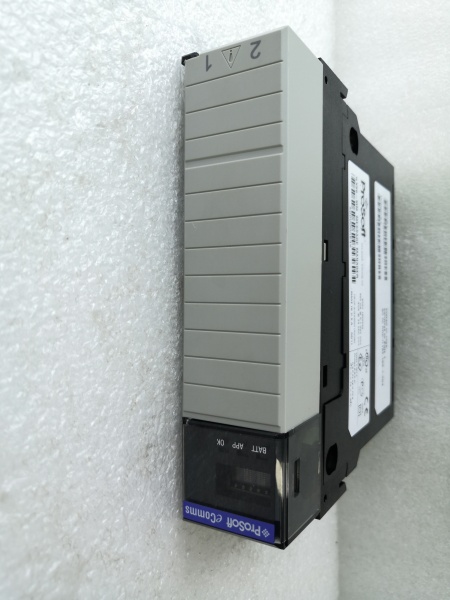
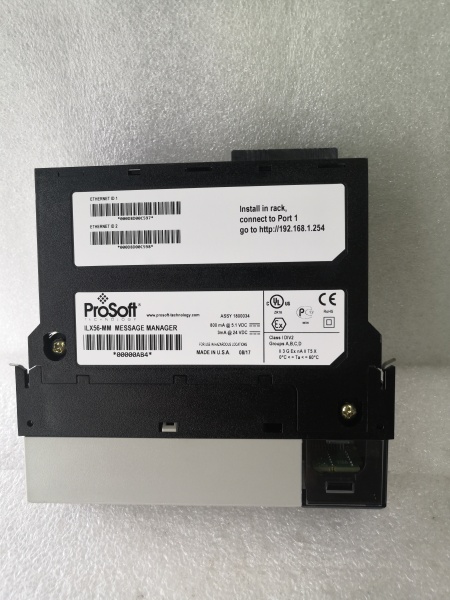
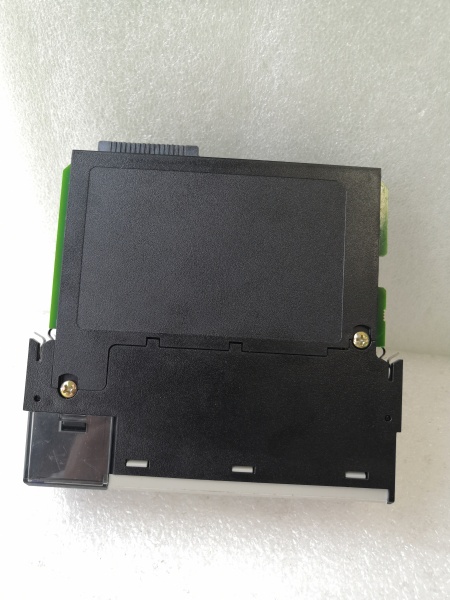
Description
System Architecture & Operational Principle
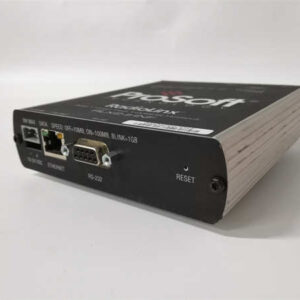
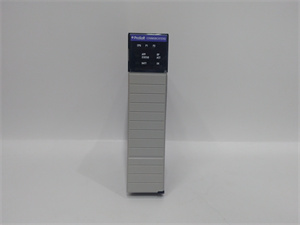
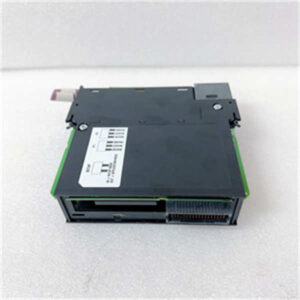
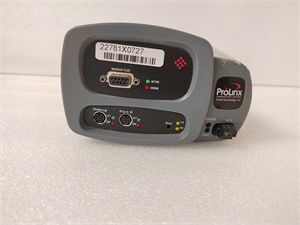
The ProSoft ILX56-MM is a single-slot 1756 ControlLogix backplane-compatible module designed to facilitate cross-protocol communication between ControlLogix PACs (programmable automation controllers) and third-party devices. It operates at Purdue Model Level 1 (Process Control), acting as an I/O module that maps external device data to ControlLogix tags. This allows ControlLogix processors to communicate with Siemens S7 PLCs, Modbus TCP/IP devices, or other Allen-Bradley systems (e.g., CompactLogix, SLC 500) as if they were native I/O.
Core Functional Blocks
-
Backplane Interface: Connects to the ControlLogix backplane, receiving power (800 mA @ 5 VDC) and enabling data transfer between the module and the ControlLogix processor.
-
Ethernet Ports: Two 10/100 Mbps RJ45 ports for connecting to external networks (e.g., Siemens Industrial Ethernet, Modbus TCP/IP). Auto-crossover detection simplifies cabling.
-
Protocol Engine: Handles protocol conversion between ControlLogix (EtherNet/IP) and third-party protocols (Modbus TCP/IP, Siemens Industrial Ethernet). Supports data framing, error checking (CRC/LRC), and flow control.
-
Data Mapping: Provides up to 4000 bytes of user-defined memory for mapping external device data (e.g., Siemens DB blocks, Modbus registers) to ControlLogix tags.
-
Diagnostics: A 4-character scrolling LED display shows real-time status (e.g., “OK” for normal operation, “ERR” for faults). A built-in web server enables remote monitoring and configuration via a web browser.
Operational Workflow
-
Configuration: The module is configured using a web-based interface (via Ethernet). Users define:
-
Interfaces: Select the type of external device (e.g., Siemens S7, Modbus TCP/IP) and enter network parameters (IP address, baud rate).
-
Data Mapping: Map external device data (e.g., Siemens DB100.DBW0) to ControlLogix tags (e.g., “ILX56_MM:S7_Data[0]”).
-
Triggers: Define when data exchange occurs (e.g., on a tag value change or periodic interval).
-
-
Data Exchange: The module acts as a protocol gateway, converting ControlLogix tags to external device data (e.g., writing to a Siemens PLC’s data block) and vice versa (e.g., reading from a Modbus sensor).
-
Backplane Transfer: Data is transferred asynchronously between the module and the ControlLogix processor via the backplane. The processor accesses this data as native I/O tags, enabling real-time control and monitoring.
-
Diagnostics: The LED display and web interface provide real-time diagnostics (e.g., “S7 PLC not responding” or “Modbus timeout”), allowing quick troubleshooting.

PROSOFT ILX56-MM
Core Technical Specifications
|
Parameter
|
Specification
|
|---|---|
|
Backplane Compatibility
|
Single-slot 1756 ControlLogix backplane
|
|
Ethernet Ports
|
2 x 10/100 Mbps RJ45 (auto-crossover detection)
|
|
Supported Protocols
|
EtherNet/IP (ControlLogix), Modbus TCP/IP, Siemens Industrial Ethernet
|
|
Max Interfaces
|
16 (combination of EtherNet/IP, Modbus TCP/IP, Siemens Industrial Ethernet)
|
|
Data Mapping
|
Up to 4000 bytes of user-defined memory
|
|
Operating Temperature
|
-40°C to +75°C (ambient, non-condensing)
|
|
Power Input
|
24 VDC (18–36 VDC range); 500 mA max current
|
|
LED Indicators
|
4-character scrolling (status/error); per-port RX/TX LEDs
|
|
Certifications
|
CE, UL, RoHS
|
|
Dimensions
|
107 mm × 126 mm × 34 mm (W×H×D) (approx.)
|
|
Weight
|
~0.5 kg (1.1 lbs)
|
Customer Value & Operational Benefits
Seamless Integration of Heterogeneous Systems
The ILX56-MM eliminates the need for custom communication code by mapping third-party device data directly to ControlLogix tags. This reduces integration time by 50% compared to developing a custom solution, as users can leverage existing Logix5000 programming skills. For example, a manufacturing plant integrated Siemens S7-1500 PLCs (controlling conveyor belts) into a ControlLogix system in 2 days using the ILX56-MM, compared to 1 week for a custom solution.
High Reliability in Harsh Environments
The module’s -40°C to +75°C operating temperature and IP20 enclosure make it suitable for harsh industrial environments (e.g., factory floors, outdoor installations). A steel mill reported a 99.9% uptime for the ILX56-MM over 3 years, compared to 95% for previous communication solutions.
Easy Diagnostics with Web Interface
The built-in web server allows administrators to monitor and configure the module remotely, reducing maintenance time. A power plant reduced maintenance costs by 30% using the module’s remote diagnostics, avoiding $10k/month in on-site visits.
Cost-Effective Scalability
The module’s 16-interface limit allows users to connect multiple devices (e.g., 10 Siemens PLCs, 5 Modbus sensors) to a single module. This scalability is critical for large systems (e.g., automotive assembly lines) where multiple devices need to communicate with ControlLogix.
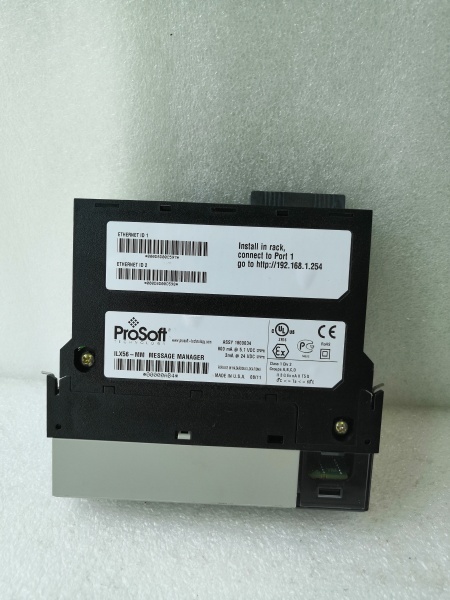
PROSOFT ILX56-MM
Field Engineer’s Notes (From the Trenches)
When installing the ILX56-MM, always use shielded Ethernet cables (e.g., Belden 9841) for external connections—unshielded cables can pick up EMI from nearby motors, leading to communication errors. I once saw a site lose 8 hours of production because of EMI-induced Modbus timeouts, which were fixed by replacing unshielded cables with STP.Verify the external device’s IP address using a tool like Wireshark before connecting to the ILX56-MM. A site had a “communication failed” error because the Siemens PLC’s IP address was misconfigured (192.168.1.10 instead of 192.168.1.100).Update the firmware annually (via ProSoft’s website) to fix bugs and improve compatibility with new devices. A 2024 firmware update resolved a “data mapping error” issue that affected 10% of ILX56-MM systems.Check the backplane power—the module requires 800 mA @ 5 VDC. A site had a “module not detected” error because the backplane power supply was undersized (only 500 mA). Upgrading the power supply fixed the issue.
Real-World Applications
1. Automotive Manufacturing Plant
A leading automotive manufacturer used the ILX56-MM to connect Siemens S7-1500 PLCs (controlling robotic arms) to a ControlLogix PAC (controlling conveyor belts). The module mapped robotic arm position data (Siemens Industrial Ethernet) to conveyor belt speed commands (ControlLogix tags), enabling synchronized movement. This reduced production cycle time by 15% and improved product quality.
2. Oil & Gas Refinery
A refinery used the ILX56-MM to connect Modbus TCP/IP sensors (e.g., temperature, pressure) to a ControlLogix PAC. The module mapped sensor data to ControlLogix tags, enabling the PAC to trigger alarms if parameters exceeded thresholds. This prevented a potential refinery fire, saving $500k in damages.
3. Water Treatment Plant
A municipal water treatment plant used the ILX56-MM to connect Siemens S7-1200 PLCs (controlling pump stations) to a ControlLogix PAC (monitoring water quality). The module mapped pump status data (Siemens Industrial Ethernet) to water quality sensor readings (ControlLogix tags), ensuring compliance with environmental regulations. This reduced chemical usage by 10% and improved effluent quality.
标价非实价,根据市场行情可适当议价出售