Description
System Architecture & Operational Principle
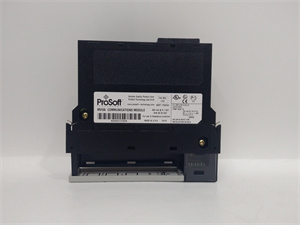
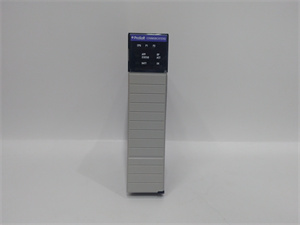
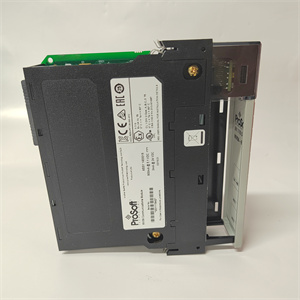
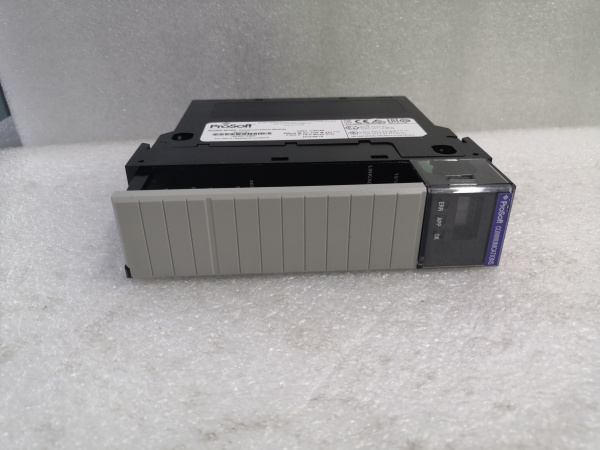
The ProSoft MVI56-MCMR is a critical communication component in industrial automation systems, residing in a single slot of an Allen-Bradley ControlLogix chassis. It connects the PLC to Modbus RTU/ASCII networks, functioning as either a master (to poll data from Modbus devices like VFDs or energy meters) or a slave (to share ControlLogix data with SCADA systems).
Upstream, the ControlLogix processor sends configuration commands and data requests via the chassis backplane. The module translates these into Modbus messages, which are transmitted over serial links (RS-232/RS-422/RS-485) to field devices. Downstream, it receives responses from Modbus devices (e.g., VFD speed feedback) or sends commands (e.g., setpoint adjustments) to actuators.
The module integrates with RSLogix 5000/Studio 5000 using a supplied Add-On Instruction (AOI), which maps Modbus data to ControlLogix tags for seamless data exchange. Its single-slot design minimizes chassis space usage, while reduced data block technology optimizes network bandwidth by limiting unnecessary data transfer—critical for remote rack applications over ControlNet.
The inherent advantage lies in its ability to bridge Rockwell’s proprietary ControlLogix ecosystem with the widely adopted Modbus protocol, ensuring interoperability with third-party devices without compromising system performance. Hot-swappable capability allows for module replacement without shutting down the PLC, reducing downtime during maintenance.

PROSOFT MVI56-MCMR
Core Technical Specifications
-
Backplane Compatibility: Single-slot 1756 ControlLogix chassis (local or remote rack)
-
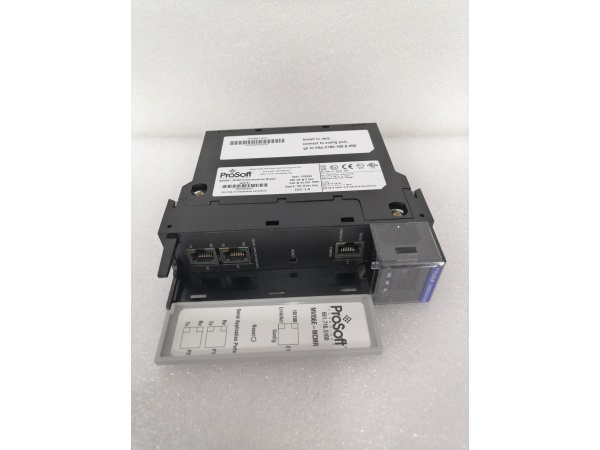
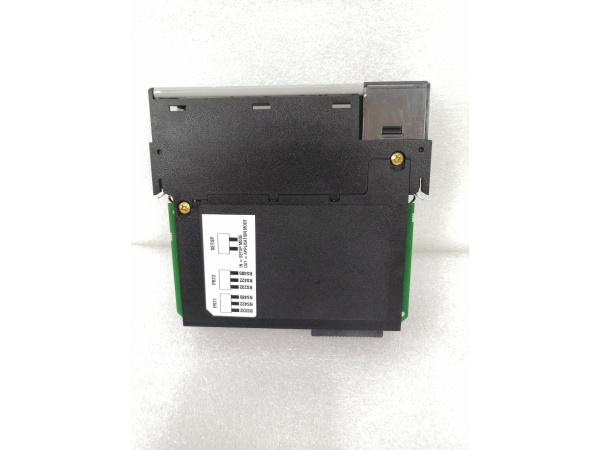
Serial Ports: 2 independently programmable ports (RS-232/RS-422/RS-485 selectable via jumpers)
-
Baud Rate: 110–115,200 bps (software-configurable)
-
Data Bits: 7 or 8 bits (user-selectable)
-
Stop Bits: 1 or 2 bits (user-selectable)
-
Parity: None, odd, or even (user-selectable)
-
Modbus Modes: Supports both Master (Client) and Slave (Server) modes
-
Data Registers: User-definable mapping for up to 5000 16-bit registers
-
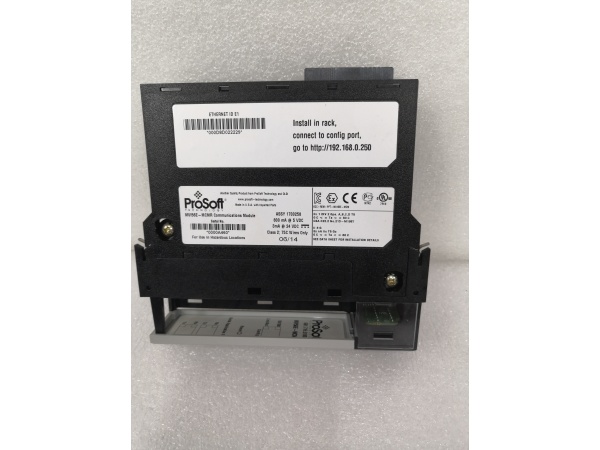
Backplane Current Draw: 800 mA @ 5 V DC, 3 mA @ 24 V DC
-
Operating Temperature: 0°C to 60°C (32°F to 140°F)
-
Storage Temperature: -40°C to 85°C (-40°F to 185°F)
-
Relative Humidity: 5% to 95% (non-condensing)
-
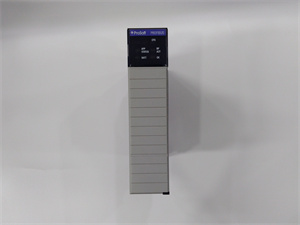
LED Indicators: Power (PWR), Module Status (OK), Application Status (APP), Error (ERR)
-
Dimensions (HxWxD): ~8.9 cm x 13.3 cm x 2.5 cm (3.5 in x 5.25 in x 1 in)
-
Weight: ~0.45 kg (1 lb)
Customer Value & Operational Benefits
Reduced Downtime Through Hot-Swap Capability
The MVI56-MCMR’s hot-swappable design allows technicians to replace a faulty module without powering down the ControlLogix chassis. This eliminates costly production stops—critical in industries like automotive manufacturing, where every minute of downtime translates to lost revenue.
Streamlined Integration with Third-Party Devices
By supporting Modbus RTU/ASCII (the de facto standard for industrial serial communication), the module eliminates the need for custom gateways or protocol converters. This reduces integration complexity and cost, while its compatibility with RSLogix 5000/Studio 5000 ensures seamless data mapping to ControlLogix tags. Technicians can quickly configure the module using ProSoft’s Configuration Builder software, cutting commissioning time by up to 50%.
Enhanced Diagnostic Visibility
The module’s LED indicators (PWR, OK, APP, ERR) provide real-time status updates, while the 4-character alphanumeric display shows port status, errors, and configuration details. For deeper diagnostics, technicians can use ProSoft’s remote configuration software to view error logs and network performance—reducing root-cause analysis time from hours to minutes. This visibility is invaluable in preventing unplanned outages caused by communication failures.
PROSOFT MVI56-MCMR
Field Engineer’s Notes (From the Trenches)
When configuring the MVI56-MCMR, always match the serial port settings (baud rate, data bits, parity) to the field device—a mismatch will cause constant communication errors. I once spent 3 hours troubleshooting a plant’s VFD network only to find the VFD was set to 9600 bps while the module was at 19200 bps.Label the module’s serial ports clearly (Port 1/Port 2) and document the Modbus addresses in the ProSoft Configuration Builder—this saves hours when adding new devices later. Also, use shielded twisted-pair cable for RS-485 connections; unshielded cables pick up too much noise in industrial environments.If a device isn’t responding, check the “Modbus Command List” in the module’s configuration—a missing or incorrect command is a common cause of “no communication” errors. And remember: the module’s 5000-word register space resets when power is cycled, so save your configuration to a file using ProSoft’s software.
Real-World Applications
-
Automotive Parts ManufacturingA major automotive supplier uses the MVI56-MCMR to connect a ControlLogix PLC to 12 Modbus RTU robotic arms and 8 barcode scanners. The module polls robotic position data (Modbus registers 40001–40012) and scanner serial numbers (40013–40020) every 500 ms, enabling the PLC to synchronize assembly lines and track parts. This integration reduced assembly errors by 20% and improved compliance with IATF 16949 quality standards.
-
Coal-Fired Power Plant Energy MonitoringA power plant deploys the MVI56-MCMR to link a ControlLogix PLC with 24 Modbus RTU energy meters and 12 transformer temperature sensors. The module acts as a slave, sharing real-time energy output (kWh) and temperature data with a plant-wide SCADA system. During peak demand, the SCADA system sends Modbus commands to adjust generator load—cutting energy waste by 12% and ensuring grid stability.
-
Municipal Water Treatment Pump ControlA water treatment plant uses the MVI56-MCMR to connect a ControlLogix PLC to 8 Modbus RTU VFDs (controlling pump speed) and 6 level sensors (monitoring storage tanks). The module polls sensor data every 1 second and sends pump speed commands to VFDs, optimizing flow based on demand. This reduced energy consumption by 18% and extended pump lifespan by 10%.
High-Frequency Troubleshooting FAQ
Q: What is the correct migration path for a ProSoft MVI56-MCMR to the MVI56E-MCMR series?
A: The MVI56E-MCMR is the direct replacement for the MVI56-MCMR. Key differences include: (1) Floating-point data support (added in MVI56E-MCMR for complex calculations); (2) Enhanced configuration flexibility (via ProSoft’s Configuration Builder software); (3) Improved error logging (more detailed fault codes). To migrate: (1) Export the MVI56-MCMR configuration file using ProSoft’s software; (2) Import the file into the MVI56E-MCMR; (3) Update the ControlLogix ladder logic to use the new module’s tag structure (if needed). No changes to the ControlLogix chassis are required.
Q: How do I interpret the LED status indicators on a ProSoft MVI56-MCMR?
A: The module has four LEDs:
-
PWR (Green): Solid = Module has power; Off = No power (check backplane supply).
-
OK (Green): Solid = Module communicating with ControlLogix; Blinking = Module detected but not configured.
-
APP (Yellow): Solid = Application running normally; Blinking = Initializing.
-
ERR (Red): Solid = Critical error (e.g., backplane power failure); Blinking = Non-critical error (e.g., invalid Modbus address).The 4-character alphanumeric display provides additional context (e.g., “PORT1 ERR” or “CONFIG OK”). For a full list of codes, refer to the module’s user manual.
Q: Why am I getting “timeout” errors when polling Modbus devices with the MVI56-MCMR?
A: Timeout errors usually stem from three issues: (1) Baud rate mismatch (verify the device and module use the same baud rate); (2) Incorrect Modbus address (check the “Modbus Command List” in the module’s configuration); (3) Poor cabling (use shielded twisted-pair cable and check for loose connections). To diagnose, use the module’s “Test Communication” feature in ProSoft’s software—this sends a ping to each device and reports errors.
Q: Can the MVI56-MCMR be used in a redundant ControlLogix system?
A: Yes, the MVI56-MCMR supports redundant ControlLogix configurations (e.g., 1756-RM2). Install one MVI56-MCMR in each redundant chassis, and configure them to mirror each other’s settings. The module’s reduced data block technology ensures seamless failover—if one chassis fails, the other takes over communication without interrupting data flow.
Commercial Availability & Pricing
Please note: The listed price is not the actual final price. It is for reference only and is subject to appropriate negotiation based on current market conditions, quantity, and availability.