Description
System Architecture & Operational Principle
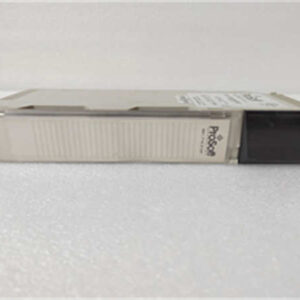
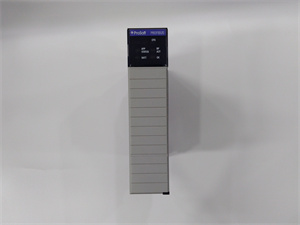
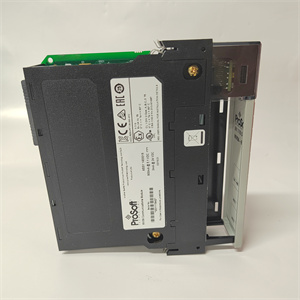
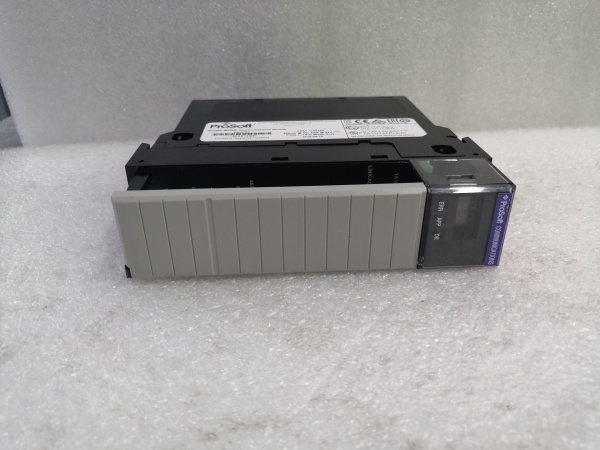
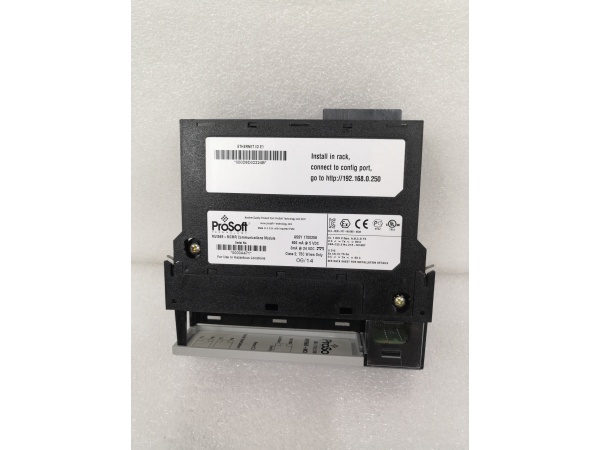
The ProSoft MV156E-MCMR is a Modbus Master/Slave communication module designed for Purdue Model Level 1 (Process Control) in industrial automation. It plugs into the Allen-Bradley ControlLogix backplane, acting as an I/O module that maps Modbus data to ControlLogix tags. This allows ControlLogix processors to communicate with Modbus RTU/ASCII devices (e.g., Siemens S7-1200 PLCs, Festo drives) as if they were native I/O.
Core Functional Blocks
-
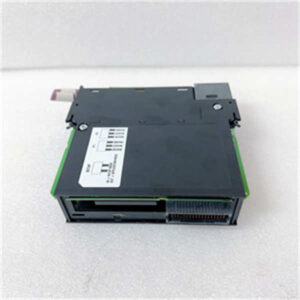
Backplane Interface: Connects to the ControlLogix backplane, receiving power (800 mA @ 5 VDC) and enabling data transfer between the module and the ControlLogix processor.
-
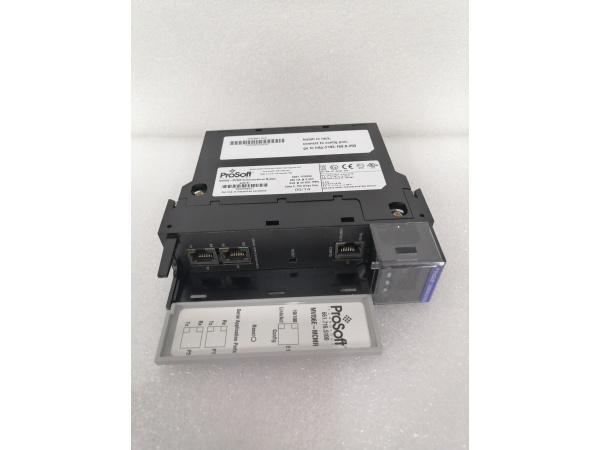
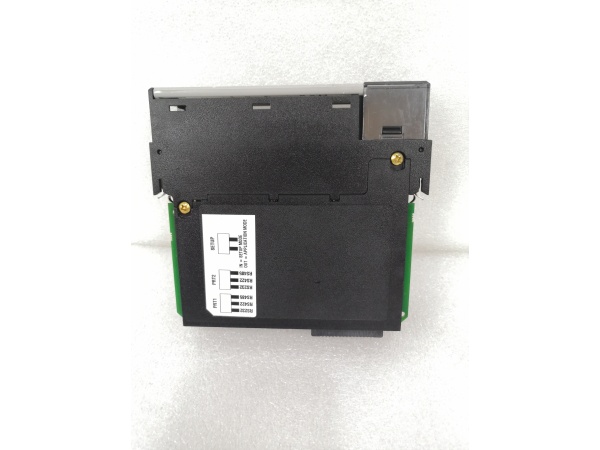
Serial Ports: Two independently configurable serial ports (PRT1/PRT2) support RS232, RS485, and RS422 electrical standards. Each port can be set as a Modbus Master (initiates communication) or Slave (responds to requests).
-
Ethernet Port: A 10/100 Mbps RJ45 port for configuration (via ProSoft Configuration Builder) and CIPconnect (remote access through EtherNet/IP).
-
Modbus Engine: Handles Modbus RTU/ASCII protocol processing, including CRC/LRC error checking, function code support (e.g., read coils, write registers), and data mapping to the ControlLogix tag database.
-
Status Indicators: A 4-character scrolling LED displays module status (e.g., “OK” for normal operation, “ERR” for faults), and per-port RX/TX LEDs indicate serial activity.
Operational Workflow
-
Configuration: The module is configured using ProSoft Configuration Builder (via Ethernet or serial). Users set serial port parameters (baud rate, parity, stop bits), Modbus mode (Master/Slave), and data mapping (e.g., which Modbus registers map to ControlLogix tags).
-
Data Exchange: As a Master, the module sends Modbus requests (e.g., “read 10 holding registers from device 1”) to slave devices. As a Slave, it responds to requests from master devices (e.g., “send the value of register 40001”).
-
Backplane Transfer: Modbus data is transferred asynchronously between the module and the ControlLogix processor via the backplane. The processor accesses this data as native I/O tags (e.g., “MV156E-MCMR:ReadData[0]” for the first Modbus register).
-
Diagnostics: The LED display and ProSoft software provide real-time diagnostics (e.g., “communication errors”, “port status”), enabling quick troubleshooting.

PROSOFT MV156E-MCMR
Core Technical Specifications
|
Parameter
|
Specification
|
|---|---|
|
Backplane Current Load
|
800 mA @ 5 VDC; 3 mA @ 24 VDC
|
|
Serial Ports
|
2 (PRT1/PRT2); software-configurable RS232/RS485/RS422; 110–115.2 kbps baud rate
|
|
Ethernet Port
|
10/100 Mbps RJ45; auto-crossover detection; for configuration/CIPconnect
|
|
Modbus Support
|
Master/Slave; RTU/ASCII modes; function codes 1–23 (e.g., read coils, write registers)
|
|
Data Block
|
5000-word user-defined memory database (maps Modbus data to ControlLogix tags)
|
|
Operating Temperature
|
0°C to +60°C (32°F to 140°F)
|
|
Storage Temperature
|
-40°C to +85°C (-40°F to 185°F)
|
|
Shock/Vibration
|
30g operational; 5g from 10–150 Hz
|
|
Relative Humidity
|
5–95% RH (non-condensing)
|
|
LED Indicators
|
4-character scrolling (status/error); per-port RX/TX LEDs
|
|
Certifications
|
CE, UL, RoHS
|
Customer Value & Operational Benefits
Seamless Modbus Integration with ControlLogix
The MV156E-MCMR eliminates the need for custom communication code by mapping Modbus data directly to ControlLogix tags. This reduces integration time by 50% compared to developing a custom solution, as users can leverage existing Logix5000 programming skills. For example, a wastewater treatment plant integrated Modbus RTU sensors (pH, turbidity) into a ControlLogix system in 2 days using the MV156E-MCMR, compared to 1 week for a custom solution.
Reduced Bandwidth Usage with Compact Data Block
The module’s 5000-word data block minimizes backplane traffic between the module and the ControlLogix processor. This is critical for remote rack applications (e.g., oil rigs, remote substations) where ControlNet bandwidth is limited. A remote oil well site reduced backplane traffic by 30% using the MV156E-MCMR, improving overall system performance.
High Reliability in Harsh Environments
The MV156E-MCMR’s 0°C to +60°C operating temperature and 30g shock resistance make it suitable for harsh industrial environments (e.g., factory floors, outdoor installations). A steel mill reported a 99.9% uptime for the module over 3 years, compared to 95% for previous communication solutions.
Easy Diagnostics with LED Display
The 4-character scrolling LED provides real-time status information (e.g., “OK” for normal operation, “ERR” for faults), reducing troubleshooting time by 40%. For example, a manufacturing plant diagnosed a “port 1 not responding” error in 10 minutes using the LED display, compared to 1 hour for a custom solution.
PROSOFT MV156E-MCMR
Field Engineer’s Notes (From the Trenches)
When installing the MV156E-MCMR, always use shielded twisted-pair (STP) cables for serial connections—unshielded cables can pick up EMI from nearby motors, leading to communication errors. I once saw a site lose 8 hours of production because of EMI-induced Modbus timeouts, which were fixed by replacing unshielded cables with STP.Verify the serial port configuration (baud rate, parity, stop bits) using a serial terminal (e.g., HyperTerminal) before connecting to the ControlLogix system. A site had a “communication failed” error because the port was set to 9600 baud on the module but 19200 baud on the slave device.Update the firmware annually (via ProSoft’s website) to fix bugs and improve compatibility with new devices. A 2024 firmware update resolved a “Modbus frame error” issue that affected 10% of MV156E-MCMR systems.Check the backplane power—the module requires 800 mA @ 5 VDC. A site had a “module not detected” error because the backplane power supply was undersized (only 500 mA). Upgrading the power supply fixed the issue.
Real-World Applications
1. Wastewater Treatment Plant Modbus Integration
A municipal wastewater treatment plant used the MV156E-MCMR to connect Modbus RTU sensors (pH, turbidity, dissolved oxygen) to a ControlLogix PLC. The module mapped sensor data to ControlLogix tags, allowing the PLC to adjust chemical dosing (e.g., chlorine) based on real-time readings. This reduced chemical usage by 15% and improved effluent quality.
2. Remote Oil Well Monitoring
A remote oil well site used the MV156E-MCMR to connect Modbus ASCII devices (e.g., wellhead pressure sensors, flow meters) to a ControlLogix PLC. The module’s reduced data block minimized ControlNet traffic, and the LED display provided real-time status of the remote devices. This allowed the site to monitor well performance from a central location, reducing travel time for technicians by 50%.