Description
System Architecture & Operational Principle
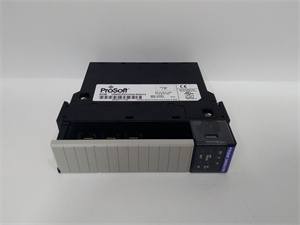
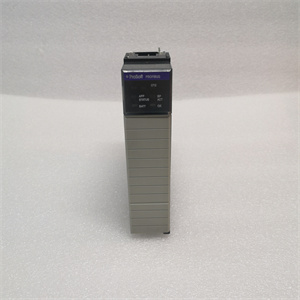
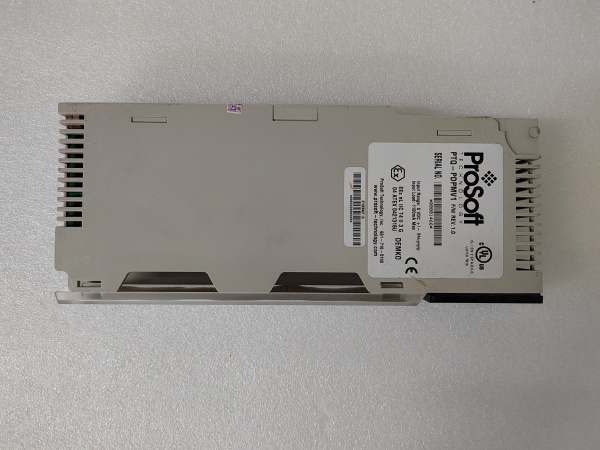
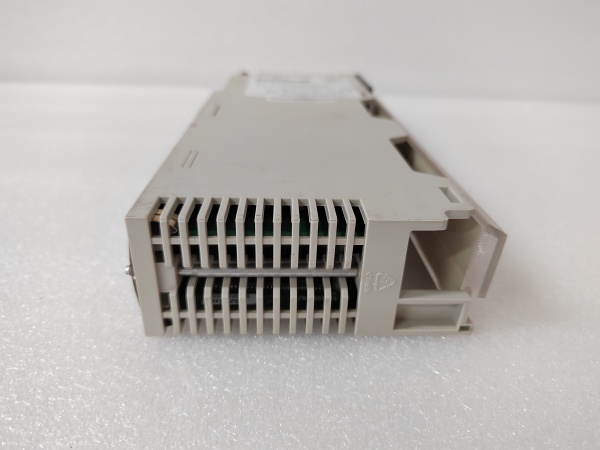
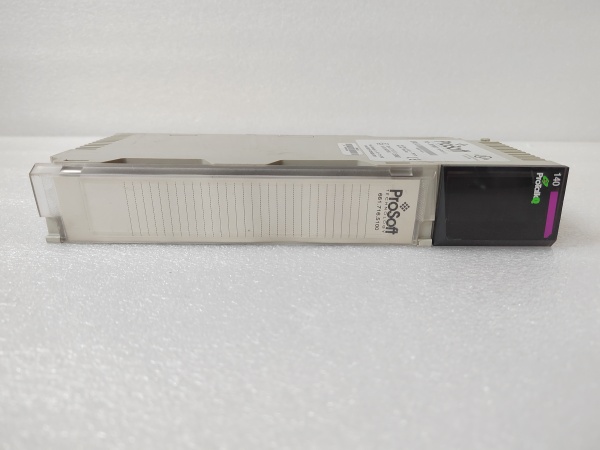
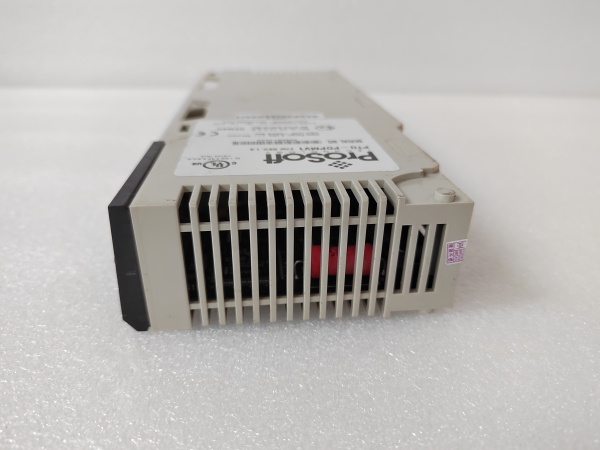
The ProSoft PTQ-PDPMV1 is a critical communication component in industrial automation systems, residing in a single slot of a Schneider Electric Quantum chassis. It connects the PLC to PROFIBUS DP networks, functioning as a master (to poll data from PROFIBUS devices like Siemens S7-300 or ET200M remote I/O) or slave (to share PLC data with PROFIBUS masters).
Upstream, the Quantum processor sends configuration commands and data requests via the chassis backplane. The module translates these into PROFIBUS DP messages, transmitting them over an Ethernet link to PROFIBUS devices (e.g., VFDs, sensors). Downstream, it receives responses from PROFIBUS devices (e.g., speed feedback from a VFD) or sends commands (e.g., setpoint adjustments) to actuators.
The module integrates with Unity Pro/Concept using a supplied Add-On Instruction (AOI), which maps PROFIBUS data to Quantum tags for seamless data exchange. Its single-slot design minimizes chassis space usage, while CIPconnect technology enables remote configuration and diagnostics over EtherNet/IP—eliminating the need for additional gateways.
The inherent advantage lies in its ability to bridge Schneider’s proprietary Quantum ecosystem with the widely adopted PROFIBUS DP protocol, ensuring interoperability with third-party devices without compromising system performance. Hot-swap capability allows for module replacement without shutting down the PLC, reducing downtime during maintenance.

PTQ-PDPMV1
Core Technical Specifications
-
Backplane Compatibility: Single-slot Quantum chassis (local or remote rack)
-
Ethernet Port: 10/100 Mbps RJ45 connector (CAT5 cable), auto crossover detection
-
PROFIBUS Modes: Supports both Master (Client) and Slave (Server) modes
-
Slave Connections: Up to 125 (with repeater)
-
Data Registers: 1536-byte input/output capacity (user-definable mapping)
-
Backplane Current Draw: 800 mA @ 5 V DC, 3 mA @ 24 V DC
-
Operating Temperature: 0°C to 60°C (32°F to 140°F)
-
Storage Temperature: -40°C to 85°C (-40°F to 185°F)
-
Shock Resistance: 30 g operational, 50 g non-operational
-
Vibration Resistance: 5 g from 10 Hz to 150 Hz
-
Relative Humidity: 5% to 95% (non-condensing)
-
LED Indicators: Application Status (APP), Module Status (OK), Error (ERR)
-
Display: 4-character alphanumeric scrolling LED (shows IP address, port status, errors)
Customer Value & Operational Benefits
Reduced Downtime Through Hot-Swap Capability
The PTQ-PDPMV1’s hot-swap design allows technicians to replace a faulty module without powering down the Quantum PLC. This eliminates costly production stops—critical in industries like automotive manufacturing, where every minute of downtime translates to lost revenue.
Streamlined Cross-Vendor Integration
By supporting PROFIBUS DP (the de facto standard for industrial serial communication), the module eliminates the need for custom gateways or protocol converters. This reduces integration complexity and cost, while its compatibility with Unity Pro/Concept ensures seamless data mapping to Quantum tags. Technicians can quickly configure the module using ProSoft’s Configuration Builder software, cutting commissioning time by up to 50%.
Enhanced Diagnostic Visibility
The module’s 4-character LED display provides real-time status updates (e.g., “IP OK” or “ERR: COMM”), while the APP and OK LEDs indicate application and module health. For deeper diagnostics, technicians can use ProSoft’s remote configuration software to view error logs and network performance—reducing root-cause analysis time from hours to minutes. This visibility is invaluable in preventing unplanned outages caused by communication failures.
Field Engineer’s Notes (From the Trenches)
When installing the PTQ-PDPMV1, always verify the Quantum chassis backplane power supply first. A marginal 5 V supply (below 4.9 V) can cause intermittent communication faults that mimic a bad module. Use a multimeter to measure the backplane voltage at the slot before inserting the module—this simple step saves hours of troubleshooting.Another gotcha: the module’s Ethernet port requires a straight-through CAT5 cable (not crossover) for most networks. While the module supports auto crossover detection, some industrial switches don’t play nice with it. Stick to straight-through cables unless you’ve confirmed the switch supports auto-MDI/MDIX.Finally, label the module’s IP address and port configurations on the chassis—nothing’s worse than hunting for a misconfigured module in a crowded cabinet. Use a permanent marker to write the IP and port settings on the front panel; it’ll save you time during future diagnostics.PTQ-PDPMV1
Real-World Applications
-
Automotive Manufacturing LineA major automotive supplier uses the PTQ-PDPMV1 to connect a Quantum PLC to 24 PROFIBUS robotic arms and 12 barcode scanners. The module acts as a PROFIBUS master, polling robotic position data (every 300 ms) and scanner serial numbers. This integration reduced assembly errors by 25% and improved compliance with IATF 16949 quality standards.
-
Pharmaceutical Bottling PlantA pharmaceutical company uses the PTQ-PDPMV1 to link a Quantum PLC with PROFIBUS VFDs (for bottle conveyors) and temperature sensors (for storage tanks). The module acts as a PROFIBUS slave, responding to SCADA requests for real-time data. This solution cut energy consumption by 18% and extended pump lifespan by 15%.
-
Steel Mill Converter Charging SystemA steel mill uses the PTQ-PDPMV1 to connect a Quantum PLC to Siemens S7-300 controllers (for RH furnaces and LF refining stations). The module acts as a PROFIBUS master, polling temperature and pressure data from S7-300 devices. This resolved interoperability issues between Schneider and Siemens systems, improving production efficiency by 20%.
High-Frequency Troubleshooting FAQ
Q: What is the correct migration path from a legacy MVI56-PDPMV1 to ProSoft PTQ-PDPMV1?
A: The PTQ-PDPMV1 is a drop-in replacement for the older MVI56-PDPMV1. Key differences include: (1) Enhanced data capacity (1536 bytes vs. 1024 bytes); (2) More PROFIBUS slaves supported (125 vs. 100); (3) Improved diagnostics (4-character LED display vs. basic LEDs). To migrate: (1) Export the MVI56-PDPMV1’s configuration file using ProSoft’s Configuration Builder; (2) Import the file into the PTQ-PDPMV1; (3) Update the Quantum ladder logic to use the new module’s tag structure (if needed). No changes to the Quantum chassis are required.
Q: How do I interpret the LED status indicators on a ProSoft PTQ-PDPMV1?
A: The module has three LEDs:
-
APP (Green): Solid = Application running normally; Blinking = Application initializing.
-
OK (Green): Solid = Module communicating with Quantum; Blinking = Module detected but not configured.
-
ERR (Red): Solid = Critical error (e.g., backplane power failure); Blinking = Non-critical error (e.g., invalid IP address).The 4-character LED display provides additional context (e.g., “IP ERR” or “COMM OK”). For a full list of codes, refer to the module’s user manual.
Q: Why am I getting “timeout” errors when polling PROFIBUS devices with the PTQ-PDPMV1?
A: Timeout errors usually stem from three issues: (1) Baud rate mismatch (verify the device and module use the same baud rate); (2) Incorrect PROFIBUS address (check the “Slave Address” in the module’s configuration); (3) Poor cabling (use shielded twisted-pair cable and check for loose connections). To diagnose, use the module’s “Test Communication” feature in ProSoft’s Configuration Builder—this tool sends a ping to each device and reports errors.
Q: Can the PTQ-PDPMV1 be used in a redundant Quantum system?
A: Yes, the PTQ-PDPMV1 supports redundant Quantum configurations (e.g., 140 CPU 671). Install one PTQ-PDPMV1 in each redundant chassis, and configure them to mirror each other’s settings. The module’s CIPconnect technology ensures seamless failover—if one chassis fails, the other takes over communication without interrupting data flow.
Commercial Availability & Pricing
Please note: The listed price is not the actual final price. It is for reference only and is subject to appropriate negotiation based on current market conditions, quantity, and availability.